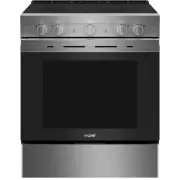
Page 3 - RECORD KEEPING; TABLE OF CONTENTS; HAIER WEBSITE
49-2001025 Rev. 1 3 ENGLISH RECORD KEEPING Thank you for purchasing this Haier product. This user manual will help you get the best performance from your new range.For future reference, record the model and serial number located on the front behind the range storage drawer, and the date of purchase....
Page 4 - READ AND SAVE THESE INSTRUCTIONS; READ ALL INSTRUCTIONS BEFORE USING THE APPLIANCE; SAFETY INFORMATION; WARNING
4 49-2001025 Rev. 1 ENGLISH READ AND SAVE THESE INSTRUCTIONS IMPORTANT SAFETY INFORMATION READ ALL INSTRUCTIONS BEFORE USING THE APPLIANCE WARNING Read all safety instructions before using the product. Failure to follow these instructions may result in fire, electrical shock, serious injury or death...
Page 5 - GENERAL SAFETY INSTRUCTIONS; CAUTION; KEEP FLAMMABLE MATERIALS AWAY FROM THE OVEN
49-2001025 Rev. 1 5 ENGLISH READ AND SAVE THESE INSTRUCTIONS IMPORTANT SAFETY INFORMATION READ ALL INSTRUCTIONS BEFORE USING THE APPLIANCE SAFETY INFORMATION WARNING GENERAL SAFETY INSTRUCTIONS • Use this appliance only for its intended purpose as described in this Owner’s Manual. • FIRE HAZARD: Nev...
Page 6 - IN THE EVENT OF A FIRE, TAKE THE FOLLOWING STEPS TO PREVENT; COOKTOP SAFETY INSTRUCTIONS; RADIANT COOKTOP SAFETY INSTRUCTIONS
6 49-2001025 Rev. 1 ENGLISH SAFETY INFORMATION IMPORTANT SAFETY INFORMATION READ ALL INSTRUCTIONS BEFORE USING THE APPLIANCE READ AND SAVE THESE INSTRUCTIONS WARNING IN THE EVENT OF A FIRE, TAKE THE FOLLOWING STEPS TO PREVENT INJURY AND FIRE SPREADING • Do not use water on grease fires. Never pick u...
Page 7 - OVEN SAFETY INSTRUCTIONS
49-2001025 Rev. 1 7 ENGLISH READ AND SAVE THESE INSTRUCTIONS IMPORTANT SAFETY INFORMATION READ ALL INSTRUCTIONS BEFORE USING THE APPLIANCE SAFETY INFORMATION WARNING OVEN SAFETY INSTRUCTIONS • Stand away from the range when opening the oven door. Hot air or steam which escapes can cause burns to han...
Page 8 - USING THE RANGE; CONNECTING YOUR WIFI ENABLED; REMOTE ENABLE EQUIPMENT
8 49-2001025 Rev. 1 ENGLISH USING THE RANGE CONNECTING YOUR WIFI ENABLED OVEN Your oven is designed to provide you with two-way communication between your appliance and smart device. By using the SmartHQ mobile app, you will be able to control essential oven operations such as temperature settings a...
Page 9 - SURFACE UNITS; How to Set; Temperature Limiter on Radiant Glass
49-2001025 Rev. 1 9 ENGLISH USING THE RANGE USING THE RANGE SURFACE UNITS WARNING FIRE HAZARD: Never leave the range unattended with the cooktop ON above a Lo setting. Keep flammable items away from the cooktop. Turn off all controls when done cooking. Failure to follow these instructions can result...
Page 10 - Recommended
10 49-2001025 Rev. 1 ENGLISH USING THE RANGE SURFACE UNITS (Cont.) Cookware for Radiant Glass Cooktops The following information will help you choose cookware which will give good performance on glass cooktops. NOTE: Follow all cookware manufacturer’s recommendations when using any type of cookware ...
Page 11 - OVEN CONTROLS; APP ONLY PRODUCT SETTINGS
49-2001025 Rev. 1 11 ENGLISH USING THE RANGE OVEN CONTROLS Oven Mode Selector Knob Turn the Oven Mode Selector knob to the mode you want. Your oven has the following cooking modes: Warm, Bake and Broil. See Cooking Modes section and Steam Clean for more information. The illuminated oven knob flashes...
Page 12 - Bake Setting; SABBATH MODE
12 49-2001025 Rev. 1 ENGLISH USING THE RANGE APP ONLY PRODUCT SETTINGS (Cont.) Bake Setting This feature allows you to set default Bake settings to Traditional Bake or Convection Bake Multi in the SmartHQ app. See Cooking Modes section for more details. Broil Setting This feature allows you to set d...
Page 13 - COOKING MODES; Bake
49-2001025 Rev. 1 13 ENGLISH USING THE RANGE COOKING MODES Your new oven has a variety of cooking modes to help you get the best results. These modes are described below. Refer to the Cooking Guide section for recommendations for specific foods. Remember, your new oven may perform differently than t...
Page 14 - Proper Probe Placement
14 49-2001025 Rev. 1 ENGLISH USING THE RANGE OVEN PROBE (SmartHQ app only) Internal food temperature is frequently used as an indicator of doneness, especially for roasts and poultry. The Probe mode monitors the internal food temperature and turns the oven off when the internal food temperature reac...
Page 15 - OVEN RACKS; Rack Positions; ALUMINUM FOIL AND OVEN LINERS
49-2001025 Rev. 1 15 ENGLISH USING THE RANGE OVEN RACKS Rack Positions Recommended rack positions for various types of foods are provided in the Cooking Guide. Adjusting the rack position is one way to impact cooking results. For example, if you would prefer darker tops on cakes, muffins or cookies,...
Page 16 - COOKING GUIDE
16 49-2001025 Rev. 1 ENGLISH USING THE RANGE COOKING GUIDE NOTE: Some modes may only be available in the SmartHQ app. FOOD TYPE RECOMMENDED MODE(S) RECOMMENDED RACK POSITION(S) ADDITIONAL SUGGESTIONS Baked Goods Layer cakes, sheet cakes, bundt cakes, muffins, quick breads on a Single Rack Bake Baked...
Page 17 - CARE AND CLEANING; OVEN; Oven Interior; Oven Exterior; COOKTOP; Control Panel and Knobs; Cooktop Surface
49-2001025 Rev. 1 17 ENGLISH CARE AND CLEANING OVEN Be sure all controls are off and all surfaces are cool before cleaning any part of the oven. Oven Interior The interior of your new oven can be cleaned manually or by using the Steam Clean feature.Spillage of marinades, fruit juices, tomato sauces ...
Page 18 - GLASS COOKTOP; Normal Daily Use Cleaning
18 49-2001025 Rev. 1 ENGLISH GLASS COOKTOP Normal Daily Use Cleaning ONLY use ceramic cooktop cleaner on the glass cooktop. Other creams may not be as effective.To maintain and protect the surface of your glass cooktop, follow these steps:1. Before using the cooktop for the first time, clean it with...
Page 19 - Damage from Sugary Spills and Melted Plastic; DOOR AND DRAWER; Cleaning the Oven Door
49-2001025 Rev. 1 19 ENGLISH CARE AND CLEANING GLASS COOKTOP (Cont.) Damage from Sugary Spills and Melted Plastic Special care should be taken when removing hot substances to avoid permanent damage of the glass surface . Sugary spillovers (such as jellies, fudge, candy, syrups) or melted plastics ca...
Page 20 - OVEN LIGHT; Oven Light Replacement; OVEN DOOR
20 49-2001025 Rev. 1 ENGLISH CARE AND CLEANING OVEN LIGHT WARNING SHOCK OR BURN HAZARD: Before replacing oven light bulb, disconnect the electrical power to the range at the main fuse or circuit breaker panel. Failure to do so may result in electric shock or burn. CAUTION BURN HAZARD: The glass cove...
Page 21 - TROUBLESHOOTING TIPS
49-2001025 Rev. 1 21 ENGLISH Problem Possible Cause What To Do My new oven doesn't cook like my old one. Is something wrong with the temperature settings? Your new oven has a different cooking system from your old oven and therefore may cook differently than your old oven. For the first few uses, fo...
Page 23 - What Haier will not cover:; company; LIMITED WARRANTY
49-2001025 Rev. 1 23 ENGLISH Haierappliances.com All warranty service is provided by our Factory Service Centers, or an authorized Customer Care ® technician. To schedule service online, visit us at Haierappliances.com , or call Haier at 1-877-337-3639. Please have your serial number and your model ...
Page 24 - Looking For Something More?; ACCESSORIES; Accessories; Parts
24 49-2001025 Rev. 1 ENGLISH Looking For Something More? Haier offers a variety of accessories to improve your cooking and maintenance experiences! Refer to the Consumer Support page for phone numbers and website information.The following products and more are available: ACCESSORIES Accessories Smal...
Page 25 - NOTES
Page 28 - IMPORTANT
28 49-2001025 Rev. 1 ENGLISH IMPORTANT Do Not Return This Product To The Store If you have a problem with this product, please call 1-877-337-3639 for the name and telephone number of the nearest authorized service center. DATED PROOF OF PURCHASE REQUIRED FOR WARRANTY SERVICE