Haier HWT75AA1 - User Manual
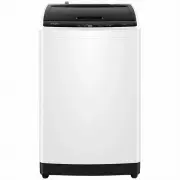
Haier HWT75AA1 Washing Machine – User Manual, read for free online in PDF format. We hope this helps you resolve any issues you may have. If you have further questions, please contact us through the contact form.


Table of Contents:
- Page 2 – CONTENTS; Installation & adjustment; Operation and Wash Cycles
- Page 3 – Product overview
- Page 4 – Description of symbols; Warning sign; Safety precautions; Warning
- Page 5 – Forbidden
- Page 7 – Installation & Adjustment; Balancing the washing machine
- Page 8 – Connection between the water inlet hose and; Check the inlet hose connections
- Page 9 – Preparation before washing; Check the following before washing; Before washing; b. Divide the laundry into colour fast and non-colour fast items.
- Page 10 – Adding washing power; Operation; Loading your laundry; Close the lid
- Page 11 – Key Lock function; Indicator display; Explanation of buttons; Delay
- Page 12 – Start
- Page 14 – After the power is turned on, the default is Cotton cycle.; Press the button to switch power on/off; Operating Method of Delay Procedure; The wash will finish
- Page 15 – Press the button to start the cycle
- Page 16 – Cleaning and Maintenance; Maintenance
- Page 17 – Problem
- Page 18 – Common occurrences; Packing list
- Page 19 – Specification
Please read this manual carefully before
operating your washing machine and retain
it for future reference.
TOP LOAD FULL-AUTOMATIC
WASHING MACHINE
USER’S MANUAL
0030517190A
MODEL
HWT75AA 1
HWT60AA 1
"Loading the manual" means you need to wait until the file loads and becomes available for online reading. Some manuals are very large, and the time they take to appear depends on your internet speed.
Was this manual helpful?
About this manual
- Brand
- Haier
- Model
- HWT75AA1
- Document type
- User Manual
- Category
- Washing Machine
- Language(s)
- English
- Pages
- 19
- File size
- 7.9 MB
- Format
Summary
CONTENTS Product overviewSafety precautions Installation & adjustment Before washing Operation Cleaning and Maintenance Packing listSpecification Trouble-shooting 1 2 2 2 4 4 5 5 6 7 889 16 7 8 1415 17 Description of symbolsSafety warnings Installing the bottom plate Balancing the washing machin...
Product overview Outer tub cover Top lid Inner tub Pulsator Detergent tray (Not applicable for HWT60AA1 model ) Base frame Screw cover Adjustable feet (2 pieces) Top deck Cabinet Cold water inlet valve Fixed feet (2 pieces) Handle Power cord Back cover Please understand the shapes of the washing mac...
Description of symbols Warning sign Forbidden sign Contents marked with this symbol are related to the safe use of the product and the personal safety of the user. Please operate in acc ordance with the contents of this manual to avoid harm to the user or damage to the machine. Contents marked with ...
Ask a question
Related manuals
Popular Haier Washing Machines



More Haier Washing Machines models
 Haier HWT09AN1 User Manual
 Haier HWT10AN1 User Manual
 Haier HWT10ANB1 User Manual
 Haier HWT60AA1 User Manual
 Haier HWT60AW1 User Manual
 Haier HWT70AW1 User Manual
 Haier HWT80AW1 User Manual
 Haier HW-D1260TVE Manual
 Haier HWD70-BP14929A Manual
 Haier HWD70-BP14929B Manual
 Haier HWD70-BP14929S Manual
 Haier HWD9050AN1 User Manual