Haier HRF580YPC - User Manual
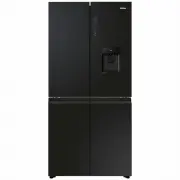
Haier HRF580YPC Refrigerator – User Manual, read for free online in PDF format. We hope this helps you resolve any issues you may have. If you have further questions, please contact us through the contact form.


Table of Contents:
- Page 3 – Water pipe
- Page 9 – and refrigerant.; Intended use; – catering and similar non-retail applications.
- Page 10 – Water filter
- Page 11 – Before first use; respectively. These are the recommended
- Page 12 – box
- Page 13 – Sensor keys; touched with the finger.; Switch on /off the appliance; Empty the appliance before switching off
- Page 14 – The indoor temperatures are influenced by the following factors:; Door alarm
- Page 15 – Adjust the temperature for Freezer; Unlock the settings by long pressing key “Q” for 3
- Page 16 – Adjust the temperature for Fridge; Fridge temperature can't be adjusted under lock state.
- Page 17 – Adjust Switch Zone temperature; Switch Zone temperature can't be adjusted under lock state.
- Page 18 – Super Freeze function; product exits Super Freeze mode.
- Page 19 – product enters Ice maker mode. For exiting Ice; Ice maker
- Page 21 – Water filter function:
- Page 23 – Before refiling dispose residual water and clean the tank.
- Page 25 – Storage into the Switch Zone compartment
- Page 26 – Storage into the freezer compartment
- Page 28 – The Light; Removable door shelves; shelves
- Page 29 – Energy saving tips
HRF580YPS
HRF580YPC
"Loading the manual" means you need to wait until the file loads and becomes available for online reading. Some manuals are very large, and the time they take to appear depends on your internet speed.
Was this manual helpful?
About this manual
- Brand
- Haier
- Model
- HRF580YPC
- Document type
- User Manual
- Category
- Refrigerator
- Language(s)
- English
- Pages
- 44
- File size
- 7 MB
- Format
Summary
25 30 28 37 33 AccessoriesCheck the accessories and literature in accordance with this list: 2 7 9 10 11 1 Water pipe
- Please abandon the refrigerator according to local regulators for it use flammable blowing gas and refrigerant. Intended use This appliance is intended to be used in household and similar applications such as – staff kitchen areas in shops, offices and other working environments;– farm houses and by c...
8 Storage tray Switch Zone storage drawer Door shelf Cabinet shelf Ceiling light 10 Ice storage bin 15 Storage drawer 17 Adjustable feet 12 Air duct 9 Air duct C:Switch Zone compartment 16 Adjustable feet 8 Water dispenser 5 Water filter 11 Storage tray Humidity zone drawer C
Ask a question
Related manuals
Popular Haier Refrigerators


More Haier Refrigerators models
 Haier HRF565YHC User Manual
 Haier HRF565YHS User Manual
 Haier HRF575XHC User Manual
 Haier HRF575XS User Manual
 Haier HRF580YHC User Manual
 Haier HRF580YHS User Manual
 Haier HRF580YPS User Manual
 Haier HRF680YPS User Manual
 Haier HSBS555AS User Manual
 Haier HSBS582AS User Manual
 Haier HTF-425DM7RU Manual
 Haier HTF-508DGS7RU Manual