GE 34134-P1-992 - User Manual
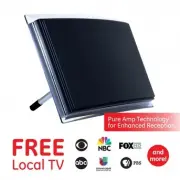
GE 34134-P1-992 Antenna – User Manual, read for free online in PDF format. We hope this helps you resolve any issues you may have. If you have further questions, please contact us through the contact form.


Crystal
HD
User Manual
Maximize the number of channels by testing the
antenna in several locations.
Be sure to run a TV
channel scan in each position. Refer to your TV’s
instruction manual if necessary.
Position the antenna as high as possible or near
a window for best performance.
Visit www.antennaweb.org to determine the
available television stations and broadcast
tower locations in your area.
Test reception with and without the amplifier if
you are within 20 miles of the broadcast tower.
Perform a TV channel scan.
1. Connect
2. Place
Helpful Antenna Tips
QUESTIONS?
ISSUES?
CALL OUR U.S.-BASED EXPERTS AT
1-800-654-8483
3. Scan
See reverse for easy-to-follow
instructions and exclusive deals.
MADE IN TAIWAN
GE is a trademark of General Electric Company and is
under license by Jasco Products Company LLC,
10 E. Memorial Rd., Oklahoma City, OK 73114.
This Jasco product comes with a limited-lifetime
warranty. Visit www.byjasco.com for warranty details.
Questions? Contact our U.S.-based Consumer Care at
1-800-654-8483 between 7AM–8PM, M–F, Central Time.
12534/34134/35848/48732 V1 8/20
Questions?
Contact our U.S.-based
Consumer Care at
1-800-654-8483
between 7AM–8PM, M–F, Central Time.
Please call before
returning to store
CALL
CHANNEL SE
ARCH
Scanning for channels
73% .
1. Open the TV’s setup or settings menu.
2. Select scan, autotune, channel search or
channel scan.
3. Wait for the TV to complete the
channel scan.
Tip 1: Consult the TV manual or contact the TV’s
manufacturer for detailed instructions.
Tip 2: Rescan for channels anytime you move
the antenna.
1. Connect the antenna to the TV.
2. Connect the power supply to the
antenna and a wall outlet .
Place the antenna on a flat surface
in your desired location.
Extend the dipoles, as needed,
for best reception.
Antenna
Antenna
Attach the antenna
stand for tabletop
placement.
Power supply
HDTV
HDTV
Tabletop
Tabletop
Adjustable dipoles
OR
PLEASE NOTE: Use only the supplied AC adapter.
Connect to
TV’s coax
"Loading the manual" means you need to wait until the file loads and becomes available for online reading. Some manuals are very large, and the time they take to appear depends on your internet speed.


