Fhiaba MS7490TST3 - User Manual
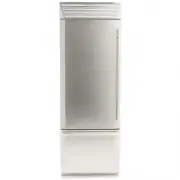
Fhiaba MS7490TST3 Refrigerator – User Manual, read for free online in PDF format. We hope this helps you resolve any issues you may have. If you have further questions, please contact us through the contact form.
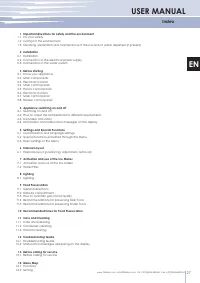
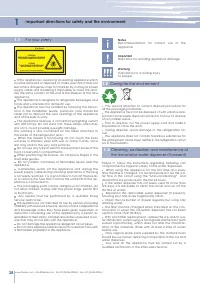
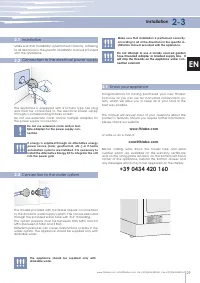
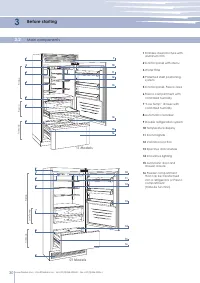
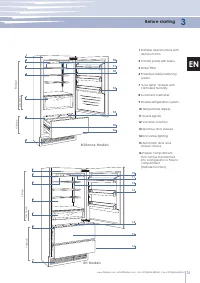
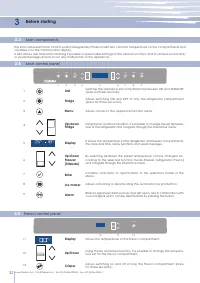
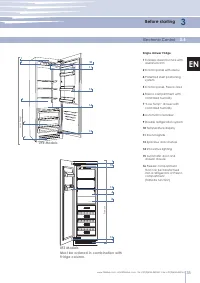
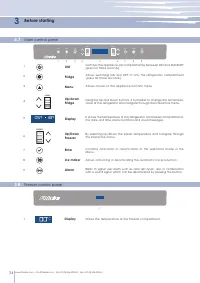
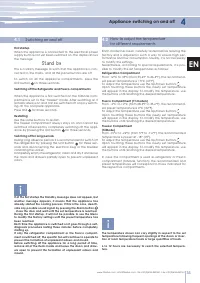
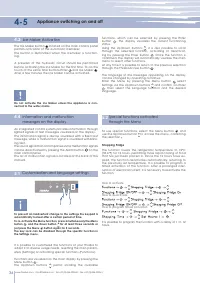
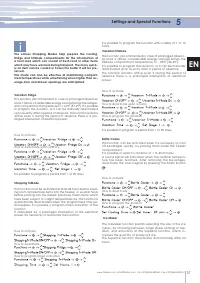
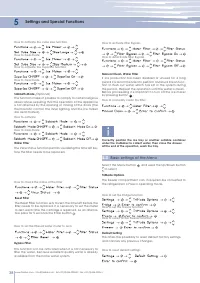
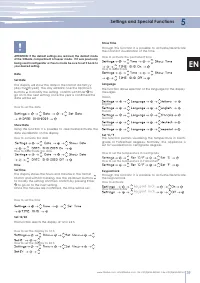
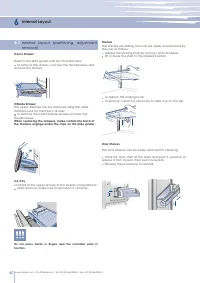
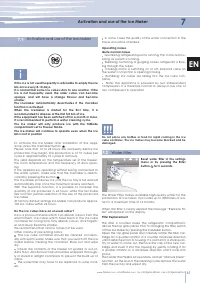
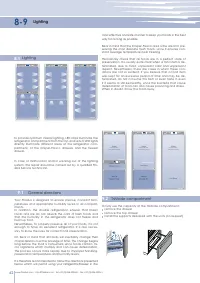
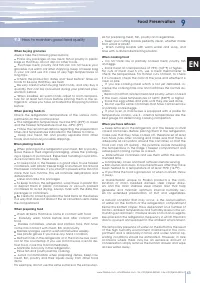
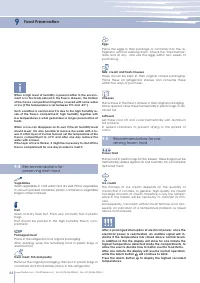
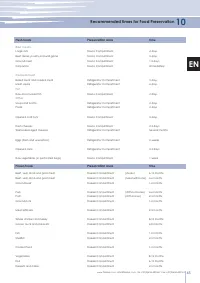
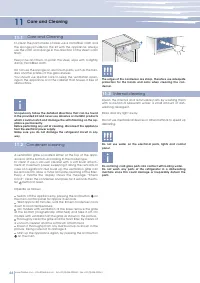
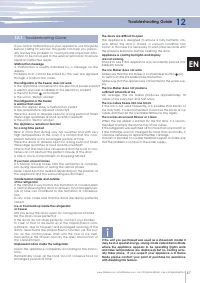
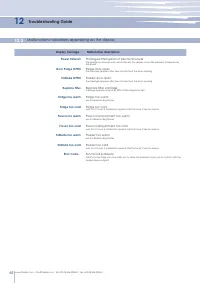
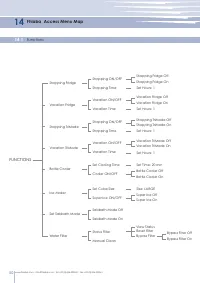
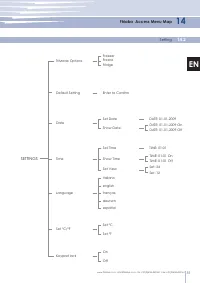
Table of Contents:
- Page 2 – Notes; For your safety; Important; Important directions for safety and the environment
- Page 3 – Installation; Connection to the water system; according to all of the directions in the specific in; Know your appliance; or write us an e-mail at
- Page 4 – Before starting; Main components; T Models
- Page 5 – H Models; Brilliance Models; Fridge
- Page 6 – Main control panel; Allows access to the appliance function menu; Allows activating or deactivating the automatic ice production.
- Page 7 – Componenti principali; Electronic Control; Single drawer Fridge; FR Models
- Page 8 – Shows the temperature of the Freezer compartment.
- Page 9 – Appliance switching on and off; If at the first startup the Standby message does not appear, but; Switching on and off
- Page 10 – Ice Maker Activation; Do not activate the Ice Maker unless the appliance is con-; Customization and language settings; To use special functions, select the Menu button; Shopping Fridge
- Page 11 – Settings and Special Functions; Shopping TriMode; It is possible to program a period from 1 to 90 days.; Ice Maker
- Page 12 – How to check the status of the filter; How to set the filtered water meter to zero; Correctly position the ice tray or another suitable container; How to manually clean the filter; Basic settings of the Menu; Select the Menu button
- Page 13 – Show Date; ATTENTION: If the default settings are restored, the default mode; Show Time; Keypad lock
- Page 14 – Internal Layout; Do not place hands or fingers near the Icemaker when in
- Page 15 – Activation and use of the Ice Maker; opaque, and will have a strange flavour and become; Do the ice cubes have an unusual odour?; Water Filter; Filter Replacement
- Page 16 – Lighting; To fully use the capacity of the TriMode compartment:
- Page 17 – Food Preservation; How to maintain good food quality
- Page 18 – Fresh meat, fish and poultry
- Page 19 – Recommended times for Food Preservation; Fresh foods; Time; Time
- Page 20 – Care and Cleaning; which could scratch and damage the satin finishing on the ap
- Page 21 – Troubleshooting Guide; The doors are difficult to open
- Page 22 – Malfunction indications appearing on the display; Display message
- Page 23 – Customer Care; for further support via our website at; Fhiaba; Before calling for service
- Page 24 – Fhiaba Access Menu Map; Functions; FUNCTIONS
- Page 25 – Setting; SETTINGS
27
1
1.1
1.2
1.3
2
2.1
2.2
2.3
3
3.1
3.2
3.3
3.4
3.5
3.6
3.7
3.8
4
4.1
4.2
4.3
4.4
5
5.1
5.2
5.3
6
6.1
7
7.1
7.2
8
8.1
9
9.1
9.2
9.3
9.4
9.5
10
11
11.1
11.2
11.3
12
12.1
12.2
13
13.1
14
14.1
14.2
www.fhiaba.com ∙ [email protected] ∙ Tel +39 (0)434 420160 ∙ Fax +39 (0)434 420161
EN
Index
Important directions for safety and the environment
For your safety
Caring for the environment
Cleaning, sanitization and maintenance of the ice and/or water dispenser (if present)
Installation
Installation
Connection to the electrical power supply
Connection to the water system
Before starting
Know your appliance
Main components
Electronic Control
Main control panel
Fresco control panel
Electronic Control
Main control panel
Freezer control panel
Appliance switching on and off
Switching on and off
How to adjust the temperature for different requirements
Ice Maker activation
Information and malfunction messages on the display
Settings and Special Functions
Customization and language settings
Special functions activated through the Menu
Basic settings of the Menu
Internal Layout
Internal Layout (positioning, adjustment, removal)
Activation and use of the Ice Maker
Activation and use of the Ice Maker
Water Filter
Lighting
Lighting
Food Preservation
General directions
TriMode compartment
How to maintain good food quality
Recommendations for preserving fresh food
Recommendations for preserving frozen food
Recommended times for Food Preservation
Care and Cleaning
Care and Cleaning
Condenser cleaning
Internal cleaning
Troubleshooting Guide
Troubleshooting Guide
Malfunction messages appearing on the display
Before calling for service
Before calling for service
Menu Map
Functions
Setting
USER MANUAL
"Loading the manual" means you need to wait until the file loads and becomes available for online reading. Some manuals are very large, and the time they take to appear depends on your internet speed.
Summary
28 28 1 1.1 1.2 1.3 B09001301 Product tested in accordante with EN62471 Risk Group 2 PRUDENZA: NON FISSARE LA LAMPADA IN FUNZIONE. PUÒ ESSERE DANNOSO PER GLI OCCHI. CAUTION: DO NOT STARE AT OPERATING LAMP. MAY BE HARMFUL TO THE EYES. www.fhiaba.com ∙ [email protected] ∙ Tel +39 (0)434 420160 ∙ Fax +...
29 2-3 2.1 2.2 2.3 3.1 www.fhiaba.com ∙ [email protected] ∙ Tel +39 (0)434 420160 ∙ Fax +39 (0)434 420161 EN Make sure that installation is performed correctly, adhering to all directions in the specific installation manual provided with the appliance. Installation Connection to the electrical power...
30 3 3.2 1 9 10 11 12 13 14 1516 2 3 4 5 6 8 TriMode 1 10 11 12 13 14 15 16 2 3 4 7 8 9 Low Temp TriMode www.fhiaba.com ∙ [email protected] ∙ Tel +39 (0)434 420160 ∙ Fax +39 (0)434 420161 Before starting Main components 1 Stainless steel structure with aluminum trim 2 Control panel with Menu 3 Water...


