Page 2 - Contents; Cleaning Your Cooker
Due to our policy of continual improvement, we reserve the right to change specifications without prior notice. Contents 1. Before You Start... 1 Installation and Maintenance 1 Peculiar Smells 1 If You Smell Gas 1 Ventilation 1 Personal Safety 1 Cleaning 2 2. Cooker Overview 3 Hotplate Burners 3 Wok...
Page 3 - Ventilation; If You Smell Gas
1 This User Guide covers a number of different models. Although some of the illustrations will look different to your particular model the functions will be the same. We hope the meaning is clear.Your cooker should give you many years of trouble-free cooking if installed and operated correctly. It i...
Page 4 - Cleaning
2 Cooking high moisture content foods can create a ‘steam burst’ when an oven door is opened. When opening the oven stand well back and allow any steam to disperse. ArtNo.324-0001 Steam burst n n Always keep combustible materials, e.g. curtains, and flammable liquids a safe distance away from your c...
Page 5 - Hotplate Burners; made at every burner – this is normal. Do not attempt to
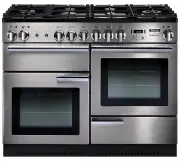
3 ArtNo.270-0001 Proplus control to high 2. Cooker Overview The 110 dual fuel cooker (Fig.2-1) has the following features: A. 6 hotplate burners including a wok burner B. Control panel C. Glide-out grill D. Conventional oven E. Programmable fan oven F. Storage drawer Hotplate Burners The drawing by ...
Page 6 - Wok Burner
4 ArtNo.311-0002 Pan with rim The igniter should spark and light the gas. Keep holding the knob pressed in to let the gas through to the burner for about ten seconds.If, when you let go of the control knob, the burner goes out, then the FSD has not been bypassed. Turn the control knob to the OFF pos...
Page 7 - DO NOT put it crossways – it will not fit properly and
5 The Wok Cradle (optional) The wok cradle is designed to fit a 35 cm wok. If you use a different wok, make sure that it fits the cradle. Woks vary very widely in size and shape. It is important that the wok sits down on the pan support – however, if the wok is too small, the cradle will not support...
Page 9 - The Ovens; The clock must be set to the time of day before the right-; ‘The; for instructions on setting the time of day.; References to ‘left-hand’ and ‘right-hand’ ovens apply as viewed; The Conventional Oven; Operating the Ovens
7 The Ovens The clock must be set to the time of day before the right- hand oven will work. See the following section on ‘The Clock’ for instructions on setting the time of day. References to ‘left-hand’ and ‘right-hand’ ovens apply as viewed from the front of the appliance. The left-hand oven is a ...
Page 10 - The Clock; The clock must be set to the time of day before the oven; Setting the Time of Day; The programmable oven will not operate; Setting the Minute Minder; To Stop the Oven at a Specific Time of Day; ‘stop time’; To Start and then Stop the Oven Using the Timer; ‘cook period’
8 The Clock You can use the clock to turn the right-hand oven on and off. The clock must be set to the time of day before the oven will work. The 2-button Clock (Professional+ ) Setting the Time of Day The 2-button LCD clock is shown in (Fig.2-21). When the clock is first connected, the display flas...
Page 11 - AUTO is Showing, But You Want to Revert to Manual; To Activate the Key Lock
9 Turn the Timer knob to the [ ] position. The display will show the current time of day plus the ‘cook period’ you just set. Use the Adjusting knob to set the ‘stop time’ required (Fig.2-28).The ‘stop time’ is displayed, followed by ‘AUTO’. Set the oven to the cooking temperature you need. Turn t...
Page 12 - To Stop the Oven Automatically; To Start and Stop the Oven Automatically; Note: You cannot set a start time directly – this is set; A B C D E F
10 The 6-button Clock (Kitchener) Setting the Time of Day The 6-button LCD clock is shown in Fig.2-34. When the clock is first connected the display flashes ( 0.00 ) and ( ) alternately.Press and hold both the [ ] and [ ] buttons down (Fig.2-35). now press the [+] button (or the [–] button) un...
Page 13 - To return to manual cooking from any automatic setting,; Key Lock; Activating the key lock will lock the programmable oven and; Make sure that the clock is in manual mode and cancel; display showing the time of day alongside the key symbol [
11 AUTO is Showing, But You Want to Reset to Manual Cooking To return to manual cooking from any automatic setting, the ‘cook period’ must be cancelled. Press and hold the [ ] button and then press the [–] button until the display reads ( 0.00 ). Press the [ ] button to return to manual cooking....
Page 14 - Accessories; Oven Shelves
12 Shelf guard Front Front Shelf guard Flat shelf Drop shelf Accessories Oven Shelves In addition to the flat shelves, the cooker is supplied with a drop shelf (Fig.2-49). The drop shelf increases the possibilities for oven shelf spacing.The oven shelves can be easily removed and refitted.Pull the s...
Page 15 - Main Oven Lights; changing the bulb. See the; Storage; The bottom drawer is for storing oven trays and other
13 Main Oven Lights Press the button to turn the lights on (Fig.2-56).If an oven light fails, turn off the power supply before changing the bulb. See the ‘Troubleshooting’ section for details on how to change the bulb. Storage The bottom drawer is for storing oven trays and other cooking utensils. I...
Page 16 - Tips on Cooking with the Timer; DO NOT place warm food in the oven to be timed.; General Oven Tips; longer than necessary, otherwise the knobs may get very; ‘Cleaning Your
14 3. Cooking Tips Tips on Cooking with the Timer If you want to cook more than one dish, choose dishes that require approximately the same cooking time. However, dishes can be ‘slowed down’ slightly by using small containers and covering them with aluminium foil, or ‘speeded up’ slightly by cooking...
Page 18 - Essential Information; NEVER use paint solvents, washing soda, caustic; The Single Ring Burners
16 ArtNo.311-0032 Burner layout FSD A B C D E ArtNo.311-0033 Wok burner details FSD A B C D E ArtNo.311-0016 Fitting the burner inner head A B Fig.5-1 Fig.5-2 Fig.5-3 Fig.5-4 A – Cap, B – Head, C – Notch, D – Base, E – Electrode A – Inner burner cap, B – Outer burner head, C – Inner burner head, D –...
Page 19 - Grills; Before you remove any of the grill parts for cleaning,; Cleaning the Glide-out Grill; DO NOT put the side runners in a dishwasher.
17 ArtNo.331-0001Grill pan pulled forwards Fig.5-5 ArtNo.331-0003 Grill frame out, no pan ArtNo.331-0004 Removing the grill frame Fig.5-6 Fig.5-7 ArtNo.331-0005 Removing the grill rail Fig.5-8 ArtNo.331-0006 Grill pan plan Fig.5-9 Grills The grill pan and trivet should be washed in hot soapy water. ...
Page 20 - Control Panel and Doors; Glass Fronted Door Panel; ‘Moving the Cooker’; DO NOT use harsh abrasive cleaners or sharp metal; Ovens; materials that will scratch the surface.
18 Control Panel and Doors Avoid using any abrasive cleaners, including cream cleaners. For best results, use a liquid detergent.The same cleaner can also be used on the doors, or alternatively, using a soft cloth wrung out in clean hot soapy water. You can use the same method for cleaning the contr...
Page 21 - Cleaning Table; Cleaners listed (Table 5-1) are available from supermarkets or; up any spillages immediately.; Hotplate
19 Cleaning Table Cleaners listed (Table 5-1) are available from supermarkets or electrical retailers as stated. For enamelled surfaces use a cleaner that is approved for use on vitreous enamel.Regular cleaning is recommended. For easier cleaning, wipe up any spillages immediately. Hotplate Part Fin...
Page 24 - INSTALLATION; Service and Spares; * This information is on the appliance data badge.; If You Have a Problem; conditioned or unauthorised controls. Contact your retailer.; Retailer’s Name and Address
INSTALLATION Check the appliance is electrically safe and gas sound when you have finished. 22 Service and Spares Firstly, please complete the appliance details below and keep them safe for future reference – this information will enable us to accurately identify the particular appliance and help us...
Page 25 - Provision of Ventilation; Installer’s Name
INSTALLATION Check the appliance is electrically safe and gas sound when you have finished. 23 Provision of Ventilation This appliance is not connected to a combustion products evacuation device. Particular attention shall be given to the relevant requirements regarding ventilation.The room containi...
Page 26 - You will need the following equipment to complete the
INSTALLATION Check the appliance is electrically safe and gas sound when you have finished. 24 Checking the Parts: 4 pan supports Wok cradle (optional) ArtNo.110-0002 110 pan supports ArtNo.000-0009 Wok ring, cast Griddle (optional) Grill pan & trivet (glide-out model shown) ArtNo.330-0001 - Gri...
Page 27 - Positioning the Cooker; Overhead – Measurement A; *The fixing of 5 mm thick ceramic tiles to the surface, or; Side Clearances – Measurement D & E
INSTALLATION Check the appliance is electrically safe and gas sound when you have finished. 25 130 mm min ArtNo.110-0023 - 110 - cooker clearances (AUS) B C D E A Fig.7-1 Fig.7-2 Positioning the Cooker The diagram (Fig.7-1) shows the minimum recommended distance from the cooker to nearby surfaces as...
Page 28 - Moving the Cooker; On no account try and move the cooker while it is; Lowering the Two Rear Rollers; DO NOT use the door handles or control knobs to
INSTALLATION Check the appliance is electrically safe and gas sound when you have finished. 26 ArtNo.010-0004 Moving the cooker Fig.7-5 Fig.7-3 Fig.7-4 Moving the Cooker n n On no account try and move the cooker while it is plugged into the electricity supply. n n The cooker is very heavy, so take g...
Page 29 - Fitting the Stability Bracket and Chain; A stability bracket and chain MUST be fitted when; Fitting a Stability Bracket; Fitting the Restraining Chain
INSTALLATION Check the appliance is electrically safe and gas sound when you have finished. 27 ArtNo.011-0007 - Restraining chain (AUS) Restraining chain Fitting the Stability Bracket and Chain n n A stability bracket and chain MUST be fitted when the cooker is connected to a flexible gas supply. Un...
Page 30 - Gas Connection; Natural Gas; Conversion to Propane Gas; Pressure Testing; Gas inlet
INSTALLATION Check the appliance is electrically safe and gas sound when you have finished. 28 Gas Connection Must be in accordance with the relevant standards.The gas supply needs to terminate with a down-facing threaded fitting ½” connection. The inlet connector is located just below the hotplate ...
Page 31 - Electrical Connection; Fixed Wiring
INSTALLATION Check the appliance is electrically safe and gas sound when you have finished. 29 ArtNo.132-0001 - 1 phase 240Vac 50Hz 1-phase 230 V AC 50 Hz Fig.7-10 ArtNo.132-0003 - Single-phase connections (AUS) A N Fig.7-11 ArtNo.132-0002 - 3 phase 240/415Vac 50Hz 3-phase 240/415 V AC 50 Hz Fig.7-1...
Page 32 - Checks; Note: The clock must be set before the ovens will work. See; Hotplate Check; Final Fitting; Fitting the 1-piece Plinth; Customer Care; Installer: Please complete your details in this Guide, inform
INSTALLATION Check the appliance is electrically safe and gas sound when you have finished. 30 Replace the electric terminal cover box; make sure that the conduit is clear of the bottom flange. Checks Note: The clock must be set before the ovens will work. See ‘ The Clock ’ section for instructions ...
Page 33 - WARNING – SERVICING TO BE CARRIED OUT ONLY BY AN AUTHORISED PERSON; Injectors; Tap Adjustment; ‘Technical Data’; Conversion to Propane Gas
WARNING – SERVICING TO BE CARRIED OUT ONLY BY AN AUTHORISED PERSON Disconnect from electricity and gas before servicing. Check appliance is safe when you have finished. 31 ArtNo.270-0019 - Proplus tags 1 Conversion from Natural Gas (1.0 kPa) to LPG X Propane (2.54 kPa) n n This conversion must be pe...
Page 34 - Set the Governor; Check the appliance is gas sound.; Affix Label
WARNING – SERVICING TO BE CARRIED OUT ONLY BY AN AUTHORISED PERSON Disconnect from electricity and gas before servicing. Check appliance is safe when you have finished. 32 Set the Governor Unscrew the governor’s brass top. In the base of the brass top is a plastic snap-in converter device (Fig.8-4)....
Page 35 - Panels; To Remove the Control Panel; Hotplate; To Remove the Hotplate
WARNING – SERVICING TO BE CARRIED OUT ONLY BY AN AUTHORISED PERSON Disconnect from electricity before servicing. Check appliance is safe when you have finished. 33 ArtNo.270-0019 - Proplus tags 1 ArtNo.110-0012 Hotplate removal 9. Servicing n n BEFORE SERVICING ANY GAS CARRYING COMPONENTS TURN OFF T...
Page 36 - Right-hand Wok Burner; Control Panel; DISCONNECT FROM THE ELECTRICITY SUPPLY.
WARNING – SERVICING TO BE CARRIED OUT ONLY BY AN AUTHORISED PERSON Disconnect from electricity before servicing. Check appliance is safe when you have finished. 34 IMPORTANT: Make sure you replace the rear earthing leads when refitting the fixing screws as they form part of the cooker earthing. Chec...
Page 37 - Ovens; To Replace an Oven Thermostat
WARNING – SERVICING TO BE CARRIED OUT ONLY BY AN AUTHORISED PERSON Disconnect from electricity before servicing. Check appliance is safe when you have finished. 35 the screws securing the electric cover to the back sheet, and then remove cover and disconnect the terminals from the rear.Fit the new e...
Page 38 - To Remove the Right-hand Oven Element; Doors; To Remove the Grill Door
WARNING – SERVICING TO BE CARRIED OUT ONLY BY AN AUTHORISED PERSON Disconnect from electricity before servicing. Check appliance is safe when you have finished. 36 ArtNo.321-0007 - MF oven element 1 A ArtNo.321-0008 - MF oven element 2 B Element fixing screws ArtNo.321-0005 Fan oven element Fit the r...
Page 40 - Key; Circuit Diagram
38 a b e f c d 1 2 P095199 1 2 P2 P1 E 1 2 1 2 P2 P4 P1 2 43 1 P037894 P3 A N b bk v v bk bk r r r br r v v r r b b b b b b b b b b b b b b b br br br br y y y y w w y w w w br brv w w w w y y y br or or br br v r r b w w w r r w b br br br b b b v b br H A1 A2 B1 B2 B3B4B5 C D1 D2 F1 D4 D3 F2 G1 G2...
Page 41 - Connection & Test Pressures; See the appliance badge for test pressures.; Dimensions; Refer to ‘; Ratings; Gas burner inputs based on Gross Calorific Value.; Oven Efficiency; Large
39 11. Technical Data This cooker is designed for use on Natural Gas, although a conversion for LP (LPG X Propane (2.54 kPa)) gas is packed with the cooker.INSTALLER: Please leave these instructions with the user.DATA BADGE LOCATION: Cooker back. The serial number is repeated on the badge below the ...
Page 42 - Notes