EcoSurvivor 34425-TS4 - User Manual
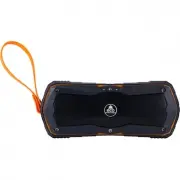
EcoSurvivor 34425-TS4 Wireless Speaker – User Manual, read for free online in PDF format. We hope this helps you resolve any issues you may have. If you have further questions, please contact us through the contact form.

Bluetooth
Speaker
with Integrated Battery Pack
Thank you for purchasing your new EcoSurvivor Bluetooth Speaker with
Integrated Battery Pack. Its convenience and practicality make it ideal for travel.
Thanks to its powerful battery, the system delivers full stereo sound, separated
from any main supply, for up to 18 hours. No matter where you are or where you
are going, take this speaker/battery pack on the go.
Package contents:
• Bluetooth Speaker with Integrated Battery Pack
• 2ft Micro USB Charging Cable
• User Manual
• EcoSurvivor Pamphlet
Bluetooth Connection:
Turn the speaker on by pressing the power button for five seconds. When the
blue LED flashes, the EcoSurvivor Bluetooth Speaker is in pair mode.
Connect to mobile phones/tablet PCs/computers:
1. Activate your phone’s Bluetooth
2. Go to your phone’s Bluetooth settings , scan for new Bluetooth devices
3. Upon device found (EcoSpeaker), click the device name and pair with it
4. After successful pairing, your speaker will sound a prompt tone and the blue
LED light will stay lit.
NOTE:
Pairing time is varied with different mobile phones. It only needs to pair
the first time and it will auto connect the devices which have been already paired
before (speaker will only remember the last 8 paired devices).
Bluetooth Connection:
Short Press
to answer calls and to utilize the internal microphone. Short
press
to end the call and back to play status. Long press
to reject the
incoming call. Long press
to dial back the last dialed call, but it will be
invalid if there is no phone conversation.
AUX input mode:
The speaker also features one AUX audio input port. Simply connect the speaker
to your device with the 3.5mm jack audio cable. The green LED will be on
indicating you can play music via wired connection.
Low power indication:
Speaker will indicate if battery is low (battery level 10%). The speaker will need to
be recharged at this point.
Charging and computer connection :
Connect the micro USB charging cable to a computer or USB charger. The red
LED indicator will show the charging status. Red LED will turn off once charging
is complete. (5-6 hours for charging)
Electrical Specifications:
· Bluetooth compatibility: It conforms to Bluetooth 4.1 Class II and supports
A2DP V1.2, AVRCP V1.4 profiles agreement.
· Transmission distance: Up to 10 m
· Sound track: Dual track
· Maximum output: 3W×2
· Signal to noise ratio S / N:
≥
80dB
· Frequency range: 160Hz-20KHz
· Distortion THD:
≤
1%
· Speaker unit: Outer diameter 40mm, inner magnet, 4
Ω
, 5W
Parameters of power:
· Rated voltage: 3.7V DC
· Battery: Built-in lithium battery, 3.7V/4400mA
· Charging Voltage/Current: 5V ± 0.25V / 1A ·Output : 5V . 1A
· Charging time: 6 ± 0.5 hours
34425 v2 10/17/18
NOTE:
When using Bluetooth feature and an aux cable is inserted, the
speaker will switch automatically to aux input.
LED status:
1. Bluetooth status: blue LED will flash for pairing mode. Blue LED will
remain on while connected.
2. Aux input mode: green LED will remain on while connected.
3. Charging status: red LED will flash during charging. All four LEDs will
remain on when charging is complete.
Removable Strap:
Removable carry strap can be used to securely
attach or hang the speaker. To open the strap
use a #2 Phillips-Head screwdriver to remove
the Phillips-Head screw.
FCC Statement
This device complies with Part 15 of the FCC rules. Operation is subject to the following two
conditions: 1) this device may not cause harmful interference, and 2) this device must accept
any interference received, including interference that may cause undesired operation.
NOTE:
This equipment has been tested and found to comply with the limits for a Class B
digital device, pursuant to part 15 of the FCC Rules. These limits are designed to provide
reasonable protection against harmful interference in a residential installation. This
equipment generates uses and can radiate radio frequency energy and, if not installed
and used in accordance with the instructions, may cause harmful interference to radio
communications. However, there is no guarantee that interference will not occur in particular
installation. If this equipment does cause harmful interference to radio or television
reception, which can be determined by turning the equipment off and on, the user is
encouraged to try to correct the interference by one or more of the following measures:
- Reorient or relocate the receiving antenna.
- Increase the separation between the equipment and receiver.
- Connect the equipment into an outlet on a circuit different from that to
which the receiver is connected.
- Consult the dealer or an experienced radio/TV technician for help.
Changes or modifications not expressly approved by the party responsible for compliance
could void the user’s authority to operate the equipment.
This device is measured RF output power is less than the SAR exclusion threshold value for
human head and body. Therefore, SAR test is not necessary.
Function
Answer a call
End or refuse a call
Power ON/OFF
Volume + or -
Next/previous sound
Fuel gauge indicator
Operation
During an incoming call, short press key to
answer the phone, short press again to hang
up phone and continue playing music
Short press
key to end the call or long
press
to refuse the call
Long press to power on/off
Short press volume +/- to adjust sound level
Long press +/- to skip or return
Press the button next to the aux input jack to
display remaining battery life. The four red
LEDs on front of the speaker will illuminate.
Each LED represents approximately 25% of
battery capacity.
WARNING: RISK OF FIRE AND SHOCK
RISK OF FIRE
•
AVOID
PLACING THE SPEAKER IN DIRECT SUNLIGHT, NEAR A HEATER OR OTHER
LOCATIONS OF EXTREME TEMPERATURES.
•
DO NOT
CONTINUE USING OR ATTEMPT TO CHARGE THE SPEAKER IF IT HAS BEEN
PUNCTURED, CRUSHED, DEFORMED, DAMAGED OR IF IT EXHIBITS ANY ABNORMAL
CHARACTERISTICS SUCH AS EXCESSIVE HEATING, SWELLING OR IF IT EMITS AN
ODOR.
• USE
ONLY
IN DRY LOCATIONS.
NEVER
IMMERSE THE UNIT IN LIQUIDS.
•
DO NOT
OPERATE THE SPEAKER NEAR FLAMMABLE MATERIALS, FUMES OR GASES.
• USE
ONLY
A USB POWER SUPPLY WITH A 5.0V OUTPUT OR COMPUTER USB PORT TO
CHARGE THE SPEAKER.
•
DO NOT
OPEN THE SPEAKER. THERE ARE NO USER SERVICABLE PARTS.
• TO AVOID AND EXPLOSION OR EXPOSURE TO TOXIC FUMES,
DO NOT
DISPOSE OF
THE SPEAKER IN A FIRE.
•
USE
A MILD SOAP AND WATER SHOULD THE BATTERY CONTENTS COME INTO
CONTACT WITH THE SKIN.
•
RINSE
EYES WITH CLEAN RUNNING WATER SHOULD THE BATTERY CONTENTS COME
INTO CONTACT WITH THE EYES AND SEEK MEDICAL ATTENTION.
•
KEEP AWAY FROM CHILDREN.
THE SPEAKER IS NOT A TOY.
•
DO NOT
DROP THE SPEAKER.
MADE IN CHINA
DISTRIBUTED BY JASCO PRODUCTS COMPANY LLC,
10 E. MEMORIAL RD., OKLAHOMA CITY, OK 73114.
This Jasco product comes with a 1-year limited
warranty. Visit www.byjasco.com for warranty details.
Questions? Contact us at 1-800-654-8483
between 7:00AM—8:00PM CST.
Fuel gauge button
input
USB input
USB output
RECYCLABLE
"Loading the manual" means you need to wait until the file loads and becomes available for online reading. Some manuals are very large, and the time they take to appear depends on your internet speed.