Drinkpod DP3000 - User Manual
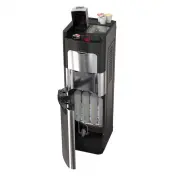
Drinkpod DP3000 Water Dispenser – User Manual, read for free online in PDF format. We hope this helps you resolve any issues you may have. If you have further questions, please contact us through the contact form.


Table of Contents:
- Page 2 – FEATURES; Getting to know; your Single Serve Turbo Brewer with; water is ready to pour through your
- Page 5 – SOUND’S YOU MIGHT HEAR; ATTENTION
- Page 6 – SAFETY PRECAUTIONS; develop harmful bacteria.; WARNING
- Page 7 – SAFETY PRECAUTIONS - Electrical Requirements; Electrical Shock Hazard; GROUNDING INSTRUCTIONS; appliance is properly wired or grounded.; not use an extension cord.
- Page 8 – TABLE OF CONTENTS; For future support please record your serial number (located on
- Page 9 – SPECIFICATIONS; Net Weight; and hot water, produces extra hot and ice cold waters.
- Page 10 – Keep plastic bags away from children.; free of kitchen grease and oil,; into an outlet for the first time.
- Page 11 – DISPENSING COFFEE; Operating Instructions:
- Page 13 – DESCALING YOUR COFFEE BREWER / WATER COOLER
- Page 14 – brane; The; POU CONFIGURATIONS
- Page 15 – Dispense Hot Water; avoid splashes, hold cup as close to the tap as possible.; CAUTION; HOT WATER; Initial Rinsing of Water Lines; dispenses water at a fast rate. To avoid splashes, hold cup as close
- Page 16 – Water cooler does not operate; • Please test carefully.; No water is coming from the taps; • Check if leak valve is wet and has shut off water supply.; TROUBLESHOOTING; Press collet and pull
- Page 17 – HOW TO ADJUST WATER FILLING AMOUNT; LED will flash, then touch START button to SET.; HOW TO CANCEL BLOW OFF TO DRY CUPS; (Suitable in case of open bottom cups or weakly glued lids. )
- Page 18 – Wet out of the Box; gallons water bottlers.; Hot water spills occasionally from the coffee dispensing nozzle.; Follow instructions to make correct settings:
- Page 19 – HOT WATER FLOW IS SLOW OR NON-EXISTENT; • Shut off the inlet water valve or tap and unplug the power
- Page 21 – Touch keys on the sensor touch control board not responsive; little hot water before brewing the first cup of coffee.; Dosage of water per coffee cup:; • The variation of 0.5OZ is normal for a same setting.; Coffee capsule not punctured by needle; • Please check if the Coffee Capsule is placed properly.
- Page 22 – If COFFEE CAPSULE is pierced more than once, upper needle may get; Blockage of passageways; Use paper clip to clean dispensing
- Page 23 – CORRECT UPPER NEEDLE SEAL INSTALLATION
- Page 24 – Use wooden stick to reset switch; HOW TO RESET HOT TANK SAFETY SWITCH
- Page 25 – Unplug unit by disconnecting power cord.
- Page 26 – HOW TO OPEN CONTROL BOARD ENCLOSURE FOR AN INSPECTION; Report observations to service toll phone
- Page 28 – 图号:; 戴江鲲
WARNING:
.
MODEL:
DP3000
DRINKPOD LLC www.drinkpod.com
or s r ic c
or
m i s p p or
d rin k p od .c om
s r o m in r w
r
p
s r
d d s c in
in s r c ion s on
p
www.drinkpod.com
od
o.
Hot & Cold
Filtration
Water
Cooler
With Integrated
Single Cup Coffee Brewer
PN:5M012933XX-V01(E)
"Loading the manual" means you need to wait until the file loads and becomes available for online reading. Some manuals are very large, and the time they take to appear depends on your internet speed.
Summary
FEATURES Getting to know your Single Serve Turbo Brewer with Self Cleaning Water Cooler for use with Coffee Capsule or equivalently Pre-Packaged Coffee. 2 4 3 4. Quick filter system.( PP Sediment, Pre-Carbon, UF-Membrane and Post-Carbon. ) The PP Sediment advised change time: 3 monthsdepending on wa...
5 SOUND’S YOU MIGHT HEAR Although all functions are very quiet, you might hear following sound’s: 1. When without display cooler plugged in, air pump for an ozone start to work and last for 12 seconds. After start up it will work every 4 hours for same period of time.Coolers with display are program...
6 SAFETY PRECAUTIONS To reduce risk of injury and property damage, user must read this entire manual before assembling, installing & operating combination unit providing coffee brewer and water dispenser.Failure to execute the instructions in this manual can cause personal injury or property dam...


