Dishlex DSF6206X - User Manual
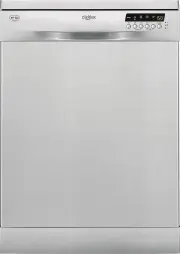
Dishlex DSF6206X Dishwasher – User Manual, read for free online in PDF format. We hope this helps you resolve any issues you may have. If you have further questions, please contact us through the contact form.


Table of Contents:
- Page 2 – Contents; Subject to change without notice.; Safety information
- Page 3 – Safety instructions; Installation; Warning! Risk of fire and electrical; Water connection
- Page 4 – Control panel; Indicators; Indicator
- Page 5 – Programs; Information for test institutes; For all the necessary information for test performance,
- Page 6 – Settings; Program selection mode; and; Activating Rinse Aid with option Multi Tab activated
- Page 7 – Before first use; Start a program to remove any processing; Adding rinse aid; Daily use; Set the correct program for the type of load and the
- Page 8 – • 5 minutes after the completion of the program.; Starting a program
- Page 9 – Option Delay; Press Delay until the display shows the delay time you want to set.; Option Multi Tab
- Page 10 – At the end of the program; Hints and tips; General; Start the shortest program with a rinsing phase. Do; Loading the baskets
- Page 11 – Let the tableware cool down before you remove it; Care and cleaning; Cleaning the filters
- Page 12 – Troubleshooting; With some problems, the display shows an alarm; Problem and alarm code
- Page 13 – The washing and drying results are not satisfactory; Problem; Technical information; Rating Plate
- Page 14 – Warranty
- Page 15 – Important Notice; SERVICE AUSTRALIA; SERVICE NEW ZEALAND; ENVIRONMENTAL CONCERNS
DSF6206W
DSF6206X
DSF6216X
User Manual
EN
Dishwasher
"Loading the manual" means you need to wait until the file loads and becomes available for online reading. Some manuals are very large, and the time they take to appear depends on your internet speed.
Was this manual helpful?
About this manual
- Brand
- Dishlex
- Model
- DSF6206X
- Document type
- User Manual
- Category
- Dishwasher
- Language(s)
- English
- Pages
- 16
- File size
- 854.1 KB
- Format
Summary
Contents Safety information 2 Safety instructions 3 Control panel 4 Programs 5 Settings 6 Before first use 7 Daily use 7 Hints and tips 10 Care and cleaning 11 Troubleshooting 12 Technical information 13 Warranty 14 Subject to change without notice. Safety information Before the installation and use...
• If the supply cord is damaged, it must be replaced by the manufacturer, its Authorised Service Centre or a similarly qualified persons in order to avoid a hazard. • Put knives and cutlery with sharp points in the cutlery basket with the points down or in a horizontal position. • Do not keep the ap...
• Do not drink and play with the water in the appliance. • Do not remove the dishes from the appliance until the programme is completed. There can be detergent on the dishes. • The appliance can release hot steam if you open the door while a programme operates. • Do not put flammable products or ite...


