DeLonghi DETF122WH - User Manual
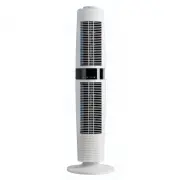
DeLonghi DETF122WH Fan – User Manual, read for free online in PDF format. We hope this helps you resolve any issues you may have. If you have further questions, please contact us through the contact form.


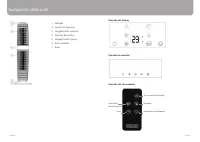
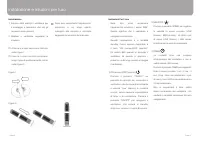
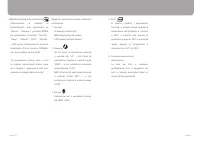
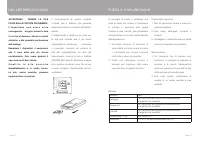
Table of Contents:
- Page 2 – Contents; FUNDAMENTAL SAFETY; Safety Guidelines
- Page 3 – Features
- Page 4 – Parts Drawing
- Page 5 – Installation & Operation Instruction
- Page 8 – AVVERTIMENTO DI; Linee guida di sicurezza
- Page 9 – Caratteristiche
- Page 10 – Illustrazione delle parti
- Page 11 – Installazione e istruzioni per l’uso
Consumer Helpline
Australia
Phone: 1800 126 659
Fax: 1800 007 289
www.delonghi.com.au
New Zealand
Phone: 0508 200 300
Fax: 0508 200 301
www.delonghi.co.nz
Distributed by De’Longhi Australia Pty Ltd.
ABN 49 104 012 857
P.O. Box 4540 Casula Mall, NSW 2170
Distributed by De’Longhi New Zealand Ltd.
NZBN 9429035952824
P.O. Box 58-056 Botany, MANUKAU 2163
is a registered Trademark
of De’Longhi Australia Pty Ltd.
ABN 49 104 012 857.
© 2017 De’Longhi Australia Pty Ltd.
5XXXXXXXXX/1
Dual Oscillation Tower Fan
USER GUIDE
Please read this user guide carefully and retain for future reference
Model
DETF122.BK
DETF122.WH
"Loading the manual" means you need to wait until the file loads and becomes available for online reading. Some manuals are very large, and the time they take to appear depends on your internet speed.
Summary
1. Safety Guidelines……….....………………………………………………………………3-5 2. Features………………………………………………………………………………………5 3. Parts Drawing………………………………………………………………………………6-7 4. Installation & Operation Instructions……………………………………………………8-11 5. Usage of Remote Control…………………………………………………………………..12 6. Cleaning & Maint...
Before Plugging In • Make sure your electricity supply is the same as the one shown on the rating label. • Please ensure the socket’s power is over 10Amps / 240V and the voltage should meet the requirements on the rating label. • Do not operate or plug in the fan with wet hands. • Ensure the plug is...
Parts Drawing 1. Handle 2. Top Cover 3. Upper housing 4. Control panel 5. Bottom housing 6. Oscillation base 7. Base Remote control panel Control panel On/Off Mode Oscillation switch Fan speed Timer Display panel Page 6 Page 7


