Page 3 - DellTM Operating System RAID; Software RAID with Red Hat
w w w . d e l l . c o m | s u p p o r t . d e l l . c o m Dell™ Operating System RAID Software RAID with Red Hat ® Enterprise Linux 4
Page 4 - Notes and Notices
Notes and Notices NOTE: A NOTE indicates important information that helps you make better use of your computer. NOTICE: A NOTICE indicates either potential damage to hardware or loss of data and tells you how to avoid the problem. ____________________ Information in this document is subject to chang...
Page 5 - Enterprise Linux 4; Creating a Software RAID Boot Partition
Software RAID with Red Hat Enterprise Linux 4 3 Configuring and Managing Software RAID with Red Hat ® Enterprise Linux 4 The increasing cost-effectiveness of software RAID offers Linux system administrators an alternative to more expensive hardware-based RAID implementations. This is due to the perf...
Page 6 - Creating a Software RAID Swap Partition; Creating a Software RAID Root Partition; Creating Additional Software RAID Partitions
4 Software RAID with Red Hat Enterprise Linux 4 www .dell.com | support.dell.com 4 Click RAID again, select Create a RAID device , and click OK . 5 Choose /boot for the type of mount point, ext3 as the file system type, md0 as the RAID device, and RAID 1 as the RAID level. Click OK . Creating a Soft...
Page 7 - Preparing the System for Drive Failure; Copying the Partition Table; Installing GRUB on the MBR
Software RAID with Red Hat Enterprise Linux 4 5 Preparing the System for Drive Failure This section provides information on preparing the system for restoring RAID configuration to a failed drive. Once the RAID devices are configured and the operating system has been installed you can: • Create a ba...
Page 8 - Restoring the RAID Configuration After a Drive Failure; Replacing a Failed Disk Drive
6 Software RAID with Red Hat Enterprise Linux 4 www .dell.com | support.dell.com Restoring the RAID Configuration After a Drive Failure When a hard drive in a software RAID 1 array fails, you can restore the RAID array onto a new drive by following a three-step process: • Replacing the failed drive ...
Page 9 - Adding the RAID Partitions Back Into the md Device
Software RAID with Red Hat Enterprise Linux 4 7 Adding the RAID Partitions Back Into the md Device Next, add the partitions back into each RAID device. To add partition sdb1 back into the md0 device and to rebuild the data on that partition, use the following command: mdadm –a /dev/md0 /dev/sdb1 Whi...
Page 11 - Red Hat
w w w . d e l l . c o m | s u p p o r t . d e l l . c o m Dell™ 操作系统 RAID Red Hat ® Enterprise Linux 4 提供的软件 RAID
Page 12 - 注和注意
注和注意 注: 注表示可以帮助您更好地使用计算机的重要信息。 注意: 注意表示可能会损坏硬件或导致数据丢失,并告诉您如何避免此类问题。 ____________________ 本文件中的信息如有更改,恕不另行通知。 © 2005 Dell Inc. 版权所有,翻印必究。 未经 Dell Inc. 书面许可,不得以任何方式进行复制。 本文中使用的商标: Dell 和 DELL 徽标是 Dell Inc. 的商标; Red Hat 是 Red Hat Corporation 的注册商标。 本文件中述及的其它商标和产品名称是指拥有相应商标和名称的公司或其制造的产品。 Dell Inc. 对本公司的...
Page 13 - 配置和管理; Linux; 创建软件
Red Hat Enterprise Linux 4 提供的软件 RAID 11 配置和管理 Red Hat ® Enterprise Linux 4 提供的软件 RAID 软件 RAID 的经济性日益增加,这为 Linux 系统管理员提供了一种替代方法,可代替较昂贵的 基于硬件的 RAID 实现。这应归功于 Linux 操作系统的性能和成本优势以及处理器功率方面的 快速提高。使用 Red Hat Enterprise Linux 4 中的软件 RAID 层和管理工具,您可以建立最能满 足您需要的经济有效的软件 RAID 实现。 在 Linux 操作系统安装期间创建软件 RAID 阵列 完成以...
Page 14 - RAID
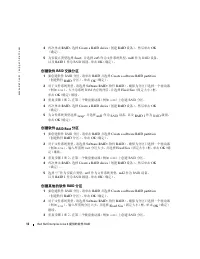
12 Red Hat Enterprise Linux 4 提供的软件 RAID www .dell.com | support.dell.com 4 再次单击 RAID ,选择 Create a RAID device (创建 RAID 设备),然后单击 OK (确定)。 5 为安装点类型选择 /boot ,并选择 ext3 作为文件系统类型, md0 作为 RAID 设备, 以及 RAID 1 作为 RAID 级别。单击 OK (确定)。 创建软件 RAID 交换分区 1 要创建软件 RAID 分区,请单击 RAID 并选择 Create a software RAID partition...
Page 15 - 准备系统,以防驱动器故障; 复制分区表; MBR
Red Hat Enterprise Linux 4 提供的软件 RAID 13 4 再次单击 RAID ,选择 Create a RAID device (创建 RAID 设备),然后单击 OK (确定)。 5 选择安装点类型、文件系统类型和 RAID 设备,并选择 RAID 1 作为 RAID 级别。 单击 OK (确定)。 在创建所有分区之后,单击 Next (下一步)。 准备系统,以防驱动器故障 本节提供了有关准备系统以便对故障驱动器恢复 RAID 配置的信息。在 RAID 设备进行了配 置,且操作系统安装之后,您可以: • 创建分区表的备份副本 • 在每个驱动器的主引导记录 (MBR...
Page 16 - 在驱动器发生故障后恢复; 更换故障硬盘驱动器
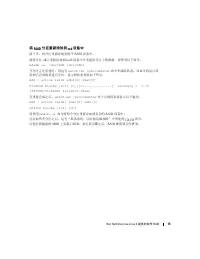
14 Red Hat Enterprise Linux 4 提供的软件 RAID www .dell.com | support.dell.com 在驱动器发生故障后恢复 RAID 配置 如果软件 RAID 1 阵列中的硬盘驱动器出现故障,您可以通过执行一个包含三个步骤的过程, 将 RAID 阵列恢复 到新 驱动器上: • 更 换故障驱动器 • 对替代的驱动器进行分区 • 将 RAID 分区重 新添 加 到 md 设备中 如果您 怀疑 某个驱动器发生故障,可以使用以下命令 检查 每个 RAID 设备的 状态 : cat /proc/mdstat 例如,如果系统的 md0 设备 丢失 一个分区,...
Page 19 - RAID logiciel avec Red Hat
w w w . d e l l . c o m | s u p p o r t . d e l l . c o m Dell™ - Configuration du RAID par le système d'exploitation RAID logiciel avec Red Hat ® Enterprise Linux 4
Page 20 - Remarques et avis
Remarques et avis REMARQUE : une REMARQUE indique des informations importantes qui peuvent vous aider à mieux utiliser votre ordinateur. AVIS : un AVIS vous avertit d'un risque de dommage matériel ou de perte de données et vous indique comment éviter le problème. ____________________ Les information...
Page 22 - Création d'une partition d'amorçage pour le RAID logiciel
20 RAID logiciel avec Red Hat Enterprise Linux 4 www .dell.com | support.dell.com Création d'une partition d'amorçage pour le RAID logiciel 1 Pour créer une partition pour le RAID logiciel, cliquez sur RAID et sélectionnez Create a software RAID partition (Créer une partition pour le RAID logiciel)....
Page 23 - Création de partitions supplémentaires pour le RAID logiciel; Copier une table de partitionnement
RAID logiciel avec Red Hat Enterprise Linux 4 21 4 Cliquez à nouveau sur RAID , sélectionnez Create a RAID device (Créer un périphérique RAID), puis cliquez sur OK . 5 Sélectionnez le type de point de montage /" , le type de système de fichiers ext3 , le périphérique RAID md2 et le niveau RAID 1...
Page 24 - Installation de GRUB sur l'enregistrement d'amorçage principal
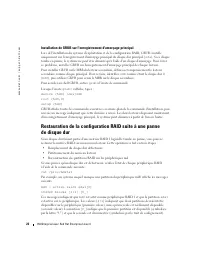
22 RAID logiciel avec Red Hat Enterprise Linux 4 www .dell.com | support.dell.com Installation de GRUB sur l'enregistrement d'amorçage principal Lors de l'installation du système d'exploitation et de la configuration RAID, GRUB s'installe uniquement sur l'enregistrement d'amorçage principal du disqu...
Page 25 - Remplacement d'un disque dur défectueux
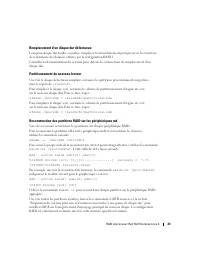
RAID logiciel avec Red Hat Enterprise Linux 4 23 Remplacement d'un disque dur défectueux Lorsqu'un disque dur tombe en panne, remplacez-le immédiatement pour préserver les fonctions de redondance des données offertes par la configuration RAID 1. Consultez la documentation du système pour obtenir les...
Page 27 - DellTM Betriebssystem-RAID; Software-RAID mit Red Hat
w w w . d e l l . c o m | s u p p o r t . d e l l . c o m Dell™ Betriebssystem-RAID Software-RAID mit Red Hat ® Enterprise Linux 4
Page 28 - Anmerkungen und Hinweise
Anmerkungen und Hinweise ANMERKUNG: Eine ANMERKUNG macht auf wichtige Informationen aufmerksam, die die Arbeit mit dem Computer erleichtern. HINWEIS: Ein HINWEIS warnt vor möglichen Beschädigungen der Hardware oder vor Datenverlust und zeigt auf, wie derartige Probleme vermieden werden können. _____...
Page 30 - Erstellen einer Startpartition für Software-RAID
28 Software-RAID mit Red Hat Enterprise Linux 4 www .dell.com | support.dell.com Erstellen einer Startpartition für Software-RAID 1 Um eine Software-RAID-Partition zu erstellen, klicken Sie auf RAID und wählen Sie Create a software RAID partition (Software-RAID-Partition erstellen). Klicken Sie auf ...
Page 31 - Erstellen weiterer Partitionen für Software-RAID; Vorbereiten des Systems für Laufwerksausfälle; Kopieren der Partitionstabelle
Software-RAID mit Red Hat Enterprise Linux 4 29 Erstellen weiterer Partitionen für Software-RAID 1 Um eine Software-RAID-Partition zu erstellen, klicken Sie auf RAID und wählen Sie Create a software RAID partition (Software-RAID-Partition erstellen). Klicken Sie auf OK . 2 Als Dateisystem wählen Sie...
Page 32 - Installation von GRUB im MBR
30 Software-RAID mit Red Hat Enterprise Linux 4 www .dell.com | support.dell.com Installation von GRUB im MBR Während der RAID-Konfiguration und der Installation des Betriebssystems wird GRUB nur im MBR des primären Laufwerks ( sda ) installiert. Fällt jedoch das primäre Laufwerk aus, so lässt sich ...
Page 33 - Ersetzen einer defekten Festplatte
Software-RAID mit Red Hat Enterprise Linux 4 31 So wird beispielsweise bei einem System, bei dem auf eine Partition der Komponente md0 nicht mehr zugriffen werden kann, folgende Meldung ausgegeben: md0 : active raid1 sda1[0] 104320 blocks [2/1] [U_] Diese Ausgabe besagt, dass md0 als RAID-1-Komponen...
Page 34 - Zurückschreiben der RAID-Partitionen auf die md-Komponente
32 Software-RAID mit Red Hat Enterprise Linux 4 www .dell.com | support.dell.com Zurückschreiben der RAID-Partitionen auf die md-Komponente Schreiben Sie als nächstes die Partitionen in jede RAID-Komponente zurück. Das Zurückschreiben der Partition sdb1 in die md0-Komponente und das Wiederherstellen...
Page 36 - メモおよび注意
メモおよび注意 メモ: コンピュータを使いやすくするための重要な情報を説明しています。 注意: ハードウェアの損傷やデータの損失の可能性を示し、その危険を回避するための方法を 説明しています。 ____________________ 本書の内容は予告なく変更されることがあります。 © 2005 すべての著作権は Dell Inc. にあります。 Dell Inc. の書面による許可のない複製は、いかなる形態においても厳重に禁じられています。 本書で使用されている商標について: Dell および DELL ロゴは Dell Inc. の商標です。 Red Hat は Red Hat Corpo...
Page 39 - 追加のソフトウェア; ドライブ障害に対するシステムの準備
Red Hat Enterprise Linux 4 によるソフトウェア RAID 37 3 手順 1 ~ 2 を繰り返して、 2 番目のハードドライブ( sdb など)上にも RAID パーティ ションを作成します。 4 もう一度 RAID をクリックし、 Create a RAID device ( RAID デバイスを作成)を選 択して、 OK をクリックします。 5 マウントポイントには " /" を、ファイルシステムタイプには ext3 を、 RAID デバイス には md2 を、 RAID レベルには RAID 1 を選択します。 OK をクリックします。 追加のソ...
Page 40 - パーティションテーブルのコピー
38 Red Hat Enterprise Linux 4 によるソフトウェア RAID www .dell.com | support.dell.com パーティションテーブルのコピー パーティションテーブルをコピーするには、パーティション情報を格納するためのディレ クトリを作成し、 sfdisk コマンドを使用して、各ディスクのパーティション情報ファイ ルをそのディレクトリに書き込みます。 mkdir /raidinfo sfdisk -d /dev/sda > /raidinfo/partitions.sda sfdisk -d /dev/sdb > /raidinfo/pa...
Page 41 - ドライブ障害が発生した場合の; 障害が発生したディスクドライブの交換; 交換したドライブのパーティション分割
Red Hat Enterprise Linux 4 によるソフトウェア RAID 39 ドライブ障害が発生した場合の RAID 構成の復元 ソフトウェア RAID 1 アレイ内のハードドライブに障害が発生した場合は、次の 3 段階の手 順で新しいドライブ上に RAID アレイを復元できます。 • 障害が発生したドライブを交換 • 交換したドライブをパーティション分割 • md デバイスに RAID パーティションを戻す ドライブに障害が発生している疑いがある場合は、次のコマンドを使用して、各 RAID デ バイスの状態を確認できます。 cat /proc/mdstat たとえば、 md0 デ...
Page 42 - md
40 Red Hat Enterprise Linux 4 によるソフトウェア RAID www .dell.com | support.dell.com md デバイスに RAID パーティションを戻す 次に、各 RAID デバイスにパーティションを戻します。 パーティション sdb1 を md0 デバイスに戻して、そのパーティション上にデータを再構築 するには、次のコマンドを使用します。 mdadm -a /dev/md0 /dev/sdb1 パーティションの再構築中に状態を追 跡 するには、 watch cat /proc/mdstat コマンド を実行します。再構築の状態と 進捗 状況...
Page 43 - 소프트웨어
w w w . d e l l . c o m | s u p p o r t . d e l l . c o m Dell™ 운영 체제 RAID 소프트웨어 RAID Red Hat ® Enterprise Linux 4
Page 47 - 디스크
소프트웨어 RAID Red Hat Enterprise Linux 4 45 추가적인 소프트웨어 RAID 파티션 만들기 1 소프트웨어 RAID 파티션을 만들려면 RAID 를 클릭한 후 Create a software RAID partition ( 소프트웨어 RAID 파티션 만들기 ) 을 선택합니다 . OK ( 확인 ) 를 클릭합니다 . 2 파일 시스템 유형으로 Software RAID ( 소프트웨어 RAID) 를 선택합니다 . 하나의 드라이 브 ( 예 : sda ) 만 파티션으로 선택되었는지 확인하고 파티션에 사용할 크기를 입력한 후 ...
Page 48 - 드라이브
46 소프트웨어 RAID Red Hat Enterprise Linux 4 www .dell.com | support.dell.com MBR 에 GRUB 설치 RAID 구성 및 운영 체제 설치 프로세스 중에 GRUB 가 주 하드 드라이브 ( sda ) 의 MBR 에만 설 치됩니다 . 그러나 주 디스크 드라이브에 장애가 발생할 경우 시스템은 부팅 디스크만을 사용하 여 부팅할 수 있습니다 . 이 문제를 방지하려면 각 드라이브의 MBR 에 GRUB 를 설치하십시오 . 보조 드라이브의 MBR 에 GRUB 를 설치하려면 임시로 보조 드라이브를...
Page 51 - RAID del sistema operativo de DellTM; RAID por software
w w w . d e l l . c o m | s u p p o r t . d e l l . c o m RAID del sistema operativo de Dell™ RAID por software con Red Hat ® Enterprise Linux 4
Page 52 - Notas y avisos
Notas y avisos NOTA: una NOTA proporciona información importante que le ayudará a utilizar mejor el ordenador. AVISO: un AVISO indica la posibilidad de daños en el hardware o la pérdida de datos, e informa de cómo evitar el problema. ____________________ La información contenida en este documento pu...
Page 54 - Creación de una partición de inicio de RAID por software; Creación de una partición swap de RAID por software
52 RAID por software con Red Hat Enterprise Linux 4 www .dell.com | support.dell.com Creación de una partición de inicio de RAID por software 1 Para crear una partición de RAID por software, haga clic en RAID y seleccione Create a software RAID partition (Crear una partición de RAID por software): H...
Page 55 - Creación de una partición raíz de RAID por software; Creación de particiones adicionales de RAID por software
RAID por software con Red Hat Enterprise Linux 4 53 Creación de una partición raíz de RAID por software 1 Para crear una partición de RAID por software, haga clic en RAID y seleccione Create a software RAID partition (Crear una partición de RAID por software): Haga clic en OK (Aceptar). 2 Para el ti...
Page 56 - Preparación del sistema para errores de la unidad; Copia de la tabla de particiones; Instalación de GRUB en MBR
54 RAID por software con Red Hat Enterprise Linux 4 www .dell.com | support.dell.com Preparación del sistema para errores de la unidad En esta sección se proporciona información sobre cómo preparar el sistema para restablecer la configuración de RAID para una unidad con error. Una vez que se hayan c...
Page 57 - Sustitución de una unidad de disco duro con error
RAID por software con Red Hat Enterprise Linux 4 55 Restablecimiento de la configuración de RAID después de un error de la unidad Si la unidad de disco duro de una matriz RAID 1 por software falla, podrá restablecer dicha matriz en una unidad nueva mediante un proceso que consta de tres pasos: • Sus...
Page 58 - Adición de particiones de RAID al dispositivo md
56 RAID por software con Red Hat Enterprise Linux 4 www .dell.com | support.dell.com Adición de particiones de RAID al dispositivo md A continuación, vuelva a añadir las particiones a cada dispositivo RAID. Para volver a añadir la partición sdb1 al dispositivo md0 y regenerar los datos en dicha part...