Page 3 - DellTM Operating System RAID; Software RAID with
w w w . d e l l . c o m | s u p p o r t . d e l l . c o m Dell™ Operating System RAID Software RAID with Microsoft ® Disk Management
Page 4 - Notes and Notices
Notes and Notices NOTE: A NOTE indicates important information that helps you make better use of your computer. NOTICE: A NOTICE indicates either potential damage to hardware or loss of data and tells you how to avoid the problem. ____________________ Information in this document is subject to chang...
Page 5 - Software RAID With Microsoft; Basic and Dynamic Disk Storage; Disks
Software RAID with Microsoft Disk Management 3 Software RAID With Microsoft ® Disk Management This document details information and the steps necessary to configure the hard drives on your system for use in a RAID configuration and how to use the Disk Management utility to manage your disks, volumes...
Page 6 - Launching the Disk Management Utility; Start; Managing Disks; Convert to Dynamic Disk.
4 Software RAID with Microsoft Disk Management www .dell.com | support.dell.com Launching the Disk Management Utility From the desktop: 1 Click Start → Administrative Tools → Computer Management. 2 In the left pane, click Disk Management. The Disk Management console displays a volume list in the top...
Page 7 - Managing Disk Volumes
Software RAID with Microsoft Disk Management 5 Reactivating Dynamic Disks The Disk Management utility will report as missing or offline any dynamic disk that is corrupted, powered down, or disconnected. You can attempt to reactivate a dynamic disk to bring it back online by performing the following ...
Page 8 - Working with Dynamic Volumes
6 Software RAID with Microsoft Disk Management www .dell.com | support.dell.com Formatting a Partition or Volume 1 Launch the Disk Management utility. 2 In the graphical view pane, right-click the volume or partition you want to format, and click Format. 3 Select NTFS (NT File System) as the file sy...
Page 9 - Working With Mirrors
Software RAID with Microsoft Disk Management 7 4 Click Next. You are prompted to use the dynamic disks and create the volume size. 5 Click Next. 6 Click Assign a drive letter. Select the drive letter, and click Next. 7 Ensure that Format this volume and NTFS are selected. 8 Type a volume label and i...
Page 10 - Break Mirrored Volume.; Reconfiguring Your System After a Hard Drive Failure; Reconfiguring Mirrored Volumes
8 Software RAID with Microsoft Disk Management www .dell.com | support.dell.com Breaking a Mirror Breaking a mirror creates two simple volumes with individual drive letters. Each volume contains the data on the mirror at the time the mirror was broken. The data is no longer redundant, but it remains...
Page 11 - Best Practices; Operating System Software RAID Configuration Example
Software RAID with Microsoft Disk Management 9 Best Practices This section describes best practices and Dell recommendations for the disk storage configuration on your system. • Dell recommends that you configure your system disks as dynamic disks and create separate RAID 1 volumes for your operatin...
Page 13 - Microsoft
w w w . d e l l . c o m | s u p p o r t . d e l l . c o m Dell™ 操作系统 RAID Microsoft ® 磁盘管理提供的 软件 RAID
Page 14 - 注和注意; 注意:
注和注意 注: 注表示可以帮助您更好地使用计算机的重要信息。 注意: 注意表示可能会损坏硬件或导致数据丢失,并告诉您如何避免此类问题。 ____________________ 本文件中的信息如有更改,恕不另行通知。 © 2005 Dell Inc. 版权所有,翻印必究。 未经 Dell Inc. 书面许可,不得以任何方式进行复制。 本文中使用的商标: Dell 和 DELL 徽标是 Dell Inc. 的商标; Microsoft 、 MS DOS 、 Windows NT 和 Windows 是 Microsoft Corporation 的注册商标, Windows Server 是 M...
Page 15 - RAID; 使用磁盘管理公用程序来管理磁盘和卷; Microsoft Windows ServerTM 2003; 基本和动态磁盘存储; Microsoft Windows; 启动磁盘管理公用程序
Microsoft 磁盘管理提供的软件 RAID 13 Microsoft ® 磁盘管理提供的软件 RAID 本文将详细说明在系统上配置用于 RAID 配置的硬盘驱动器所需的信息和步骤,以及如何使 用磁盘管理公用程序来管理磁盘、卷和物理硬盘驱动器。还将提供有关在硬盘驱动器出现故障时重新配置系统的信息。 注: Dell 建议对操作系统和数据使用镜像卷 (也称之为 RAID 1 )。有关磁盘管理公用程序或操 作系统软件 RAID 的详细信息,请参阅 support.microsoft.com 网站上的 Microsoft 联机帮助。 有关操作系统的其他信息也可以在 support.dell.com...
Page 16 - 管理磁盘
14 Microsoft 磁盘管理提供的软件 RAID www .dell.com | support.dell.com 管理磁盘 本节提供有关磁盘管理公用程序如何实现基本和动态磁盘的概念性和程序性的信息。将讨论以下主题: • 将基本磁盘升级为动态磁盘 • 重新激活动态磁盘 • 导入外部磁盘 将基本磁盘升级为动态磁盘 要将基本磁盘升级为动态磁盘,请执行以下步骤: 1 启动磁盘管理公用程序。 2 在图形视图窗格 (右下窗格)中,右键单击要升级的磁盘,然后单击 Convert to Dynamic Disk (转换为动态磁盘)。 系统将显示可以转换为动态磁盘的所有可用磁盘列表,并预先选择您选定的磁...
Page 17 - 管理磁盘卷; NT
Microsoft 磁盘管理提供的软件 RAID 15 导入外部磁盘 具有外部状态的动态磁盘是一种磁盘,这种磁盘包含从另一个系统中移动的并需要添加到当前系统的数据。要添加磁盘,必须将磁盘导入至系统。要更改外部磁盘的状态,使其被看作当前系统的一部分,请使用 Import Foreign Disk (导入外部磁盘)命令。 要导入外部磁盘,请执行以下步骤: 1 启动磁盘管理公用程序。 2 在图形视图窗格中,右键单击标为 Foreign (外部)的磁盘,然后单击 Import Foreign Disks (导入外部磁盘)。 将显示 Merge Foreign Disk Wizard (合并外部磁盘向导...
Page 18 - 处理动态卷
16 Microsoft 磁盘管理提供的软件 RAID www .dell.com | support.dell.com 5 输 入分配大小或使用 自 动选择的默认 值 。 建议 使用默认大小。 6 选择文件系统类型和格式化选 项 : • Perform a quick format (执行 快速 格式化) — 选择 此 选 项 可格式化卷或分区, 但不 扫描 卷或分区中的坏 扇 区。 • Enable file and folder compression (启用文件和文件 夹压缩 ) — 选择 此 选 项 可 减 小 文件和文件 夹占 用的 空间 大小。 此 选 项 可能会 降低 系统性能...
Page 19 - 处理镜像
Microsoft 磁盘管理提供的软件 RAID 17 9 选择文件系统类型和格式化选 项 : • Perform a quick format (执行 快速 格式化) — 选择 此 选 项 可格式化卷或分区, 但不 扫描 卷或分区中的坏 扇 区。 • Enable file and folder compression (启用文件和文件 夹压缩 ) — 选择 此 选 项 可 减 小 文件和文件 夹占 用的 空间 大小。 此 选 项也 可能会 降低 系统性能。 10 单击 Next (下一步) → Finish (完成)。 处理镜像 镜像 卷将您的数据 复 制到 两 个物理磁盘上。 镜像 通过...
Page 20 - 在硬盘驱动器出现故障之后重新配置系统; 重新配置镜像卷; 最佳方案; 操作系统软件
18 Microsoft 磁盘管理提供的软件 RAID www .dell.com | support.dell.com 在硬盘驱动器出现故障之后重新配置系统 本节提供有关在硬盘驱动器出现故障时重新配置 RAID 1 ( 镜像 的)存储系统的信息。 有关硬盘驱动器故障和更换故障硬盘驱动器的信息,请 参阅 系统说明文件。 重新配置镜像卷 1 启动磁盘管理公用程序。 2 从丢失 (出现故障)的磁盘上删除任何 镜像 卷。请 参阅 “ 删除 镜像” 。 注: 出现故障的硬盘驱动器在图形视图中标为丢失。 3 删除显示在丢失的磁盘中的任何卷。请 参阅 “ 删除分区或卷 ” 。 4 通过右键单击丢失的磁盘来...
Page 21 - RAID 1
Microsoft 磁盘管理提供的软件 RAID 19 6 登录 到系统。 将显示 System Setting Change (系统设置更改)窗口。 7 单击 Yes (是)。系统将重新启动。 注: 如果选择了引导卷,磁盘转换后需要执行两次重新引导。转换非引导卷将不需要重新 引导系统。 注意: 将磁盘转换为动态磁盘之后,除非该磁盘上的所有卷都已删除,否则无法将其转换为基 本磁盘。 Dell 建议,一旦存在数据卷,请不要将磁盘转换为基本磁盘,否则所有数据都会丢失。 执行以下过程,将 镜像 添加到操作系统分区: 注意: 如果在磁盘 0 中操作系统卷左边的图形布局中有许多分区,则在添加操作系统卷的...
Page 22 - 指派
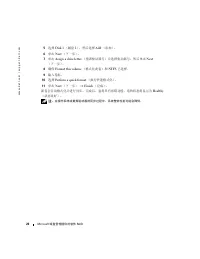
20 Microsoft 磁盘管理提供的软件 RAID www .dell.com | support.dell.com 5 选择 Disk 1 (磁盘 1 ),然后选择 Add (添加)。 6 单击 Next (下一步)。 7 单击 Assign a drive letter ( 指派 驱动器号)并选择驱动器号,然后单击 Next (下一步)。 8 确 保 Format this volume (格式化 此 卷)和 NTFS 已选择。 9 输 入卷标。 10 选择 Perform a quick format (执行 快速 格式化)。 11 单击 Next (下一步) → Finish (完...
Page 23 - RAID logiciel avec
w w w . d e l l . c o m | s u p p o r t . d e l l . c o m Dell™ - Configuration du RAID par le système d'exploitation RAID logiciel avec le Gestionnaire de disques Microsoft ®
Page 24 - Remarques et avis
Remarques et avis REMARQUE : une REMARQUE indique des informations importantes qui peuvent vous aider à mieux utiliser votre ordinateur. AVIS : un AVIS vous avertit d'un risque de dommage matériel ou de perte de données et vous indique comment éviter le problème. ____________________ Les information...
Page 25 - Stockage sur disques de base et dynamiques; Le terme
RAID logiciel avec le Gestionnaire de disques Microsoft 23 RAID logiciel avec le Gestionnaire de disques Microsoft ® Ce document explique comment mettre en place une configuration RAID pour les disques durs du système. Il présente les procédures permettant de gérer les volumes logiques et des disque...
Page 26 - Affichage du Gestionnaire de disques
24 RAID logiciel avec le Gestionnaire de disques Microsoft www .dell.com | support.dell.com Affichage du Gestionnaire de disques À partir du bureau : 1 Cliquez sur Démarrer → Outils d'administration → Gestion de l'ordinateur . 2 Dans le volet gauche, cliquez sur Gestion des disques . La partie supér...
Page 27 - Gestion des volumes de disques
RAID logiciel avec le Gestionnaire de disques Microsoft 25 Réactivation des disques dynamiques Le Gestionnaire de disques signale comme “manquant” ou “déconnecté” tout disque dynamique altéré, hors tension ou déconnecté. Vous pouvez tenter de réactiver un disque dynamique en procédant comme suit : 1...
Page 29 - Utilisation des volumes dynamiques
RAID logiciel avec le Gestionnaire de disques Microsoft 27 Utilisation des volumes dynamiques Les volumes dynamiques sont créés sur les disques dynamiques à l'aide du Gestionnaire de disques. Cette section indique comment créer et étendre des volumes dynamiques. Création d'un volume dynamique 1 Ouvr...
Page 30 - Utilisation de volumes miroirs
28 RAID logiciel avec le Gestionnaire de disques Microsoft www .dell.com | support.dell.com Utilisation de volumes miroirs Un volume miroir est un volume qui duplique les données sur deux disques physiques. La mise en miroir est une fonction de redondance, car elle permet d'écrire les mêmes données ...
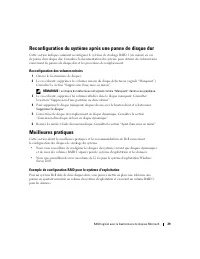
Page 31 - Reconfiguration du système après une panne de disque dur; Reconfiguration des volumes miroirs; Ouvrez le Gestionnaire de disques.; Meilleures pratiques; Exemple de configuration RAID pour le système d'exploitation
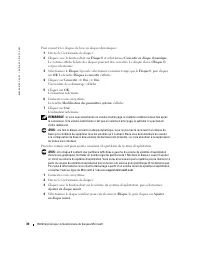
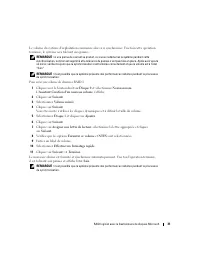
RAID logiciel avec le Gestionnaire de disques Microsoft 29 Reconfiguration du système après une panne de disque dur Cette section indique comment reconfigurer le système de stockage RAID 1 (en miroir) en cas de panne d'un disque dur. Consultez la documentation du système pour obtenir des information...
Page 35 - RAID des Betriebssystems mit DellTM; mit Microsoft
w w w . d e l l . c o m | s u p p o r t . d e l l . c o m RAID des Betriebssystems mit Dell™ Software-RAID mit Microsoft ® Disk Management
Page 36 - Anmerkungen und Hinweise
Anmerkungen und Hinweise ANMERKUNG: Eine ANMERKUNG macht auf wichtige Informationen aufmerksam, die die Arbeit mit dem Computer erleichtern. HINWEIS: Ein HINWEIS warnt vor möglichen Beschädigungen der Hardware oder vor Datenverlust und zeigt auf, wie derartige Probleme vermieden werden können. _____...
Page 37 - Software-RAID mit Microsoft; Speichern auf Basis- und dynamischen Laufwerken; Als Laufwerke
Software-RAID mit Microsoft Disk Management 35 Software-RAID mit Microsoft ® Disk Management In diesem Dokument finden Sie ausführliche Informationen und eine schrittweise Anleitung zur Konfiguration der Festplatten auf Ihrem System im Rahmen einer RAID-Konfiguration; Sie erfahren, wie Sie mit Hilfe...
Page 38 - Dynamische Laufwerke; Starten von Disk Management
36 Software-RAID mit Microsoft Disk Management www .dell.com | support.dell.com Dynamische Laufwerke sind Speichereinheiten, die mehrere physische Laufwerke umfassen, aber als ein einziger durchgehender Speicherbereich konfiguriert sind. Der Speicher auf einem dynamischen Laufwerk wird nicht in Part...
Page 39 - Starten Sie das Hilfsprogramm Disk Management.
Software-RAID mit Microsoft Disk Management 37 ANMERKUNG: Sofern ein Boot-Datenträger ausgewählt wurde, benötigt Microsoft Server 2003 zwei Neustarts, um die Umwandlung des Laufwerks durchzuführen. Zum Umwandeln eines reinen Datenlaufwerks ist kein Neustart des Systems notwendig. ANMERKUNG: Nachdem ...
Page 40 - Verwaltung von Datenträgern auf einem Laufwerk
38 Software-RAID mit Microsoft Disk Management www .dell.com | support.dell.com Verwaltung von Datenträgern auf einem Laufwerk Dieser Abschnitt enthält Grundlagen und praktische Hinweise zur Erstellung von Basis- und dynamischen Datenträgern mit Hilfe von Disk Management. Es werden folgende Themen b...
Page 41 - Arbeiten mit dynamischen Datenträgern
Software-RAID mit Microsoft Disk Management 39 Löschen einer Partition oder eines Datenträgers HINWEIS: Beim Löschen einer Partition oder eines Datenträgers gehen sämtliche darauf befindlichen Daten verloren. 1 Starten Sie das Hilfsprogramm Disk Management. 2 Klicken Sie in der grafischen Ansicht mi...
Page 42 - Arbeiten mit Speicherspiegelung
40 Software-RAID mit Microsoft Disk Management www .dell.com | support.dell.com 9 Legen Sie das Dateisystem und die Optionen zum Formatieren fest: • Perform a quick format (Schnellformatierung) – Mit dieser Option formatieren Sie einen Datenträger oder eine Partition ohne eine vorherige Überprüfung ...
Page 43 - Führen Sie folgende Schritte aus, um einen Spiegel zu unterteilen:; Neukonfiguration Ihres Systems nach einem Festplattenausfall; Neukonfiguration eines gespiegelten Datenträgers
Software-RAID mit Microsoft Disk Management 41 Unterteilen eines Spiegels Beim Unterteilen eines Spiegels entstehen zwei einfache Datenträger mit unterschiedlichen Laufwerksbuchstaben. Jeder Datenträger enthält die Daten auf dem Spiegel zu dem Zeitpunkt, da er unterteilt wurde. Die Daten sind nicht ...
Page 44 - Beispielkonfiguration: Software-RAID des Betriebssystems
42 Software-RAID mit Microsoft Disk Management www .dell.com | support.dell.com Best Practices Dieser Abschnitt erläutert bewährte Verfahrensweisen und die Empfehlungen von Dell für die Konfiguration der Speicherlaufwerke auf Ihrem System. • Dell empfiehlt Ihnen, Ihre Systemlaufwerke als dynamische ...
Page 48 - メモおよび注意; メモ:
メモおよび注意 メモ: コンピュータを使いやすくするための重要な情報を説明しています。 注意: ハードウェアの損傷やデータの損失の可能性を示し、その危険を回避するための方法を説明 しています。 ____________________ 本書の内容は予告なく変更されることがあります。 © 2005 すべての著作権は Dell Inc. にあります。 Dell Inc. の書面による許可のない複製は、いかなる形態においても厳重に禁じられています。 本書で使用されている商標について: Dell および DELL ロゴは Dell Inc. の商標です。 Microsoft 、 MS DOS 、 Wi...
Page 49 - ディスクの管理ユーティリティによるディスクとボ; ベーシックディスクとダイナミックディスク
Microsoft ディスクの管理ユーティリティによるソフトウェア RAID 47 Microsoft ® ディスクの管理ユーティリ ティによるソフトウェア RAID 本書では、システム上のハードドライブを RAID 構成で使用できるように設定する方法と、 ディスクの管理ユーティリティを使って、ディスク、ボリューム、および物理ハードドラ イブを管理する方法について詳しく説明します。また、ハードドライブ障害が発生した場 合のシステムの再設定方法についても説明しています。 メモ: オペレーティングシステムおよびデータの保存には、ミラーボリューム( RAID 1 ) の使用をお勧めします。ディスクの...
Page 50 - ディスクの管理ユーティリティの起動; スタート; ディスク管理; Convert to Dynamic Disk
48 Microsoft ディスクの管理ユーティリティによるソフトウェア RAID www .dell.com | support.dell.com ダイナミックディスクとは、複数の物理ディスクをまたいで 1 つの連続するストレージブ ロックとして設定できるストレージユニットです。ダイナミックディスク上の記憶領域は パーティションではなくボリュームに分割され、これらのボリュームもダイナミックディ スクと同様に、複数のディスクにまたがるダイナミックボリュームを形成できます。 Windows Server 2003 上のフォールトトレラントな RAID 構成内で使用するディスクスト レージは、ダイ...
Page 52 - ディスクボリュームの管理; NT File System
50 Microsoft ディスクの管理ユーティリティによるソフトウェア RAID www .dell.com | support.dell.com ディスクボリュームの管理 本項では、ディスクの管理ユーティリティを使用して、ベーシックボリュームおよびダイ ナミックボリュームを実装する手順について説明します。以下の項目について説明します。 • パーティションまたはボリュームのプロパティの確認 • パーティションまたはボリュームのフォーマット • パーティションまたはボリュームの削除 パーティションまたはボリュームのプロパティの確認 1 ディスクの管理ユーティリティを起動します。 2 グラフィッ...
Page 53 - ダイナミックボリュームの操作
Microsoft ディスクの管理ユーティリティによるソフトウェア RAID 51 パーティションまたはボリュームの削除 注意: パーティションまたはボリュームを削除すると、そのパーティションやボリューム内 のデータはすべて失われます。 1 ディスクの管理ユーティリティを起動します。 2 グラフィック表示領域で目 的 のボリュームを右クリックし、 Delete Volume (ボリュームの削除)をクリックします。 3 確認ウィンドウで Yes (はい)をクリックして、削除を実行します。 ボリュームが削除されます。 ダイナミックボリュームの操作 ダイナミックボリュームは、ディスクの管理ユーティリ...
Page 54 - ミラーの操作; 込む
52 Microsoft ディスクの管理ユーティリティによるソフトウェア RAID www .dell.com | support.dell.com 9 ファイルシステムの種類とフォーマットオプションを選択します。 • Perform a quick format (クイックフォーマットする) ― このオプションを選 択すると、ボリュームまたはパーティションのフォーマット時に、ボリュームや パーティション内の不良セクターのスキャンが省略されます。 • Enable file and folder compression (ファイルとフォルダの圧縮を有効にす る) ― このオプションを選択すると...
Page 55 - Break Mirrored Volume; ハードドライブ障害が発生した場合のシステムの再設定; ミラーボリュームの再設定; Remove Disk
Microsoft ディスクの管理ユーティリティによるソフトウェア RAID 53 ミラーの解除 ミラーを 解 除すると、別 々 のドライブ文字を持った 2 つのシンプルボリュームになります。 各ボリュームには、ミラーが 解 除された時 点 でのミラー上のデータがそのまま 保 持されて います。データの 冗長性 は 失 われますが、データ自 体 は削除されません。 ミラーを 解 除するには、次の手順を実行します。 1 ディスクの管理ユーティリティを起動します。 2 グラフィック表示領域で、ミラーを 解 除するボリュームを右クリックし、 Break Mirrored Volume (ミラーボリュ...
Page 56 - ベストプラクティス; 果的; オペレーティングシステムソフトウェア; 搭載
54 Microsoft ディスクの管理ユーティリティによるソフトウェア RAID www .dell.com | support.dell.com ベストプラクティス 本項では、システム上のディスクストレージの効 果的 な構成方法と 当社 の 推奨 構成を示し ます。 • システムディスクはダイナミックディスクとして設定し、オペレーティングシステム 用とデータ用に、それぞれ 個 別の RAID 1 ボリュームを 作 成することをお勧めします。 • Windows Server 2003 オペレーティングシステム用には、 12 GB のボリュームを 作 成す ることをお勧めします。 オペレーテ...
Page 58 - 正常
56 Microsoft ディスクの管理ユーティリティによるソフトウェア RAID www .dell.com | support.dell.com 7 Assign a drive letter (ドライブ文字の割り 当 て)をクリックしてドライブ文字を選 択し、 Next (次へ)をクリックします。 8 Format this volume (このボリュームを次の設定でフォーマットする)および NTFS が選択されていることを確認します。 9 ボリュームラベルを入力します。 10 Perform a quick format (クイックフォーマットする)を選択します。 11 Next (次...
Page 60 - 참고
참고 및 알림 참고 : 참고는 컴퓨터를 보다 효율적으로 사용하는데 도움이 되는 중요 정보를 제공합니다 . 주의사항 : 알림은 하드웨어의 손상 또는 데이터 유실 위험을 설명하며 , 이러한 문제를 방지할 수 있는 방법을 알려줍니다 . ____________________ 본 설명서에 수록된 정보는 사전 통보 없이 변경될 수 있습니다 . © 2005 Dell Inc. All rights reserved. 어떠한 경우에도 Dell Inc. 의 사전 승인 없이 무단 복제하는 행위는 엄격하게 금지되어 있습니다 . 본 설명서에 사용된 상표인 D...
Page 61 - 기본; 디스크
Microsoft 디스크 관리를 사용한 소프트웨어 RAID 59 Microsoft ® 디스크 관리를 사용한 소프트 웨어 RAID 이 문서는 RAID 구성에서 사용하도록 시스템의 하드 드라이브를 구성하는데 필요한 단계와 디스크 관리 유틸리티를 사용하여 디스크 , 볼륨 및 실제 하드 드라이브를 관리하는 방법을 자 세히 설명합니다 . 또한 하드 드라이브 장애 시 시스템을 재구성하는 방법도 설명합니다 . 참고 : 운영 체제와 데이터에 미러링된 볼륨 (RAID 1 이라고도 함 ) 을 사용하는 것이 좋습니다 . 디스 크 관리 유틸리티 또는 운...
Page 64 - NTFS
62 Microsoft 디스크 관리를 사용한 소프트웨어 RAID www .dell.com | support.dell.com 파티션 또는 볼륨 속성 확인 1 디스크 관리 유틸리티를 시작합니다 . 2 그래픽 보기 창에서 확인할 파티션 또는 볼륨을 오른쪽 단추로 클릭합니다 . 3 팝업 메뉴 (context menu) 에서 속성 을 선택합니다 . 속성 창이 나타납니다 . 파티션 또는 볼륨 포맷 1 디스크 관리 유틸리티를 시작합니다 . 2 그래픽 보기 창에서 포맷할 볼륨 또는 파티션을 오른쪽 단추로 클릭한 후 포맷 을 클릭합 니다 . 3 파...
Page 65 - 볼륨; 미러
Microsoft 디스크 관리를 사용한 소프트웨어 RAID 63 동적 볼륨 작업 동적 볼륨은 디스크 관리 유틸리티를 사용하여 동적 디스크에 만들어집니다 . 이 절에서는 동적 볼륨을 생성 및 확장하는 방법을 설명합니다 . 동적 볼륨 만들기 1 디스크 관리 유틸리티를 시작합니다 . 2 그래픽 보기 창에서 볼륨을 만들 디스크를 오른쪽 단추로 클릭하고 새 볼륨 을 선택합니다 . 새 볼륨 마법사 가 나타납니다 . 3 다음 을 클릭합니다 . 생성할 볼륨의 유형을 선택합니다 . 참고 : 지원되는 볼륨 유형에 대한 자세한 정보는 시스템 설명서 를...
Page 66 - 하드
64 Microsoft 디스크 관리를 사용한 소프트웨어 RAID www .dell.com | support.dell.com 미러 추가 1 디스크 관리 유틸리티를 시작합니다 . 2 그래픽 보기 창에서 미러가 추가될 볼륨을 오른쪽 단추로 클릭한 후 미러 추가 를 클릭합 니다 . 3 미러를 만드는데 사용할 디스크를 선택하고 미러 추가 를 클릭합니다 . 미러 제거 볼륨에서 미러를 제거하면 선택한 미러에서는 데이터가 제거되거나 삭제되지만 다른 미러의 데이터는 그대로 유지됩니다 . 미러를 제거한 후에는 제거된 미러 볼륨에서 사용되었던 디스크 ...
Page 67 - 모범
Microsoft 디스크 관리를 사용한 소프트웨어 RAID 65 미러 볼륨 재구성 1 디스크 관리 유틸리티를 시작합니다 . 2 없음으로 표시되는 ( 고장 ) 디스크에서 미러 볼륨을 제거합니다 . " 미러 제거 " 를 참조하십시오 . 참고 : 고장 하드 드라이브는 그래픽 보기에서 없음으로 표시됩니다 . 3 없는 디스크에 표시되는 볼륨을 모두 삭제합니다 . " 파티션 또는 볼륨 삭제 " 를 참조하십시오 . 4 디스크를 오른쪽 단추로 클릭하여 없음으로 표시되는 디스크를 삭제합니다 . 디스크 제거 를 클릭합니다...
Page 71 - RAID del sistema operativo de DellTM; RAID por software
w w w . d e l l . c o m | s u p p o r t . d e l l . c o m RAID del sistema operativo de Dell™ RAID por software con Administrador de discos de Microsoft ®
Page 72 - Notas y avisos
Notas y avisos NOTA: una NOTA proporciona información importante que le ayudará a utilizar mejor el ordenador. AVISO: un AVISO indica la posibilidad de daños en el hardware o la pérdida de datos, e informa de cómo evitar el problema. ____________________ La información contenida en este documento pu...
Page 73 - Almacenamiento de discos básicos y dinámicos; Un
RAID por software con Administración de discos de Microsoft 71 RAID por software con Administración de discos de Microsoft ® En este documento se incluye información y los pasos necesarios para configurar las unidades de disco duro del sistema para utilizarlos en una configuración de RAID, así como ...
Page 74 - Inicio de la utilidad Administración de discos
72 RAID por software con Administración de discos de Microsoft www .dell.com | support.dell.com Inicio de la utilidad Administración de discos Desde el escritorio: 1 Haga clic en Inicio → Herramientas administrativas → Administración de equipos . 2 En el panel izquierdo, haga clic en Administración ...
Page 75 - Administración de volúmenes de discos
RAID por software con Administración de discos de Microsoft 73 Reactivación de discos dinámicos La utilidad Administración de discos notificará como no presentes o fuera de línea todos los discos dinámicos dañados, sin alimentación o desconectados. Puede intentar reactivar un disco dinámico para vol...
Page 77 - Operaciones con volúmenes dinámicos
RAID por software con Administración de discos de Microsoft 75 Operaciones con volúmenes dinámicos Para crear volúmenes dinámicos en discos dinámicos se usa la utilidad Administración de discos. En esta sección se describe cómo crear y extender volúmenes dinámicos. Creación de un volumen dinámico 1 ...
Page 78 - Operaciones con duplicados; Agregar espejo; Quitar espejo; Romper volumen reflejado
76 RAID por software con Administración de discos de Microsoft www .dell.com | support.dell.com Operaciones con duplicados Un volumen duplicado duplica los datos en dos discos físicos. Un duplicado proporciona redundancia escribiendo los mismos datos simultáneamente en dos volúmenes distintos que re...
Page 79 - Reconfiguración de volúmenes duplicados; Inicie la utilidad Administración de discos.; Prácticas óptimas
RAID por software con Administración de discos de Microsoft 77 Reconfiguración del sistema tras un error de la unidad de disco duro En esta sección se proporciona información sobre la reconfiguración del sistema de almacena-miento RAID 1 (duplicado) en caso de error de la unidad de disco duro. Para ...