Page 2 - Information in this document is subject to change without notice.; October
Dell™ E1713S/E2013H/E2213H/E2313H Monitor User's Guide About Your Monitor Setting Up the Monitor Operating the Monitor Troubleshooting Appendix Notes, Cautions, Warnings NOTE: A NOTE indicates important information that helps you make better use of your computer. CAUTION: A CAUTION indicates potenti...
Page 3 - About Your Monitor; Package Contents
Back to Contents Page About Your Monitor Dell™ E1713S/E2013H/E2213H/E2313H Monitor User's Guide Package Contents Product Features Identifying Parts and Controls Monitor Specifications Plug and Play Capability LCD Monitor Quality & Pixel Policy Maintenance Guidelines Package Contents Your monitor...
Page 4 - Product Features; Front View
Drivers and Documentation media Quick Setup Guide Product Information Guide Product Features The Dell ™ E1713S/E2013H/E2213H/E2313H flat panel display has an active matrix, Thin-Film Transistor, Liquid Crystal Display. The monitor's features include: E1713S: 43.3 cm (17.0 inches) viewable area displ...
Page 5 - Back View; Side View
1. Function buttons (For more information, see Operating the Monitor ) 2. Power On/Off button (with LED indicator) Back View Label Description Use 1 VESA mounting holes (100 mm) To mount the monitor. 2 Rating label Power ratings and energy information. 3 Barcode serial number label Refer to this lab...
Page 6 - Bottom View; Monitor Specifications; Power Management Modes
Right Side Bottom View E1713S: E2013H/E2213H/E2313H: Label Description Use 1 Regulatory label Lists the regulatory approvals. 2 AC power connector To connect the monitor power cable. 3 VGA connector To connect your computer to the monitor using a VGA cable. 4 Regulatory label Lists the regulatory ap...
Page 7 - Pin Assignments
Normal operation Active Active Active Blue 28 W (Maximum) 19 W(Typical) Active-Off mode Inactive Inactive Blank Amber Less than 0.5 W Switch Off - - - Off Less than 0.5 W E2313H: VESA Modes Horizontal Sync Vertical Sync Video Power Indicator Power Consumption Normal operation Active Active Active Bl...
Page 9 - Resolution Specifications; Electrical Specifications
21 Floating 22 TMDS Ground 23 TMDS Clock+ 24 TMDS Clock- Plug and Play Capability You can install the monitor in any Plug and Play compatible system. The monitor automatically provides the computer with its Extended Display Identification Data (EDID) using Display Data Channel (DDC) protocols so tha...
Page 10 - Preset Display Modes
AC input voltage / frequency / current 100 VAC to 240 VAC/50 Hz or 60 Hz + 3 Hz/1.5 A (Max.) Inrush current 120 V: 30 A (Max.) 240 V: 60 A (Max.) Preset Display Modes The following table lists the preset modes for which Dell guarantees image size and centering: E1713S: Display Mode Horizontal Freque...
Page 11 - Physical Characteristics; Environmental Characteristics
VESA, 800 x 600 46.9 75.0 49.5 +/+ VESA, 1024 x 768 48.4 60.0 65.0 -/- VESA, 1024 x 768 60.0 75.0 78.8 +/+ VESA, 1152 x 864 67.5 75.0 108.0 +/+ VESA, 1280 x 1024 64.0 60.0 108.0 +/+ VESA, 1280 x 1024 80.0 75.0 135.0 +/+ VESA, 1600 x 900 60.0 60.0 108.0 +/+ VESA, 1920 x 1080 67.5 60.0 148.5 +/+ Physi...
Page 12 - LCD Monitor Quality & Pixel Policy; Caring for Your Monitor
Operating Non-operating 5,000 m (16,400 ft) max 10,668 m (35,000 ft) max 5,000 m (16,400 ft) max 10,668 m (35,000 ft) max 5,000 m (16,400 ft) max 10,668 m (35,000 ft) max 5,000 m (16,400 ft) max 10,668 m (35,000 ft) max Thermal dissipation 85.25 BTU/hour (maximum) 61.43 BTU/hour (typical) 68.26 BTU/...
Page 13 - Setting Up the Monitor; Attaching the Stand; Assemble the stand riser to stand base.
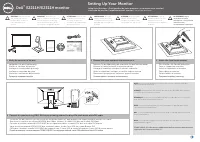
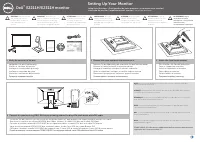
Back to Contents Page Setting Up the Monitor Dell™ E1713S/E2013H/E2213H/E2313H Monitor User's Guide Attaching the Stand Removing the Monitor Stand for VESA Wall Mount Connecting Your Monitor Attaching the Dell Soundbar (Optional) Attaching the Stand NOTE: The stand base is detached when the monitor ...
Page 14 - Removing the Monitor Stand for VESA Wall Mount
a. Place the monitor on a soft cloth or cushion near the edge of desk. b. Align the stand assembly bracket to the monitor groove. c. Insert the bracket towards monitor until it locks in place. Removing the Monitor Stand for VESA Wall Mount
Page 15 - Connecting Your Monitor; Before you begin any of the procedures in this section, follow the; Connecting the Blue VGA Cable
After placing the monitor panel on a soft cloth or cushion, complete the following steps to remove the monitor stand: 1. Use a long screwdriver to push the release latch located in a hole just above the monitor stand. 2. Once the latch is released, remove the monitor stand away from the monitor. Con...
Page 16 - Attaching Dell Soundbar AX510PA (optional)
Connecting the white DVI cable (for E2013H/E2213H/E2313H only) CAUTION: The graphics are used for the purpose of illustration only. Appearance on the computer may vary. Attaching Dell Soundbar AX510PA (optional)
Page 18 - Power On the Monitor; Using the Front Panel Controls
Back to Contents Page Operating the Monitor Dell™ E1713S/E2013H/E2213H/E2313H Monitor User's Guide Using the Front Panel Controls Using the On -Screen Display (OSD) Menu Setting the Maximum Resolution Using the Dell Soundbar (Optional) Using the Tilt Power On the Monitor Press the button to turn On ...
Page 19 - Front panel button
Front panel button Description A Preset modes Use the Preset modes button to choose from a list of preset color modes. See Using the OSD Menu . B Brightness / Contrast Use the Brightness / Contrast button to direct access to the "Brightness" and "Contrast" control menu. C Menu Use Me...
Page 20 - Accessing the Menu System
Front panel button Description A Up Use the Up button to adjust (increase ranges) items in the OSD menu. B Down Use the Down button to adjust (decrease ranges) items in the OSD menu. C OK Use the OK button to confirm your selection. D Back Use the Back button to go back to the previous menu. Using t...
Page 21 - Main Menu
1. Press the button to open the OSD menu and display the main menu. Main Menu
Page 23 - Brightness; Contrast; Auto Adjust
Brightness Allows you to adjust the brightness or luminance of the backlight. Press the button to increase brightness and press the button to decrease brightness (min 0 ~ max 100). Contrast Allows you to adjust the contrast or the degree of difference between darkness and lightness on the monitor sc...
Page 25 - NOTE
Auto Adjustment allows the monitor to self-adjust to the incoming video signal. After using Auto Adjustment, you can further tune yourmonitor by using the Pixel Clock (Coarse) and Phase (Fine) controls under Display Settings . NOTE : Auto Adjust option is only available when you are using an analog ...
Page 26 - Input Color Format; RGB
Input Color Format Allows you to set the video input mode to : RGB : Select this option if your monitor is connected to a computer or DVD player using the HDMI to DVI adapter.
Page 27 - YPbPr; Preset Modes
YPbPr : Select this option if your DVD player supports only YPbPr output. Preset Modes Allows you to choose from a list of preset color modes.
Page 29 - Aspect Ratio
Aspect Ratio (forE2013H/E2213H/E2313H Adjusts the image ratio as Wide 16:9, 4:3, or 5:4. NOTE: Wide 16:9 adjustment is not required at maximum preset resolution 1600 x 900 (for E2013H) or 1920 x 1080 (for
Page 32 - LCD Conditioning; Factory Reset; Personalize
LCD Conditioning This feature helps reduce minor cases of image retention. If an image appears to be stuck on the monitor, select LCD Conditioning to help eliminate any image retention. Using the LCD Conditioning feature may take some time. LCD Conditioning feature cannot remove severe cases of imag...
Page 33 - Shortcut Key 1
Shortcut Key 1 User can select from "Preset Modes", "Brightness/Contrast", "Auto Adjust", "Input Source" (for E2013H/E2213H/E2313H only), "AspectRatio" (for E2013H/E2213H/E2313H only) and set as shortcut Key.
Page 34 - Shortcut Key 2
Shortcut Key 2 User can select from "Preset Modes", "Brightness/Contrast", "Auto Adjust", "Input Source" (for E2013H/E2213H/E2313H only), "AspectRatio" (for E2013H/E2213H/E2313H only) and set as shortcut key.
Page 35 - Reset Personalize; OSD Messages
Reset Personalize Allows you to restore shortcut key to the default setting. OSD Messages When the monitor does not support a particular resolution mode you will see the following message: E1713S: E2013H: E2213H/E2313H:
Page 36 - Power Save
This means that the monitor cannot synchronize with the signal that it is receiving from the computer. See Monitor Specifications for the horizontal and vertical frequency ranges addressable by this monitor. Recommended mode is 1280 x 1024 (for E1713S) or 1600 x 900 (for E2013H) or 1920 x 1080 (for ...
Page 37 - Power Save Mode after 5 minutes
Activate the computer and wake up the monitor to gain access to the OSD . If you press any button other than the power button the following messages will appear depending on the selected input: If VGA or DVI cable is not connected, a floating dialog box as shown below appears. The monitor will enter...
Page 38 - Setting the Maximum Resolution; OK
See Solving Problems for more information. Setting the Maximum Resolution To set the Maximum resolution for the monitor: Windows Vista® ,Windows® 7 ,Windows® 8: 1. For Windows® 8 only, select the Desktop tile to switch to classic desktop. 2. Right-click on the desktop and click Screen Resolution. 3....
Page 39 - Using the Dell Soundbar; Using the Tilt; Tilt
Go to the support site for your computer and download the latest graphic drivers. Go to your graphics card website and download the latest graphic drivers. Using the Dell Soundbar The Dell Soundbar is a stereo two channel system, mountable on Dell Flat Panel Displays. The soundbar has an On/Off powe...
Page 41 - Troubleshooting
Back to Contents Page Troubleshooting Dell™ E1713S/E2013H/E2213H/E2313H monitor Self-Test Built -in Diagnostics Common Problems Product Specific Problems Dell Soundbar Problems WARNING: Before you begin any of the procedures in this section, follow the Safety Instructions . Self-Test Your monitor pr...
Page 43 - Common Problems; Input Source Select
To run the built-in diagnostics: 1. Ensure that the screen is clean (no dust particles on the surface of the screen). 2. Unplug the video cable(s) from the back of the computer or monitor. The monitor then goes into the self-test mode. 3. Press and hold the Button 1 and Button 4 on the front panel s...
Page 44 - safe mode
Poor Focus Picture is fuzzy, blurry, or ghosting Perform Auto Adjust via OSD. Adjust the Phase and Pixel Clock controls via OSD. Eliminate video extension cables. Reset the monitor to Factory Settings. Change the video resolution to the correct aspect ratio (16:9). Shaky/Jittery Video Wavy picture o...
Page 45 - Product Specific Problems
Ensure that the video cable connecting the monitor to the computer is connected properly and is secure. Check for bent or broken pins in the video cable connector. Wrong Color Picture color not good Change the Color Setting Mode in the Color Settings OSD to Graphics or Video depending on the applica...
Page 47 - Appendix; Safety Instructions; WARNING: Safety Instructions; For information on safety instructions, see the; Contacting Dell; Dell product catalog.; may not be available in your area.
Back to Contents Page Appendix Dell™ E1713S/E2013H/E2213H/E2313H Monitor User's Guide Safety Instructions FCC Notice (U.S. Only) and Other Regulatory Information Contacting Dell WARNING: Safety Instructions WARNING: Use of controls, adjustments, or procedures other than those specified in this docum...
Page 49 - Setting Up Your Monitor; Right-click on the desktop and click; If you do not see; If you have a non Dell TMdesktop, portable computer, or graphics card.
Back to Contents Page Setting Up Your Monitor Dell™ E1713S/E2013H/E2213H/E2313H monitor Setting the display resolution to 1280 x 1024 (for E1713S) or 1600 x 900 (for E2013H)or 1920 x 1080 (for E2213H/E2313H) (Maximum) For optimal display performance while using the Microsoft Windows operating system...
Page 50 - If you are unable to set the resolution to
Back to Contents Page Setting Up Your Monitor Dell™ E1713S/E2013H/E2213H/E2313H Monitor If you have a Dell™ desktop or a Dell™ portable computer with internet access 1. Go to http://www.dell.com/support/monitors , enter your service tag, and download the latest driver for your graphics 2. After inst...
Page 51 - If you have a non DellTM desktop, portable computer, or graphics card; Personalization; OR
Back to Contents Page Setting Up Your Monitor Dell™ E1713S/E2013H/E2213H/E2313H monitor If you have a non Dell™ desktop, portable computer, or graphics card In Windows Vista®, Windows® 7, Windows® 8: 1. For Windows® 8 only, select the Desktop tile to switch to classic desktop. 2. Right-click on the ...