Dell 2724 - PowerConnect Switch- User Manual
Dell 2724 - PowerConnect Switch– User Manual, read for free online in PDF format. We hope this helps you resolve any issues you may have. If you have further questions, please contact us through the contact form.


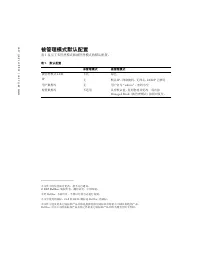
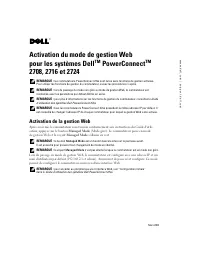
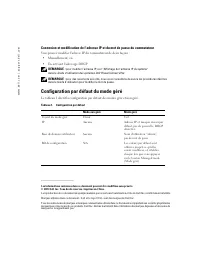


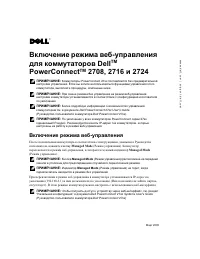
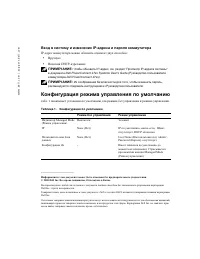


Table of Contents:
- Page 2 – Managed Mode Default Configuration
- Page 3 – Dell; PowerConnect; TM; 启用; 启用; 登录并更改交换机
- Page 4 – 被管理模式默认配置
- Page 5 – Activation de la gestion Web
- Page 6 – Configuration par défaut du mode géré
- Page 7 – Aktivieren der Web-Verwaltung für Dell; Aktivieren der Web-Verwaltung
- Page 8 – Login und Ändern von IP-Adresse und Kennwort; Standardkonfiguration im verwalteten Betrieb
- Page 9 – Включение режима веб-управления
- Page 10 – Вход в систему и изменение IP-адреса и пароля коммутатора; Конфигурация режима управления по умолчанию
- Page 11 – Activación del modo de administración por Web
- Page 12 – Configuración predeterminada del modo administrado
www
.dell.com | support.dell.com
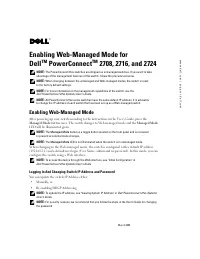
Enabling Web-Managed Mode for
Dell
TM
PowerConnect
TM
2708, 2716, and 2724
NOTE:
The PowerConnect 27xx switches are shipped as unmanaged switches. If you want to take
advantage of the management features of this switch, follow the procedures below.
NOTE:
When changing between the unmanaged and Web-managed modes, the switch is reset
to the factory default settings.
NOTE:
For more information on the management capabilities of the switch, see the
Dell PowerConnect 27xx Systems User's Guide
.
NOTE:
All PowerConnect 27xx series switches have the same default IP address. It is advisable
to change the IP address of each switch that has been set up as a Web-managed switch.
Enabling Web-Managed Mode
After powering up your switch according to the instructions in the User’s Guide, press the
Managed Mode
button once. The switch changes to Web-managed mode and the
Managed Mode
LED will be illuminated green.
NOTE:
The
Managed Mode
button is a toggle button located on the front panel and is recessed
to prevent accidental mode changes.
NOTE:
The
Managed Mode
LED is not illuminated when the switch is in unmanaged mode.
When changing to the Web-managed mode, the switch is configured with a default IP address
(192.168.2.1) and a default user login (User Name: admin and no password). In this mode, you can
configure the switch using a Web interface.
NOTE:
To access the device through the Web interface, see "Initial Configuration" in
Dell PowerConnect 27xx Systems User's Guide
Logging In And Changing Switch IP Address and Password
You can update the switch IP Address either:
•
Manually, or
•
By enabling DHCP Addressing
NOTE:
To update the IP address, see "Viewing System IP Address" in
Dell PowerConnect 27xx Systems
User's Guide
.
NOTE:
For security reasons, we recommend that you follow the steps in the User’s Guide for changing
the password.
March 2005
"Loading the manual" means you need to wait until the file loads and becomes available for online reading. Some manuals are very large, and the time they take to appear depends on your internet speed.
Summary
www .dell.com | support.dell.com Managed Mode Default Configuration Table 1 shows the default configuration of Unmanaged and Managed modes. ____________________ Information in this document is subject to change without notice.© 2005 Dell Inc. All rights reserved. Printed in China. Reproduction in an...
www .dell.com | support.dell.com 为 Dell TM PowerConnect TM 2708 、 2716 和 2724 启用 Web 管理模式 注: PowerConnect 27xx 交换机交付为未管理的交换机。如果想要利用该交换机的管理功能, 请执行下面的步骤。 注: 在未管理模式和 Web 管理模式之间改变时,交换机复位为出厂默认设置。 注: 有关交换机的管理功能的详细信息,请参阅 《 Dell PowerConnect 27xx 系统用户指南》。 注: 所有 PowerConnect 27xx 系列的交换机都具有相同的默认 IP 地址。建议您更改每个...
www .dell.com | support.dell.com 被管理模式默认配置 表 1 显示了未管理模式和被管理模式的默认配置。 ____________________ 本文件中的信息如有更改,恕不另行通知。 © 2005 Dell Inc. 版权所有,翻印必究。中国印制。 未经 Dell Inc. 书面许可,不得以任何方式进行复制。 本文中使用的商标: Dell 和 DELL 徽标是 Dell Inc. 的商标。 本文件中述及的其它商标和产品名称是指拥有相应商标和名称的公司或其制造的产品。 Dell Inc. 对本公司的商标和产品名称之外的其它商标和产品名称不拥有任何专有权。 表 1...


