Defender FreeMotion B611 - User Manual
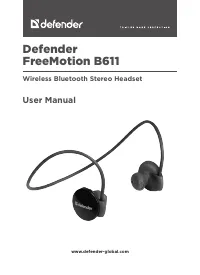
This safety and usage manual covers wireless stereo headsets with microphone from the Defender FreeMotion B611 series, emphasizing proper handling to ensure safe operation. The guide highlights critical topics like battery safety–avoiding extreme temperatures or moisture–and prohibits disassembly or use in hazardous conditions such as near water or for medical purposes. It also addresses environmental responsibility by detailing disposal procedures for batteries and electronic waste while directing users to authorized service centers for repairs. Compliance with regulatory standards is noted, reinforcing the device’s adherence to safety and performance requirements.
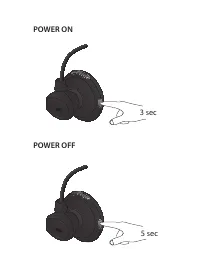
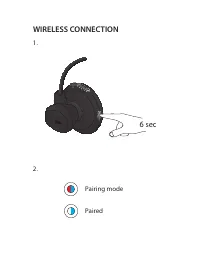
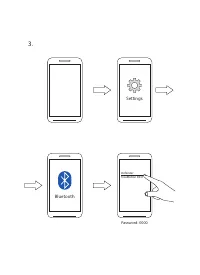
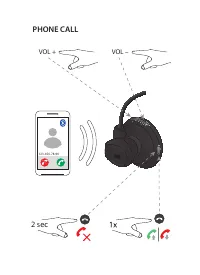
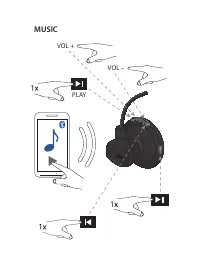
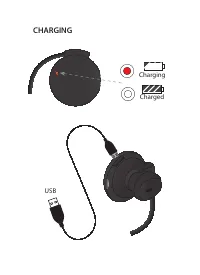
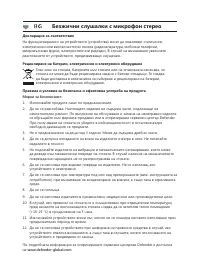
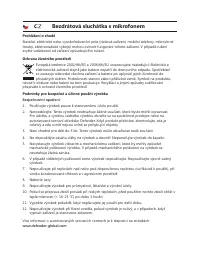
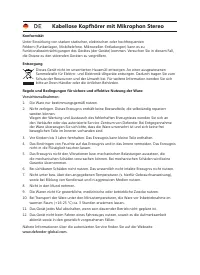
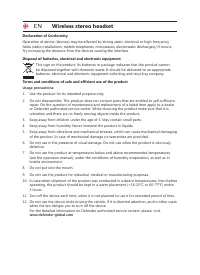

Table of Contents:
- Page 2 – Power On and Off Procedures
- Page 3 – Establishing Wireless Connection
- Page 4 – Bluetooth Pairing Process
- Page 5 – Call and Volume Management
- Page 6 – Music Playback Control
- Page 7 – Device Charging
- Page 8 – Safety and Usage Guide (BEL Product)
- Page 9 – Wireless Stereo Headphone Safety and Recycling
- Page 10 – Wireless Microphone Headset Safety and Disposal
- Page 11 – Wireless Stereo Headphone Usage Guidelines
- Page 12 – Headset Safety, Disposal, and Service Information
- Page 13 – Handling and Operational Precautions
- Page 14 – Wireless Headset Specific Instructions
- Page 15 – Wireless Headset Safety and Environmental Precautions
- Page 16 – Wireless Headset Safety Warnings and Disposal
- Page 17 – Wired Headset Safety and Care
- Page 18 – Wireless Stereo Headphone Handling and Service
- Page 19 – Stereo System Handling and Warranty
- Page 20 – Stereo System Safety and Disposal
- Page 21 – Wireless Stereo System Safety and Disposal
- Page 22 – Wireless Headset Safety and Transport Guidelines
- Page 23 – Wireless Stereo Device Environmental Protection
- Page 24 – Wireless Keypad Safety and Disposal
- Page 25 – Wired Headset Safety and Warranty
- Page 26 – Wireless Stereo Headset Safety and WEEE
- Page 27 – Stereo Headset Safety and User Responsibilities
Defender
FreeMotion B611
Wireless Bluetooth Stereo Headset
User Manual
www.defender-global.com
"Loading the manual" means you need to wait until the file loads and becomes available for online reading. Some manuals are very large, and the time they take to appear depends on your internet speed.
Was this manual helpful?
About this manual
- Brand
- Defender
- Model
- FreeMotion B611
- Document type
- User Manual
- Category
- Headphones
- Language(s)
- English
- Pages
- 28
- File size
- 1.1 MB
- Format
Summary
Instructions for powering on the Bluetooth headset by holding the power button for 3 seconds, and powering off by holding it for 5 seconds.
Procedure for establishing a wireless connection, including using the 6-second button press and understanding LED status indicators (red/blue for pairing mode and blue for paired).
Steps to connect a smartphone via Bluetooth, involving navigating settings, selecting Bluetooth, and pairing with the device using the specified password.
