D-Link DES-1008D - User Manual
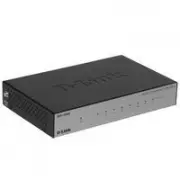
This Quick Installation Guide explains how to set up D-Link’s 5- or 8-port unmanaged Ethernet switches (models DES-1005D and DES-1008D) with their included components, ensuring proper power and connectivity before deployment. The document highlights key operational features like LED indicators for power and link status, while also addressing basic setup requirements such as cable connections and environmental considerations. Technical support details are provided for troubleshooting or inquiries.
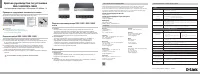
ENGLISH
Version 1.01(RU)_128x188 | 2014/06/09 5302040
Quick Installation Guide
DES-1005D/DES-1008D
5 / 8-Port 10/100 Mbps Fast Ethernet Switch
Notice Before Setting Up the DES-1005D / DES-1008D
Check Your Package Contents
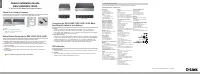
The setup of the Switch can be performed using the following steps:
A.
Install the DES-1005D / DES-1008D in a fairly cool and dry place. See Technical
Specification for the acceptable operation temperature and humidity ranges.
B.
Install the Switch in a site free from strong electromagnetic source, vibration, dust,
and direct sunlight.
C.
Leave at least 10cm of space at the left and right hand side of the Switch for
ventilation.
D.
Visually inspect the DC power jack and make sure that it is fully secured to the
power adapter.
Do not stack any device on top of the Switch.
These are the items included with your DES-1005D / DES-1008D purchase:
Note :
Using a power supply with a different
voltage rating will damage and void the
warranty of this product.
A.
Power:
Power is supplied through an external DC power adapter. Check the technical
specification section for information about the DC power input voltage. Since the
DES-1005D / DES-1008D does not include a power button, plugging its power adapter
into a power outlet will immediately power it on.
B.
Fast Ethernet Ports:
These ports support network speeds of either 10 Mbps or 100 Mbps, and can operate
in half- and full- duplex transfer modes. These ports also support automatic MDI/MDIX
crossover detection, which gives the Switch true, “plug and play” capabilities. Just
connect any network cable between the Switch and the device, and The Switch will
automatically detect the settings of the device and adjust itself accordingly.
LED Indicators
A.
Power Indicator
This green indicator light is on when the Switch is receiving power; otherwise, it is off.
B.
Link/Act
This LED indicator light is green when the port is connected to a device. The green
indicator blinks as data is transmitted or received.
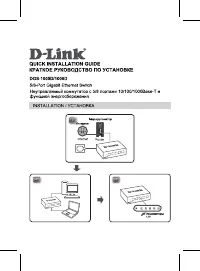
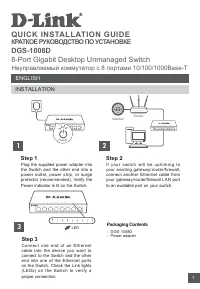
Connecting the DES-1005D / DES-1008D 10/100 Mbps
Fast Ethernet Switch to Your Network
DC Power Adapter
DES-1005D / DES-1008D
Quick Installation
Guide
DES-1005D
DES-1008D
TECHNICAL SUPPORT
You can find software updates and user documentation on the D-Link website.
Tech Support for customers in
Australia:
Tel: 1300-766-868
24/7 Technical Support
Web: http://www.dlink.com.au
E-mail: [email protected]
India:
Tel: +91-22-27626600
Toll Free 1800-233-0000
Web: www.dlink.co.in
E-Mail: [email protected]
Singapore, Thailand,
Indonesia, Malaysia,
Philippines, Vietnam:
Singapore - www.dlink.com.sg
Thailand - www.dlink.co.th
Indonesia - www.dlink.co.id
Malaysia - www.dlink.com.my
Philippines - www.dlink.com.ph
Vietnam - www.dlink.com.vn
Korea:
Tel : +82-2-2028-1810
Monday to Friday 9:00am to 6:00pm
Web : http://d-link.co.kr
E-mail : [email protected]
New Zealand:
Tel: 0800-900-900
24/7 Technical Support
Web: http://www.dlink.co.nz
E-mail: [email protected]
South Africa and Sub Sahara
Region:
Tel: +27 12 661 2025
08600 DLINK (for South Africa only)
M o n d a y t o F r i d a y 8:30a m t o 9:00p m
South Africa Time
Web: http://www.d-link.co.za
E-mail: [email protected]
D-Link Middle East - Dubai,
U.A.E.
Plot No. S31102, Jebel Ali Free Zone
South,
P.O.Box 18224, Dubai, U.A.E.
Tel: +971-4-8809022
Fax: +971-4-8809066 / 8809069
Technical Support: +971-4-8809033
General Inquiries: [email protected]
Tech Support: [email protected]
Egypt
1, Makram Ebeid Street - City Lights
Building
Nasrcity - Cairo, Egypt
Floor 6, office C2
Tel.: +2 02 26718375 - +2 02 26717280
Technical Support: +2 02 26738470
General Inquiries: [email protected]
Tech Support: [email protected]
Kingdom of Saudi Arabia
Office # 84 ,
A l K h a l e e j B u i l d i n g ( M u j a m a t h u A l -
Khaleej)
Opp. King Fahd Road, Olaya
Riyadh - Saudi Arabia
Tel: +966 1121 70008
Technical Support:
+966 1121 70009
General Inquiries: [email protected]
Tech Support: [email protected]
Pakistan
Islamabad Office:
61-A, Jinnah Avenue, Blue Area,
Suite # 11, EBC, Saudi Pak Tower,
Islamabad - Pakistan
Tel.: +92-51-2800397, 2800398
Fax: +92-51-2800399
Karachi Office:
D-147/1, KDA Scheme # 1,
Opposite Mudassir Park, Karsaz Road,
Karachi – Pakistan
Phone: +92-21-34548158, 34326649
Fax: +92-21-4375727
Te c h n i c a l S u p p o r t : +92-21-34548310,
34305069
General Inquiries: [email protected]
Tech Support: [email protected]
Iran
U n i t 5, 5t h F l o o r, N o . 20, 17t h A l l e y ,
Bokharest St. , Argentine Sq. ,
Tehran IRAN
Postal Code : 1513833817
Tel: +98-21-88880918,19
+98-21-88706653,54
General Inquiries: [email protected]
Tech Support: [email protected]
Morocco
M.I.T.C
Route de Nouaceur angle RS et CT 1029
Bureau N° 312 ET 337
Casablanca , Maroc
Phone : +212 663 72 73 24
Email: [email protected]
Lebanon RMA center
Dbayeh/Lebanon
PO Box:901589
Tel: +961 4 54 49 71 Ext:14
Fax: +961 4 54 49 71 Ext:12
Email: [email protected]
Bahrain
Technical Support: +973 1 3332904
Kuwait:
Technical Support: + 965 22453939 /
+965 22453949
Türkiye Merkez
İ
rtibat Ofisi
Ayazağa Maslak yolu
Erdebil Cevahir İş Merkezi No: 5/A
Ayazağa / Maslak İstanbul
Tel: +90 212 2895659
Ücretsiz Müşteri Destek Hattı: 0 800 211
00 65
Web:www.dlink.com.tr
Teknik Destek: [email protected]
073-796-2797
"Loading the manual" means you need to wait until the file loads and becomes available for online reading. Some manuals are very large, and the time they take to appear depends on your internet speed.
Was this manual helpful?
About this manual
- Brand
- D-Link
- Model
- DES-1008D
- Document type
- User Manual
- Category
- Switch
- Language(s)
- English, Russian
- Pages
- 2
- File size
- 747.7 KB
- Format