Cyclone CU017R24W - User Manual
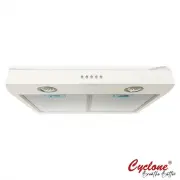
A user manual for the Cyclone® brand range hoods covers essential operational aspects, including fan control, maintenance routines, and part replacement procedures like bulb changes or filter swaps. The guide emphasizes safety warnings alongside practical tips for cleaning mesh filters, exterior surfaces, and grease disposal to ensure proper ventilation and efficiency. Key topics also address installation considerations, chimney compatibility, and recommended cleaning schedules.


USE AND CARE GUIDE
MODELS
OPERATION INSTRUCTIONS
Fan Operation
Fan Speeds:
Three speed settings give the customer total control of their fan at the push of
a button.
CY917R
Remove all mesh filters from the unit to display the grease ring at the bottom of the fan blade.
Remove the grease ring from the bottom of the fan blade and soak the ring and filters to clean
the grease.
Tip:
Soak all parts in soapy water if there is heavy grease.
Grease Disposal
WARNING!
Do not remove filters immediately after cooking or if grease is still hot.
MAINTENANCE
Mesh Filters:
Removable filters can be cleaned by soaking in the sink.
Exterior:
The exterior of the machine can be maintained by wiping the surface area. Use a
stainless steel cleaner and a very gentle cloth for stainless steel machines.
Cleaning
WARNING!
Ensure that all power leading to your range hood has been disconnected
before disassembling any parts to your fan.
Fan
Control
Light
Control
Power
Firmly press your fingers against the light bulb and twist in a clockwise direction until loosened.
Changing Light bulbs
WARNING!
Ensure that lights have fully cooled before changing bulbs.
"Loading the manual" means you need to wait until the file loads and becomes available for online reading. Some manuals are very large, and the time they take to appear depends on your internet speed.
Was this manual helpful?
About this manual
- Brand
- Cyclone
- Model
- CU017R24W
- Document type
- User Manual
- Category
- Range Hood
- Language(s)
- English
- Pages
- 2
- File size
- 358.8 KB
- Format
