Cuckoo CAC-I0510FW - User Manual
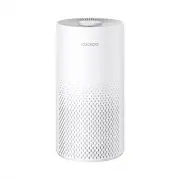
Cuckoo CAC-I0510FW Air Purifier – User Manual, read for free online in PDF format. We hope this helps you resolve any issues you may have. If you have further questions, please contact us through the contact form.


Table of Contents:
- Page 2 – Top Features of CUCKOO Air Purifier
- Page 3 – CONTENTS
- Page 4 – Unboxing; Description of Parts; Accessories
- Page 5 – How to Replace Filter
- Page 7 – Button Description; Names and Functions of Control / Display Panel
- Page 8 – Connect the power
- Page 9 – About the Filter; Air Purification
- Page 10 – Filter Replacement Cycle; Room size
- Page 11 – Caution; Safety Instructions
- Page 13 – Attention; Consignes de sécurité
- Page 15 – Problem; Troubleshooting
- Page 17 – Product Specifications; Please stop using the product.; Inquiry about Malfunction
- Page 18 – MEMO
AIR PURIFIER
USER MANUAL
CAC-I0510FW
"Loading the manual" means you need to wait until the file loads and becomes available for online reading. Some manuals are very large, and the time they take to appear depends on your internet speed.
Summary
2 Dear customers, Please keep this User Manual for your reference. This manual will guide you if you have any questions or troubleshooting problems. This product filters out fine dust, allergens, and more that is airborne using a True HEPA 3-Stage Filter mounted in the base of the product. 3 Color L...
● Description of Parts ● How to Replace FilterNames and Functions of Control / Display PanelAbout the Filter CautionAttention ● Troubleshooting ● Before Use During Use Before Asking for Support Service Information 2 4 5~6 7~ 8 9~10 11~1213~14 15~16 17 CONTENTS Top Features of CUCKOO Air Purifier
Unboxing To unbox the air purifier, open the box, take out the foam lining, and take out the internal accessories and user manual. Pull the air purifier out of the box and pull down the plastic covering surrounding it. Keep the product box in a safe location for future use. After clearing the inner ...