Corsair Gaming K70 Lux RGB (CH-9101010-RU) - User Manual
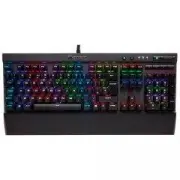
Corsair Gaming K70 Lux RGB (CH-9101010-RU) Keyboard – User Manual, read for free online in PDF format. We hope this helps you resolve any issues you may have. If you have further questions, please contact us through the contact form.
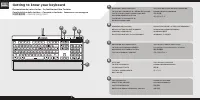
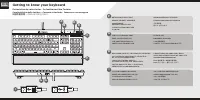
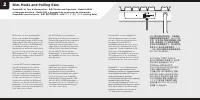
Table of Contents:
- Page 2 – Getting to know your keyboard; Présentation de votre clavier • So funktioniert Ihre Tastatur; 快速啟動指南; 키보드에 대해 알아보기; КЛАВИША ЯРКОСТИ ПОДСВЕТКИ; 백라이트 밝기 키; 키 비활성화; 전용 멀티미디어 키; 음 소거 키; 볼륨 롤러
- Page 3 – СЪЕМНАЯ ПОДСТАВКА ДЛЯ ЗАПЯСТЬЯ; 탈착식 손목 보호대; 포트; 연결 케이블
- Page 4 – Setting up your keyboard; Configuration de votre clavier • Einrichten Ihrer Tastatur; 設定您的鍵盤; 키보드 설정
- Page 5 – Bios Mode and Polling Rate; Режим BIOS и частота опроса; 模式和回報率; BIOS; 모드 및 폴링 레이트
QUICK START GUIDE
GUIDE DE DÉMARRAGE RAPIDE
SCHNELLSTARTANLEITUNG
GUIDA INTRODUTTIVA
GUÍA RÁPIDA DEL USUARIO
КРАТКОЕ РУКОВОДСТВО
快速啟動指南
빠른 시작 안내서
corsair.com
CORSAIR COMPONENTS, INC.
• 47100 BAYSIDE PARKWAY • FREMONT • CALIFORNIA • 94538 • USA
2
© 2015 Corsair Components, Inc.
All rights reserved.
Corsair and the sails logo are registered trademarks, and Corsair Gaming and the Corsair Gaming
logo are trademarks of Corsair in the United States and/or other countries. Cherry is a trademark of ZF
Friedrichshafen AG, used by permission. All other trademarks are the property of their respective owners.
Product may vary slightly from those pictured.
P/N: 49-001454 Rev AA
K70 LUX
RGB
WEB
corsairgaming.com
BLOG
corsair.com/blog
FORUM
forum.corsair.com
facebook.com/Corsair
twitter.com/Corsair
YOUTUBE
youtube.com/Corsair
"Loading the manual" means you need to wait until the file loads and becomes available for online reading. Some manuals are very large, and the time they take to appear depends on your internet speed.
Summary
Getting to know your keyboard Présentation de votre clavier • So funktioniert Ihre Tastatur Caratteristiche della testiera • Conozca su teclado • Знакомство с клавиатурой 快速啟動指南 • 키보드에 대해 알아보기 BACKLIGHT BRIGHTNESS KEYTOUCHE DE LUMINOSITÉ DU RÉTRO-ÉCLAIRAGETASTE ZUR HELLIGKEITSANPASSUNG DER HINTERGRU...
Getting to know your keyboard Présentation de votre clavier • So funktioniert Ihre Tastatur Caratteristiche della testiera • Conozca su teclado • Знакомство с клавиатурой 快速啟動指南 • 키보드에 대해 알아보기 DETACHABLE WRIST RESTREPOSE-POIGNET AMOVIBLEABNEHMBARE HANDBALLENAUFLAGESUPPORTO RIMOVIBILE PER IL POLSO RE...
1 Setting up your keyboard Configuration de votre clavier • Einrichten Ihrer Tastatur Impostazione della tastiera • Configuración del teclado • Настройка клавиатуры 設定您的鍵盤 • 키보드 설정 > Encienda su computadora> Conecte el teclado a un puerto USB 3.0> Descargue el software de www.corsair.com/do...


