Chamberlain KLIK3U - User Manual
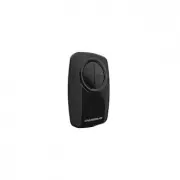
A Remote Control Manual for the Chamberlain Klik3U universal remote explains how to program it for up to two compatible garage door opener or gate operator systems. The guide covers essential topics like programming methods–such as using the opener’s built-in learn button or DIP switches–and safety precautions, including warnings about child access and proper battery use (specifically 3V CR2032 coins). It also details compatibility with various brands (e.g., Chamberlain, Linear) through standardized button-press sequences.


Table of Contents:
- Page 1 – Remote Programming Scope and Safety Warning
- Page 2 – Methods for Initiating Garage Door Opener Programming
- Page 3 – Step-by-Step Remote Programming Procedure
- Page 4 – Garage Door Opener Programming Requirements by Brand
- Page 5 – Remote Testing and Battery Safety
- Page 6 – Regulatory Compliance and Serviceability Notice
- Page 7 – Universal Remote Operation Safety Guidelines
- Page 8 – Identifying Opener Programming Mechanisms
- Page 9 – Programming Smart Garage Door Openers
- Page 10 – Detailed Programming Instructions by Brand Model
- Page 11 – Remote Testing and Battery Handling Precautions
- Page 12 – Customer Support and Legal Notices
UNIVERSAL REMOTE CONTROL
The remote control can be programmed to
activate up to two products, such as a
garage door opener, gate operator, or
commercial door operator. Each button on
the remote control works independently of
the other and must be programmed separately. The images
throughout this manual are for reference only and your
product may look different.
MODEL KLIK3U
To prevent possible SERIOUS INJURY or DEATH from a
moving gate or door:
• ALWAYS keep remote controls out of reach of
children. NEVER permit children to operate, or play
with remote control transmitters.
• Activate gate or door ONLY when it can be seen
clearly, is properly adjusted and there are no
obstructions to door travel.
• ALWAYS keep gate or door in sight until completely
closed. NEVER permit anyone to cross path of moving
gate or door.
Read instructions thoroughly BEFORE
beginning.
If using the Universal Remote Control
with residential door openers, the remote control
must be used only with door openers
manufactured after 1993 that utilize photoelectric sensors.
The photoelectric sensors are always located on or near the
bottom of the door track.
STOP
"Loading the manual" means you need to wait until the file loads and becomes available for online reading. Some manuals are very large, and the time they take to appear depends on your internet speed.
Was this manual helpful?
About this manual
- Brand
- Chamberlain
- Model
- KLIK3U
- Document type
- User Manual
- Category
- Remote Control
- Language(s)
- English, French
- Pages
- 12
- File size
- 824.6 KB
- Format
Summary
Instructions on programming the remote for up to two products, including warnings regarding reading instructions thoroughly and keeping controls out of reach of children.
Details on starting the garage door opener programming process using either a Program/LEARN Button or DIP Switches located on the opener.
Instructions detailing the sequence of removing covers, activating LEDs, pressing buttons on the opener, and selecting a button repeatedly to program the remote.
Ask a question
Related manuals
More Chamberlain Remote Controls models


Other Chamberlain appliances
 Chamberlain 240-9 Manual
- Chamberlain 350-6 Manual
 Chamberlain 371LM Manual
 Chamberlain 373LM Manual
- Chamberlain 450 Manual
- Chamberlain 450-6 Manual
 Chamberlain 935CB Manual
 Chamberlain 940D Manual
 Chamberlain 940EV Manual
 Chamberlain 950CB Manual
 Chamberlain 953CB Manual
 Chamberlain 953D Manual
 Chamberlain 953EV Manual
 Chamberlain 955D Manual
- Chamberlain 956EV Manual
 Chamberlain 1000 Manual
 Chamberlain 1000SDC-R, 2000SDC-R Manual
 Chamberlain 1025 Manual