Page 2 - CONTENTS
1 CONTENTS IMPORTANT INSTRUCTIO------------------------------------------------------------------------------ 2 IMPORTANT SAFTY TIPS------------------------------------------------------------------------ 3 SPECIFICATION--------------------------------------------------------------------------------...
Page 3 - IMPORTANT SAFETY INSTRUCTIONS
2 DANGERWARNING IMPORTANT SAFETY INSTRUCTIONS Your safety and the safety of others are very important. We have provided many important safety messages manual and your appliance.Always read and obey all safety messages. This is the safety alert symbol: ! All safety messages will follow the safety ale...
Page 4 - instructions before using any appliance.; IMPORTANT SAFETY TIPS
3 When using electrical appliances, basic safety precautions should be followed to reduce the risk of fire, electric shock, and injury to persons or property. Read all instructions before using any appliance. Use this appliance only for its intended purpose as described in this owner’s manual. This ...
Page 6 - SPECIFICATIONS
5 SPECIFICATIONS 1) DIMENSIONS/CONNECTIONS 2) Rating MODEL WF-HZB30 POWER SUPPLY VOLTAGE 1Phase, 110-120/60Hz ELECTRICAL PROTECTION CLASS I ICE MAKING RATING (Amps) 2.4 Amp ICE HARVEST RATING (Amps) 2.8 Amp ICE MAKING CAPACITY (lbs/24H) 66 lbs / 24Hour* REFRIGERANT CHARGE R290, 1.7 Oz/48g VESICANT C...
Page 9 - ) EXPLOSIVE DRAWINGS
8 press this button for more than 5 seconds, to let the unit enter the Self-Cleaning program. D .“ ON/OFF ” button : When the unit is off, press this button to turn on the unit; And during the automatic-cleaning program, or normal ice-making state, press this button to turn off the unit at once; And...
Page 12 - UNPACKING YOUR ICE MAKER; WARNING:Only use drinking water; INSTALLATION LOCATION REQUIREMENT; OPERATING PROCEDURES & MAINTENANCE
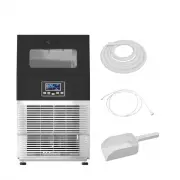
11 UNPACKING YOUR ICE MAKER 1. Remove the exterior and interior packaging. Check if all the accessories, including instruction manual, ice scoop, white water supplying hose, 1/4 inches to 1/2 inches water quick connector andthe water draining pipe, etc., are inside or not. If any parts are missing, ...
Page 13 - Electrical Shock Hazard; ELECTRICAL REQUIREMENT & CONNECTIONS; Recommended grounding method
12 Electrical Shock Hazard Plug into a grounding wall outlet.Never remove the ground prong.Use separate power supply or receptacle.Never use an adapter.Never use an extension cord.Failure to follow these instructions can result in death, fire, orelectrical shock. (at least 8 inches free space). Allo...
Page 14 - OPERATION YOUR UNIT; connect to water mains and that old hose-sets should not be reused.; water hose; Unit Back View
13 CLEANING CLEANING YOUR YOUR ICE ICE MAKER MAKER BEFROE BEFROE FIRST FIRST USING USING Before using your ice maker, it is strongly recommended to clean it thoroughly. 1. Open the ice taking door.2. Clean with diluted detergent, warm water and a soft cloth. 3. Repeatedly clean the water contacting ...
Page 15 - Connecting the water drainage pipe; If you select to use manual water supplying mode; Water filler cap
14 2 、 Connecting the water drainage pipe Pull out the water drainage cap with black color (indicated ○ A in above illustration), then connect the white drainage pipe included in accessory, again connect the other end of thisdrainage to the main water drainage pipeline. Make sure not to set the drai...
Page 16 - Ice making program is explained in following chart:
15 Ice making program is explained in following chart: Arrow of this symbol flashes, means the water is flowing into the water tank. If this whole symbol keeps displaying, means no main water supplying at present. Ice-cube symbol, when it rotate, means unit is making the ice cube; and it flashes, me...
Page 17 - Automatic self-cleaning program; Timer setting operation
16 When the ice-harvest finish, the Ice-full detecting plate will rotate downward once, then recover tothe original position and enter to the next ice-making process. If after the rotation of the Ice-full detecting plate, it is pressed by the ice cube and can’t recover tothe original position, means...
Page 18 - Internal LED light operation; ERROR code of unit breakdown; Water Drainage
17 How to set the OFF-Timer : When the unit is working, press the “TIMER/CLEAN” button to set the OFF-Timer. The “ ” symbol will start to be on, the number “1” above the symbol will flash to display the setting delay time. During the number flashing, press+ ”、“ - ” button to change the delay time of...
Page 19 - Normal Sounds
18 indicating “H” in above illustration to drain out the cleaned water in the water tank, till the silicone pipe extend completely, the water can flow out to ice bin. Then the water can be drained out through the the water drain port at unit back. Reminding: Clean the water tank frequently, it can i...
Page 20 - CLEANING & MAINTENANCE; What shouldn't be done; Exterior Cleaning; For Ice Storage Bin; If the ice maker has been left unused for a long time, before the
19 CLEANING & MAINTENANCE WARNING: Before carrying out any cleaning or maintenance operations, unplug the ice maker from the main power supply electricity. (EXCEPTION: Ice maker self-cleaning program).Do not use any alcohol or fume for cleaning or sanitizing of the ice maker. It may causecracks ...
Page 21 - Ice Making Parts Cleaning
20 Ice Making Parts Cleaning During the using, periodically to clean these main system of your ice-maker.uring the using, periodically to clean these main system of your ice-maker. 1. Repeat above step to clean the water tank and other inner parts of the unit.2. Especially, to the water dividing pip...
Page 22 - position, and return machine to work, discard first batch of ice.
21 Also the water tank and the ice-full detecting plate is very important to keep your ice cube hygienic.Put mixture of neutral cleaner & water into a clean water jet, then spray to all the inner surface of tank &the ice detecting plate. Wipe these surfaces as far as possible with a clean cl...
Page 24 - MCU; COMP; Main PCB; Electrical Diagram; Control panel PCB; Following the above program to clean the ice storage bin .; Cleaning Suggestion; WIRING DIAGRAM
23 MCU T1 COMP AC-L N POWER SUPPLY L G AC-N T1 RT WATER ICE M ~ AW MW DC Fan forCondenser Main PCB Main Water SupplyControl Valve Electrical Diagram for Ice-maker StartingRelay OverloadProtector COMPRSSOR Room TempSensor Water Level Switch RELAY Ice-harvest Solenoid Valve Ice-Full Detecting Switch 6...
Page 25 - NORMAL; TROUBLE SHOOTING
24 Problem Possible Cause Solution The whole “ ” symbol is always on. No water in unit When automatic water supplying way,maybe the main water pressure is too lowor the water supplying hose is blocked.Check them and increasing the waterpressure and clean the supplying hose.When using manual water su...