Cajun Kooling CK4500-S - User Manual
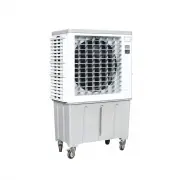
A user manual for the CajunKooling Evaporative Air Cooler (model CK4500) covers its core functionality as a portable, energy-efficient cooling system designed for easy operation and low maintenance. Key topics include safety guidelines–such as proper placement, ventilation, and electrical precautions–to ensure safe use, whether indoors or outdoors. The manual also explains the evaporative cooling mechanism, detailing how the unit’s components interact to regulate temperature through water evaporation, along with basic control panel functions like LED indicators and button operations. Maintenance instructions address cleaning procedures for pads, screens, and reservoirs, while troubleshooting guides identify common issues–such as airflow problems or leaks–and provide step-by-step solutions.


Table of Contents:
- Page 1 – Product Identification and Key Features
- Page 2 – Safety Instructions and Operational Precautions
- Page 3 – Cooling Mechanism and Control Panel Functions
- Page 4 – Cleaning and Maintenance Procedures
- Page 5 – Installation and Electrical Wiring Guide
- Page 6 – Troubleshooting Cooling Unit Issues
- Page 7 – Warranty Activation and Registration
Instruction Manual
Evaporative Air Cooler
CK4500
- Portable -
- Easy to Operate -
- Low Maintenance -
- Energy Efficient
"Loading the manual" means you need to wait until the file loads and becomes available for online reading. Some manuals are very large, and the time they take to appear depends on your internet speed.
Was this manual helpful?
About this manual
- Brand
- Cajun Kooling
- Model
- CK4500-S
- Document type
- User Manual
- Category
- Evaporative Cooler
- Language(s)
- English
- Pages
- 7
- File size
- 1.2 MB
- Format
Summary
Information regarding the portable Evaporative Air Cooler model CK4500, highlighting features such as portability, ease of operation, low maintenance, and energy efficiency.
Safety guidelines covering proper placement, ventilation requirements, cord safety, water usage for cooling, maintenance procedures, outdoor use, and warranty implications related to unauthorized repairs.
Explanation of the evaporative air cooler's cooling mechanism, structural layout with diagrams, and definitions for control panel functions, including LED indicators and operational buttons.
