Brother MFC-7360 - User Manual

Brother MFC-7360 – User Manual, read for free online in PDF format. We hope this helps you resolve any issues you may have. If you have further questions, please contact us through the contact form.

* Declared yield value in accordance with ISO / IEC 19752 ** Requires Brother Software *** Optional free download available from http://solutions.brother.com
†
Windows
®
only
†
†
Windows
®
& Apple Macintosh only
Compact Network Ready
Mono Laser Multifunction
Printer with Fax
The MFC-7360N offers print, scan, copy and
fax capabilities in one compact multifunction
unit. Fast, high quality prints, combined with
low running costs make this perfect for home
and small offices.
Contact:
With fast print speeds of up to 24 pages per minute, the MFC-7360N will enable
you to produce professional documents in no time. You’ll get sharp, crisp text and
accurate reproduction of even the finest details on the page thanks to its high print
resolution.
This versatile all-in-one can scan, copy and fax multi-page documents quickly and
easily using the 35 sheet Automatic Document Feeder (ADF) saving you time for busy
day to day tasks. The single sheet mulit-purpose tray can be used to print on thicker
media such as envelopes, whilst the standard paper tray boasts an impressive 250
sheet capacity so you’ll replenish it less frequently.
Save on hardware costs by sharing the MFC-7360N with multiple users on your
existing network. With the MFC-7360N you also get a choice of standard and
high-yield toner cartridges to perfectly match how much you print. All supplies,
including the drum, can be replaced individually. This saves you money as you only
pay for what you’ve used.
The MFC-7360N’s ENERGY STAR certified energy efficiency means low power
consumption for you. Brother’s separate toner and drum system significantly reduces
waste. Moreover, you can return your empty toner cartridge to Brother to be recycled
free of charge.
MFC
-7360N
Brother International Corporation (Ireland) Ltd
B
oeing Road, Airways Industrial Estate, Santry, Dublin 17
Tel:+353(0)1-241 1900 Fax:+353(0)1-842 4666
Website: www.brother.ie E-mail:[email protected]
All specifications correct at time of printing. Brother is a registered trademark of Brother Industries Ltd.
Brand product names are registered trademarks or trademarks of their respective companies.
MFC
-
7360N
MFC
-7360N
Specifications
Versatile all-in-one mono laser printer, scanner,
copier, and fax.
Fast printing at speeds of up to 24 pages
per minute (ppm).
Easy to use control panel with 2 line LCD screen.
Network connectivity means you can share the
machine with multiple users.
35 sheet Automatic Document Feeder (ADF) for fast
and efficient multipage scanning, copying and faxing.
Optional high-yield toner cartridge to reduce print
costs further.
Low maintenance: large 250 sheet paper tray and
manual feed slot to print on envelopes.
Compact Network Ready Mono Laser Multifunction Printer with Fax
Mono Copier
Mono Fax
Colour Scanner
Duplex Mono Laser Printer
Printer Driver Functions
Network
Dimensions / Weight
Others
Supplies
Technology
Electrophotographic monochrome laser printer
Laser Notice
Class 1 Laser Product (IEC 60825-1:2007)
Print Speed A4 (Standard)
Up to 24ppm (pages per minute)
Resolution
HQ1200 (2,400 x 600dpi), 600dpi, 300dpi
Processor
200MHz (ARM9)
Warm Up Time
Less than 7 seconds (from sleep mode)
First Print Out Time
Less than 8.5 seconds (from ready mode)
Emulation
GDI (host based)
Memory
32MB
Local Interface
Hi-Speed USB 2.0
Wired Network Interface
10/100 Base-TX
Display
16 characters x 2 lines LCD
Media Specifications
Media Types
Standard Paper Tray - Plain Paper, Thin Paper & Recycled Paper
Manual Feed Slot - Plain Paper, Thin Paper, Thick Paper, Recycled Paper, Bond
Paper, Labels & Envelopes
ADF (Automatic Document Feeder) - Plain Paper & Recycled Paper
Media Capacity & Weights
250 Sheet Standard Paper Tray - 60 - 105 g/m2 (16 - 28lb)
1 Sheet Manual Feed Slot - 60 - 163 g/m2 (16 - 43lb)
35 Sheet ADF (Automatic Document Feeder) 64 - 90 g/m2 (17 - 24 lb)
Media Sizes
Standard Paper Tray - A4, Letter, B5(ISO/JIS), A5, A5(Long Edge), B6(ISO),
A6 & Executive
Manual Feed Slot - Width 76.2 to 216mm, Length 116 to 406.4mm
Paper Output
100 Sheets (Face Down)
1 Sheet (Face up) Straight Paper Path
Printer Driver Software
Windows
®
Windows
®
7 (32 & 64 bit editions), Windows Vista
®
(32 & 64 bit editions),
Windows
®
XP Home Edition, Windows
®
XP Professional (32 & 64 bit editions),
Windows
®
2000 Professional,
Windows Server
®
2003 (Network only / 32 & 64 bit editions),
Windows Server
®
2008 (Network only / 32 & 64 bit editions),
Windows Server
®
2008 R2 (Network only)
Macintosh
Mac OS X 10.4.11, 10.5.x, 10.6.x
Linux***
CUPS & LPD/LPRng printing system (x86, x64 environment)
N-up Printing††
Save paper reducing 2, 4, 9, 16 or 25 A4 pages to 1 A4 page
Poster Printing†
Enlarge 1 A4 page into a poster using 4, 9, 16 or 25 A4 pages for a bigger impact
Watermark Printing†
Add predefined text or user-defined messages to your documents as a watermark
Booklet Printing†
Print easy-to-read, professional documents in A5 booklet format using manual
duplex
Header & Footer†
Print the time, date, user ID or customised message on your documents
Web Based Management
Web browser print server management
Driver Deployment Wizard
A quick & easy way to deploy a Brother printer drivers on a networked Windows
®
PC
BRAdmin Light
Print Server Management for Windows
®
& Mac OS X 10.4.11, 10.5.x, 10.6.x
BRAdmin Professional***
For LAN / WAN management
Protocols
TCP/IP (IPv4 & IPv6)
IPv4 Supported Protocols
ARP, RARP, BOOTP, DHCP, APIPA(Auto IP), WINS/NetBIOS name resolution, DNS
Resolver, mDNS, LLMNR responder, LPR/LPD, Custom Raw Port/Port 9100, IPP, FTP
Server, SNMPv1/v2c, HTTP Server, TFTP Client and Server, SMTP Client, ICMP, LLTD
responder, Web Services (Print)
IPv6 Supported Protocols
NDP, RA, DNS Resolver, mDNS, LLMNR responder, LPR/LPD, Custom Raw Port/ Port
9100, IPP,FTP Server, SNMPv1/v2c, HTTP Server, TFTP Client and Server, SMTP Client,
ICMPv6, LLTD responder, Web Services (Print)
With Carton
527 (W) x 510 (D) x 493 (H) mm / 14.6kg
Without Carton
405 (W) x 398.5(D) x 316 (H) mm / 11.4kg
Power Consumption
445W copying
55W ready
1.5W deep sleep
TEC (Typical Electrical Consumption) 1.232kWh / week
Noise Level
Sound Pressure - Less than 53dBA when printing, less than 30dBA in ready
Sound Power - Less than 6.74B when printing, less than 4.30B in ready
Ecology
Power Save - Consume less energy when not in use
Toner Save - Reduces toner usage
Recommended Monthly Print Volume 250 to 2,000 pages
Inbox Toner
700 pages*
Standard Toner (TN-2210)
1,200 pages*
High Yield Toner (TN-2220)
2,600 pages*
Drum Unit (DR-2200)
Approx. 12,000 pages (1 page / job)
Copy Speed A4
Up to 24cpm (copies per minute)
Resolution
Up to 600 x 600dpi
First Copy Out Time
Less than 11 seconds (from ready mode)
Multi-Copying / Stack / Sort
Makes up to 99 copies of each page (stacks or sorts)
Reduction / Enlargement Ratio
Reduce & enlarge documents from 25% to 400% using 1% increments
N in 1 Copying
Allows the user to compress 2 or 4 pages on to a single A4 sheet
Modem Speed
14,400bps (G3)
Fax/Tel Switch
Automatic recognition of fax & telephone reception
One-Touch Dial
8 (4 x 2) locations
Speed & Group Dial
Up to 200 speed locations & up to 8 groups
Automatic Redial
Automatically redials number if line is busy
Distinctive Ring Detection
Ability to detect different ring styles (UK & Denmark only)
Fax Forward & Retrieval
Forward or retrieve faxes to or from another location
Transmit / Receive Memory
Up to 400 pages (ITU-T Test Chart, Standard Resolution, MMR)
Error Correction Mode (ECM)
Resending of failed documents where sending fax shares ECM
PC-Fax**
Send & receive faxes from your PC using a phone line
(Receiving is for Windows
®
only)**
Resolution
Up to 600 x 2,400dpi (from scanner glass) 600 x 600dpi (from ADF)
Resolution (Enhanced)
Up to 19,200 x 19,200dpi
Grey Scale
256 shades of grey are available for faxing, copying & scanning
Colour Depth
48 bit internal, 24 bit external
Pull Scan Functions
Scan documents to E-mail, Image, OCR or File**
"Loading the manual" means you need to wait until the file loads and becomes available for online reading. Some manuals are very large, and the time they take to appear depends on your internet speed.
Was this manual helpful?
About this manual
- Brand
- Brother
- Model
- MFC-7360
- Document type
- User Manual
- Language(s)
- English
- Pages
- 2
- File size
- 3.2 MB
- Format
Ask a question
Related manuals
Popular Brother Other




More Brother Other models
 Brother MFC-5895CW User Manual
 Brother MFC-7220 User Manual
 Brother MFC-7225N User Manual
 Brother MFC-7240 User Manual
 Brother MFC-7320 User Manual
 Brother MFC-7340 User Manual
 Brother MFC-7362N User Manual
 Brother MFC-7440N User Manual
 Brother MFC-7840W User Manual
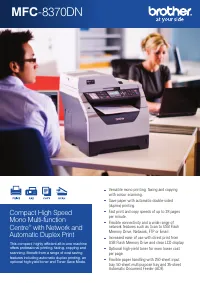 Brother MFC-8370DN User Manual
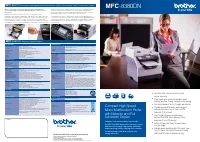 Brother MFC-8380DN User Manual
 Brother MFC-8440 User Manual