Page 2 - MAIN TECHNICAL SPECIFICATIONS; IMPORTANT; READ ALL INSTRUCTIONS; Contents
2 BREVILLE RECOMMENDS SAFETY FIRST At Breville we are very safety conscious. We design and manufacture consumer products with the safety of you, our valued customer, foremost in mind. In addition, we ask that you exercise a degree of care when using any electrical appliance and adhere to the followi...
Page 4 - WARNING
4 • Care should be taken when handling the appliance during and after use, ensuring that the appliance's spout and other parts and surface areas are not touched as these may still be hot due to residual heat after hot water dispensing. • Allow the appliance to cool down before moving or cleaning any...
Page 5 - Misuse may cause injury
5 • Do not locate multiple portable socket-outlets or portable power supplies at rear of the appliance. • Do not operate the appliance on an inclined plane. Do not move appliance unless the appliance is turned off and unplugged from the power outlet. • Keep the appliance and all parts clean. Follow ...
Page 7 - SPECIFIC INSTRUCTIONS
7 FOR HOUSEHOLD USE ONLY SAVE THESE INSTRUCTIONS SPECIFIC INSTRUCTIONS FOR WATER FILTER • Filter cartridge should be kept out of reach of children. • Store any unused filter cartridges in a dry place sealed in the original packaging. • Protect filter cartridges from heat and direct sunlight. Only re...
Page 8 - Components; Not Shown
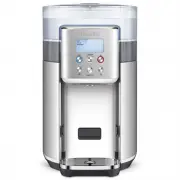
8 Components A C D F H I E M N O G J P K L B A. Water tank lid with easy-grip handle B. The Activ360™ 4-Stage Filter with pull ring for easy removal C. Filter holderD. Water tanks Including a removable, external 6L water tank plus an internal 2L chilling chamber (not shown) NOTE - Total external tan...
Page 9 - Control Panel; NOTE; HOT WATER BUTTON; COLD WATER BUTTON
9 Control Panel COLD HOT AMBIENT ml °C FUNCTION FUNCTION DIAL/SELECT Turn/Press FUNCTION dial to adjust/select from the following: MENU - When using HOT, turn dial to select between pre-programmed menu options and the custom setting; press the dial to confirm selection. TEMP - when using Custom, tur...
Page 11 - DESCALE; FILL TANK; COLD SETTING
11 DESCALE Appears on the screen every 6 months as a reminder to descale to keep the unit working to its optimum performance. NOTE To descale more frequently than the programmed descale reminders, press and hold the HOT button for 3 seconds until Descale appears on the screen.To quit descale mode, p...
Page 12 - Features
12 WHAT IS THE AQUASTATION™ CHILLED + HOT? The Breville AquaStation™ Chilled + Hot, when used with the Activ360™ 4-stage fast flow water filtration system, provides cleaner, great-tasting Ambient, Chilled or Hot filtered water on demand. The Activ360TM Filter, with 4 distinct levels of filtration, r...
Page 13 - Altitude Sensor; WATER QUALITY
13 Altitude Sensor The unit is equipped with an altitude sensor to detect local boiling points and will automatically regulate the boiling point to avoid steam issues at high-altitude areas. One-way Tank Valve The water tank has been designed with a one-way valve so that it can be removed from the u...
Page 14 - Assembly; BEFORE FIRST USE; without
14 Assembly BEFORE FIRST USE • Remove and safely discard any packaging material or promotional labels attached to your unit and filter. Check for any missing or damaged parts as per the components list. NOTE As an important part of our quality control process, your unit has been individually tested....
Page 17 - Operation; TURNING OFF THE AQUASTATION; STANDBY MODE
17 Operation OPERATING YOUR AQUASTATION CHILLED + HOT 1. Ensure the water tank is in place and that the water filter cartridge is correctly fitted into position. 2. Plug into a 230/240V power outlet. The unit will beep, the water droplet light will flash 3 times, the LCD screen will illuminate, and ...
Page 20 - Saving Favourite COLD setting
20 NOTE The appliance is calibrated at sea level hot water temperatures. High altitude locations will have an impact on hot water temperatures due to low atmospheric pressure. Hot Menu - Custom This setting allows for customising of temp and volume to suit any hot beverages. 1. Press the HOT water b...
Page 21 - Saving Favourite HOT setting
21 5. To use the saved COLD FAVOURITE setting, press COLD FAVOURITE button, then press START/STOP button once. The blue LED light ring around the COLD button will start to flash if the water is reaching the set temperature. Once the machine has reached the set temperature, the light will illuminate ...
Page 22 - Tea Insights
22 TEA TYPES There are four main types of tea from the tea plant camellia sinensis. The picking and processing methods determine the type of tea finally produced. Black Tea Black tea is the most common type of tea worldwide. It is made by fermenting the harvested leaves for a couple of hours before ...
Page 23 - Descaling
23 After regular use, hard water can cause mineral build up in and on many of the inner functioning components, reducing the water flow, water temperature, power of the unit and the taste of the water. For safe and efficient operation of your unit it is important to descale regularly. Breville recom...
Page 24 - Return the
24 NOTE Descaling water is not safe for plants, the descale solution is citric acid, Citric acid is below 4.0, meaning that it is acidic and potentially corrosive. Therefore, applying enough citric acid to a plant's water or soil will create an environment unsuitable for the plant. 6M DESCALE MAXMIN...
Page 25 - Storage; CAUTION
25 Care, Cleaning & Storage CAUTION To prevent damage to the appliance, do not use alkaline or abrasive cleaning agents, steel wool or scouring pads as these can damage the surface of the unit. Do not place any part of this appliance in the dishwasher. CLEANING THE AQUASTATION 1. Remove the plug...
Page 27 - Troubleshooting; POSSIBLE CAUSE
27 Troubleshooting PROBLEM/Error Code Displayed on Screen POSSIBLE CAUSE WHAT TO DO When the water tank is filled, neither cold nor hot water comes out. • Uneven placement and tilt of the water tank • Make sure the water tank is full and pushed down to ensure good installation. • If the dispensing p...
Page 29 - Notes
Page 30 - Breville Customer Service Centre
Breville Customer Service Centre Breville, the Breville logo, AquaStation and Activ360 are trademarks of Breville Pty Ltd. All other brands may be trademarks of their respective owners. Breville's products are distributed in New Zealand under licence A.B.N. 98 000 092 928. Approved by the appropriat...