Page 4 - TABLE OF CONTENTS
TABLE OF CONTENTS IMPORTANT SAFETY INSTRUCTIONS 1 OPERATION 8 OVEN SETTINGS 12 POWER SETTINGS 17 SENSOR COOKING 27 COOKING GUIDE 31 MAINTENANCE AND CLEANING 36 TROUBLESHOOTING 38 WARRANTY 40
Page 5 - WARNING; IMPORTANT SAFETY INSTRUCTIONS; Gener
1 Before operation, please read and follow these important instructions for the safety of your home and the people living in it. When using electrical appliances, basic safety precautions should be followed, including the following: • Install or locate this appliance only in accordance with the prov...
Page 7 - Fir
3 IMPORTANT SAFETY INSTRUCTIONS • Do not store this appliance outdoors. Do not use this product near water — for example, near a kitchen sink, in a wet basement, near a swimming pool, or similar location. • To reduce the risk of fire inside the oven: • Do not overcook food. Carefully oversee applian...
Page 8 - Food Safet
4 IMPORTANT SAFETY INSTRUCTIONS • Liquids such as water, coffee, or tea may be heated beyond the boiling point without appearing to be boiling. Visible bubbling or boiling when the container is removed from the microwave oven is not always present. THIS COULD RESULT IN VERY HOT LIQUID SUDDENLY BOILI...
Page 9 - Cooking Safet
5 IMPORTANT SAFETY INSTRUCTIONS • Do not clean with metal scouring pads. Pieces can burn off the pad and touch electrical parts, increasing the risk of electric shock. • Do not use paper products when appliance is operated in the convection or baking mode. • Do not store any materials, other than ma...
Page 11 - ENVIRONMENTALLY-FRIENDLY DISPOSAL; Energy and environment tips; Saving energy; Expert Cooking Guide; Broil; Convection Broil; Dispose of packaging in an environmentally-; Envir
7 IMPORTANT SAFETY INSTRUCTIONS ENVIRONMENTALLY-FRIENDLY DISPOSAL Energy and environment tips Here you can find tips on how to save energy when baking and roasting and how to dispose of your appliance properly. Saving energy ■ Only preheat the oven if this is specified in the recipe or in the operat...
Page 12 - OPERATION; TURNTABLE AND GRILL RACK; Before using the appliance for the first time; Setting the clock; setting options; Turntable; Touch; Before using the appliance for the first time; Setting the clock; Accessories; Before using the appliance for the first time; Setting the clock; Setting the oven; Setting Convection mode; Before using the appliance for the first time; Setting the oven; Accessories
8 OPERATION TURNTABLE AND GRILL RACK Accessories Before using the appliance for the first time Here you will find everything you need to do before using your oven to prepare food for the first time. First read the section on Safety information . Setting the clock Heating up the oven Cleaning the acc...
Page 13 - Installing Handles; The Allen/hex key needed to remove the handle is only included with; Autograph Edition handles
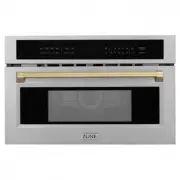
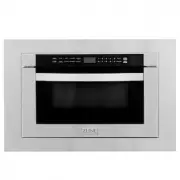
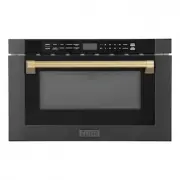
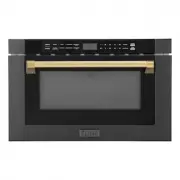
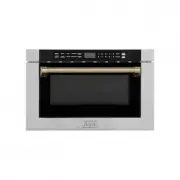
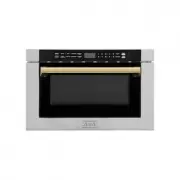
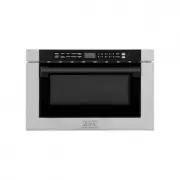
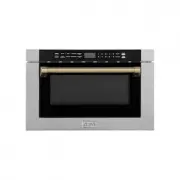
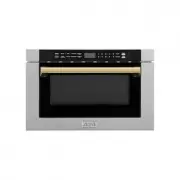
9 Installing Handles OPERATION HANDLE INSTALLATIONNote: The Allen/hex key needed to remove the handle is only included with Autograph Edition handles (Champagne Bronze, Gold, and Matte Black). Autograph Edition handles 1. Locate the holes on the underside of each handle base.2. Using a 7/64” Allen/h...
Page 14 - Utensils; RADIO INTERFERENCE; opened and plastic pouches should be pierced before cooking.; UTENSIL TEST
10 Utensils OPERATION RADIO INTERFERENCE • Operation of the microwave oven may cause interference to your radio, TV, or similar equipment. • When there is interference, it may be reduced or eliminated by taking the following measures: • Clean the door and sealing surface of the oven. • Reorient the ...
Page 15 - Safe Materials
11 Safe Materials OPERATION MATERIALS YOU CAN USE WHILE MICROWAVE COOKING UTENSILS GUIDE Browning dish Follow manufacturer’s instructions. The bottom of browning dish must be at least 3/16” above the turntable. Incorrect usage may cause the turntable to break. Dinnerware Microwave-safe only. Follow ...
Page 16 - Installation Requirements; Your new appliance; Key
12 18 Installation Requirements Your new appliance Use this section to familiarise yourself with your new appliance. The control panel and the individual operating controls are explained. You will find information on the cooking compartment and the accessories. Control panel The touch s are used to ...
Page 17 - Do not cover the ventilation slots. Otherwise, the
13 Childpr oof Lock OPERATION CHILDPROOF LOCK The oven has a childproof lock to prevent children from switching it on accidentally. The oven will not react to any settings. The timer and clock also cannot be set when the childproof lock has been switched on. SWITCHING ON THE CHILDPROOF LOCK 1. No co...
Page 18 - To set the correct time, proceed as follows:
14 Clock Set tings OPERATION SETTING THE CLOCK 1. Once the appliance is connected, “12:00” will be displayed as the time of day. To set the correct time, proceed as follows: 2. Touch Clock . 3. Enter the correct time using the number keys. Example: To set the clock to 12:41, type in 1 2 4 1. 4. Touc...
Page 21 - OVENWARE TEST
17 Power Set tings OPERATION OVENWARE TEST Do not switch on the microwave unless there is food inside. The following ovenware test is the only exception to this rule. Perform the following test if you are unsure whether your ovenware is suitable for use in the microwave:• Heat the empty ovenware at ...
Page 22 - Setting the microwave; Express cooking
18 Power Set tings OPERATION POWER LEVEL MICROWAVE OUTPUT USE FOR With rapid preheating, your oven reaches the set temperature particularly quickly. To ensure an oven cooking result, only put your food in the cooking compartment when the preheating phase is complete. 1.2. 3. The oven begins to heat ...
Page 23 - Power Set
19 OPERATION Power Set tings SETTING THE MICROWAVE 1. Enter the desired cook time with the number keys. The timer display will fill in from right to left. Example: To set a microwave time of 20 minutes and 30 seconds, enter the numbers 2 0 3 0. 2. You can start microwave operation with the default p...
Page 24 - SPEEDY MICROWAVE COOKING
20 Power Set tings OPERATION SPEEDY MICROWAVE COOKING 1. Use the Start/Enter key to quick-start your microwave at the highest power level. You can touch the key repeatedly to increase the microwave time in increments of 30 seconds. 2. Touching this key during microwave operation will add 30 seconds ...
Page 25 - Auto menu
21 Automatic Pr ogr ams OPERATION AUTOMATIC PROGRAMSSETTING A PROGRAM 1. When setting a program, the temperature selector must be in the off position.2. Touch Auto menu . 3. Touch Auto menu repeatedly to scroll through the full Auto menu. 4. Touch the number keys to adjust weight of food. 5. Touch S...
Page 26 - tings
22 Defrosting Set tings OPERATION DEFROSTING PROGRAMS You can use the 2 defrosting programs to defrost ground meat and meat pieces.1. Touch Auto Defrost once or twice to choose “ GROUND MEAT ” or “ MEAT PIECES .” 2. Enter the weight of the food you want to defrost using the number keys.3. Touch Star...
Page 27 - times
23 Popcorn Set tings OPERATION POPCORN • Do not leave oven unattended while popping corn. Popcorn may ignite and cause fire. • Never set the microwave power too high. Always place the popcorn bag on the ceramic turntable or on a microwave-safe plate on top of the metal turntable. • The popcorn featu...
Page 31 - Sensor Cooking
27 OPERATION Sensor Cooking OPENING APPLIANCE DOOR DURING OPERATION Opening the appliance door during operation will interrupt the current mode. Close the appliance door and then touch Start/Enter to resume operation. SENSOR COOKING You can select two sensor cooking modes. Sensor cooking allows you ...
Page 32 - REHEAT COOKING SUGGESTIONS
28 Sensor Cooking OPERATION REHEAT COOKING SUGGESTIONS FOOD DIRECTIONS QUANTITY Dinner plate Use only pre-cooked, refrigerated foods. Cover plate with vented plastic wrap or waxed paper, tucked under plate. If food is not hot enough after heating with the Reheat feature, continue heating using manua...
Page 33 - repeatedly to
29 Sensor Cooking OPERATION SETTING SENSOR COOK 1. Clear any previously set programs prior to choosing the mode. Touch Clear/ Off. 2. Touch Sensor Cook . 3. Select the desired program. For Ground Meat, touch Sensor Cook repeatedly to scroll through all Sensor Cook modes. 4. Touch Start/Enter . 5. Th...
Page 34 - OPENING APPLIANCE DOOR DURING OPERATION
30 Br oil Set tings OPERATION OPENING APPLIANCE DOOR DURING OPERATION Opening the appliance door during operation will interrupt the current mode. Close the appliance door and then touch Start/Enter to resume operation. CANCEL OPERATION 1. Touch Clear/Off to cancel the active oven mode. The applianc...
Page 35 - Cooking Guide
31 Cooking Guide OPERATION Note: Always use a broil pan when cooking in Broil mode. BROIL: Place pan of food on the wire rack with the recess facing up. FOOD OVEN TEMP COOKING TIME (MINS) INTERNAL TEMP COOKING TIPS Hamburgers 3/4” - 1” thick,medium High Side 1: 9-11Side 2: 10-12 160°F Use pan that a...
Page 36 - Low
32 Cooking Guide OPERATION BROIL: Place pan(s) of food on the wire rack with the recess facing up. FOOD OVEN TEMP COOKING TIME (MINS) INTERNAL TEMP COOKING TIPS Chicken breasts, bone-in Low Side 1: 9-11 Side 2: 10-12 170°F Start breast side down. Fish fillet 3/4“ to 1” Low 11-15 145°F No turning of ...
Page 37 - up to
33 Cooking Guide OPERATION COOKING SEAFOOD IN YOUR MICROWAVE Be sure to place fish on a microwave-safe roasting rack in a microwave-safe dish. Be sure to always cook fish until it flakes easily with a fork. Use a tight cover to steamfish; a lighter cover of wax paper or paper towel provides less ste...
Page 38 - COOKING EGGS AND VEGETABLES IN YOUR MICROWAVE
34 Cooking Guide OPERATION COOKING EGGS AND VEGETABLES IN YOUR MICROWAVE • Never cook eggs in the shell and never warm hard-cooked eggs in the shell; they can explode. • Always pierce yolk on whole eggs to keep them from bursting.• Cook eggs just until set; they will become tough if overcooked.• Coo...
Page 39 - ACRYLAMIDE IN FOOD
35 Ener gy Tips OPERATION ACRYLAMIDE IN FOOD Which foods are affected? Acrylamide is mainly produced in grain and potato products that are heated to high temperatures, such as potato crisps, chips, toast, bread rolls, bread, or fine baked goods (biscuits, gingerbread, cookies). Tips for keeping acry...
Page 40 - Maintenance and Cleaning; MAINTENANCE AND CLEANING; CARE AND CLEANING
36 Maintenance and Cleaning MAINTENANCE AND CLEANING CARE AND CLEANING • Penetrating moisture may cause an electric shock. Do not use any high-pressure cleaners or steam cleaners. • Never clean the appliance immediately after switching off, as you risk being burned. Let the appliance cool down. • Mi...
Page 41 - CLEANING GUIDE
37 Maintenance and Cleaning MAINTENANCE AND CLEANING CLEANING GUIDE Appliance front Hot soapy water: Clean with a dish cloth and dry with a soft cloth. Do not use glass cleaners or metal or glass scrapers for cleaning. Appliance front with stainless steel Hot soapy water: Clean with a dish cloth and...
Page 42 - TROUBLESHOOTING; ISSUE; Malfunction table; Acrylamide in foodstuffs; Acrylamide in foodstuffs
38 Troublesh ooting TROUBLESHOOTING ISSUE POSSIBLE CAUSE TROUBLESHOOTING The appliance does not work Faulty circuit breaker Look in the fuse box and check that the circuit breaker for the appliance is in working order. Plug not plugged in Plug in the plug. Power interrupted Check outlet. The applian...
Page 44 - WARRANTY; COVERAGE
WARRANTY COVERAGE ZLINE Kitchen and Bath microwave parts will be warrantied for two years from the original purchase date for the original purchaser of the product. TERMS This warranty applies only to the original purchaser of the product installed for normal residential use. This is defined as a si...