Page 4 - TABLE OF CONTENTS
TABLE OF CONTENTS IMPORTANT SAFETY INSTRUCTIONS 1 OPERATION 5 • Control Panel• Settings• Preheating• Temperature Control• Oven Modes• Convection Conversion• Cooking Tips MAINTENANCE AND CLEANING 35 TROUBLESHOOTING 43 WARRANTY 48
Page 5 - PROPER INSTALLATION; SAFETY INSTRUCTIONS
1 Pr oper Installation WARNING If the information in this manual is not followed exactly, a fire orexplosion may result causing property damage, personal injury, or death. Before beginning installation, please read and follow these important instructions for the safety of your home and the people li...
Page 6 - TO REDUCE THE RISK OF FIRE INSIDE THE OVEN
2 Per sonal Safet y SAFETY INSTRUCTIONS • Do not overcook food. Carefully attend oven if paper, plastic or other combustible materials are placed inside the oven. • Do not use the cavity for storage purposes. Do not leave paper products, cooking utensils or food in the cavity when not being used. TO...
Page 7 - enough to cause burns.
3 Per sonal Safet y SAFETY INSTRUCTIONS • During and after use, do not touch or let clothing or other flammable materials contact the heating elements or the interior surfaces of the oven until they have had sufficient time to cool. • Please note that the trim on the top and sides of the oven door m...
Page 8 - Self Cleaning Safet; SELF CLEANING OVEN SAFETY
4 Self Cleaning Safet y SAFETY INSTRUCTIONS SELF CLEANING OVEN SAFETY • Before self-cleaning the oven, remove the broiler pan, oven racks, other utensils, and excess soft spillage. • Confirm that the door locks and will not open once the Self Clean option is selected and the door lock icon appears. ...
Page 9 - OPERATION; NOTE
5 Contr ol P anel OPERATION A. Oven Mode ControlsB. DisplayC. Cook TimeD. Start TimeE. Start/Control Lock (hold 3 seconds)F. Cancel G. SettingsH. LightI. TimerJ. Convection Conversion Mode ControlsK. Self-Clean OVEN MODE CONTROLS: Bake, Broil, Convec, Warm/Proof • Select from Bake, Broil, Convec, an...
Page 10 - Contr; TO LOCK/UNLOCK CONTROL PANEL; CONTROL PANEL; NOTE: Do not press STOP/CLEAR because the oven will; CONTROL PANEL; NOTE: Do not press STOP/CLEAR because the oven will; CONTROL PANEL; symbol
6 Contr ol Panel OPERATION TO LOCK/UNLOCK CONTROL PANEL • Press and hold Start for 3 seconds or until OVEN MODE CONTROLS - UPPER OVEN: BAKE, BROIL, CONVEC, PROOF LOWER OVEN: BAKE, BROIL, WARM Depending on which oven you are using, select from Bake, Broil, Convec, Proof and Warm oven modes. DISPLAY W...
Page 11 - Cook Time; COOK TIME
7 Cook Time OPERATION COOK TIME • The Cook Time feature allows the oven to be set to cook for a set length of time and then turn off automatically. • You must select an Oven Mode before you can set a Cook Time.• Cook Time can be set in hours or minutes up to 12 hours, same as the Timer.• At the end ...
Page 12 - START TIME; sound, and “Cooking Complete” will appear in the display.
8 Settings OPERATION START TIME • This feature allows you to set the oven to turn on at a later time.• The clock must be set to the correct time-of-day.1. Select an Oven Mode.2. Select temperature.3. Set Cook Time.4. Press Start Time.5. Enter the Start Time via the number keypad. “Press Start” will ...
Page 13 - Clock; CLOCK
9 Clock OPERATION CLOCK The clock can be set to display time in a 12-hour or 24-hour format. The clock is factory preset for the 12-hour format. TO SET THE CLOCK • Before setting the clock, make sure both the Oven and Timer are turned off.1. Press Settings. The various Options will appear in the dis...
Page 14 - Sabbath Mode; DEGREES FAHRENHEIT AND CELSIUS
10 Sabbath Mode OPERATION TO TURN ON/OFF SOUND • The oven sound is factory preset for On but can be changed to Off.1. Press SETTINGS. The various Options will appear in the display.2. Press “3” on the number keypad. “SOUND” and “ON” will appear in the display.3. Press “1” on the number keypad. “ON/O...
Page 15 - Display; before pressing Start. See “Cook Time” and “Start Time.”
11 Display OPERATION TO BAKE WHILE THE OVEN IS IN SABBATH MODE 1. Turn on Sabbath mode from Settings menu.2. Enter the desired oven temperature by pressing the numbered keypad.3. After selecting a temperature, you have the option to set a Cook Time and Start Time before pressing Start. See “Cook Tim...
Page 16 - BEFORE USING THE OVEN
12 Befor e Using th e Oven OPERATION BEFORE USING THE OVEN 1. Select Bake cooking mode.2. Set temperature to 500˚F.3. Allow the oven to operate for 30 minutes with the door closed and no food in the oven. NOTE : Any odor that may be detected during this initial use is due to the evaporation of subst...
Page 17 - TEMPERATURE PROBE; TO USE THE TEMPERATURE PROBE; OVEN USE; PREHEATING THE OVEN; BURN HAZARD; UTENSILS
13 Using th e T emper atur e Pr obe OPERATION TEMPERATURE PROBE • Use an oven mitt to remove the temperature probe.• Do not touch broil element.• Failure to do these things can result in burns.• The temperature probe monitors the internal food temperature, which is frequently used as an indicator of...
Page 18 - TO REMOVE OVEN RACKS
14 Using th e T emper ature Probe OPERATION UTENSILS • Glass baking dishes absorb heat. Reduce oven temperature 25°F when baking in glass.• Use pans that produce the desired browning. The type of finish on the pan will help determine the amount of browning that will occur. • Shiny, smooth metal, or ...
Page 19 - Vents; COMPONENT COOLING FAN
15 Vents OPERATION COMPONENT COOLING FAN The cooling fan activates during any cooking or Self Clean mode to cool inner components and outer door surfaces. This air is exhausted through the vent located above the oven door. It continues to run until components have cooled sufficiently. The cooling fa...
Page 20 - OVEN TEMPERATURE CONTROL
16 Oven T emper ature Contr ol OPERATION OVEN TEMPERATURE CONTROL • The oven provides accurate temperatures; however, it may cook faster or slower than your previous oven, so the temperature calibration can be adjusted. • A minus sign means the oven will be cooler by the displayed amount. The absenc...
Page 21 - Bak; IMPORTANT: To avoid permanent damage to the porcelain; TO REMOVE OVEN RACKS:; TO ADJUST OVEN TEMPERATURE CALIBRATION:; OVEN MODES; NOTE: The lower element is concealed under the oven floor.; The lower element is concealed under the oven floor.
17 Bak e OPERATION OVEN MODES The illustrations show the heating elements and fans used for each oven mode. E 13 OVEN USE OVEN RACKS IMPORTANT: To avoid permanent damage to the porcelain finish, place food or bakeware on an oven rack. Do not place food or bakeware directly onto the oven door or oven...
Page 22 - BROIL; Food Poisoning Hazard; with aluminum foil for easier cleaning.
18 Br oil OPERATION BROIL Broiling uses direct radiant heat from the upper element to cook food. The lower the temperature, the slower the cooking. Thicker cuts and unevenly shaped pieces of meat, fish, and poultry may cook better at lower broiling temperatures. 14 E OVEN USE Follow the recipe or co...
Page 23 - oof; WARM
19 W arm/Pr oof OPERATION WARM/PROOF The Warm mode keeps hot, cooked foods at serving temperature by utilizing the lower heating element. The Proof mode prepares dough for baking by activating the yeast. Follow the recipe directions as a guide. 14 E OVEN USE Follow the recipe or convenience food dir...
Page 24 - Convection; PROOF
20 Convection OPERATION PROOF 1. Before proofing, place the dough in a lightly greased bowl and cover loosely with wax paper coated with shortening. Place on second rack from the bottom and close the oven door. 2. Press and hold Warm/Proof for 3 seconds. “Proof” and “Set Temp or Press Start,” and 10...
Page 25 - Convection Bak; CONVECTION
21 Convection Bak e OPERATION CONVECTION • During convection cooking, the fan provides hot air circulation throughout the oven. The movement of heated air around the food can help speed up cooking by penetrating the cooler outer surfaces. • In Convection mode, the ring element, bake and broil elemen...
Page 26 - CONVECTION FAN; ADVANTAGES OF CONVECTION COOKING; CONVECTION BAKE; TO SET CONVECTION BAKE:; AIR FRY FUNCTION
22 Convection Br oil OPERATION CONVECTION BAKE Use Convection bake for single or multiple rack baking. When convection baking, reduce your recipe baking temperature by 25°F. E 15 PROOF (UPPER OVEN) The Proof mode prepares dough for baking by activating the yeast. Follow the recipe directions as a gu...
Page 27 - CONVECTION BROIL; BAKE TIPS
23 Convection R oast OPERATION CONVECTION BROIL When convection broiling, enter your normal broiling temperature. The oven door must be closed when using Convection Broil. It is not necessary to preheat the oven for Convection Broil. 16 E 1 Place the food in the oven and close the oven door. 2 Press...
Page 28 - CONVECTION ROAST; 25°F will be displayed.
24 Convection R oast OPERATION CONVECTION ROAST When convection roasting, enter your normal roasting temperature. The roasting time should be 15-30% less than in conventional cooking. It is not necessary to preheat the oven for the Convection Roast function. 16 E 1 Place the food in the oven and clo...
Page 29 - CONVECTION CONVERSION
25 Convection Conver sion OPERATION CONVECTION CONVERSION • Convection Conversion can be used to convert from conventional cooking to convection cooking. This function will automatically convert the cooking temperature and cooking time to recommended cooking settings. • As a result, the cooking temp...
Page 31 - Figure 1
27 Convection Bak e Tips OPERATION CONVECTION BAKE TIPS • Reduce recipe baking temperatures by 25°F.• For best results, foods should be cooked uncovered in low-sided pans to take advantage of the forced air circulation. Use shiny aluminum pans for best results unless otherwise noted in recipe. • Hea...
Page 32 - FOODS RECOMMENDED FOR CONVECTION BAKE MODE
28 Convection Bak e OPERATION FOODS RECOMMENDED FOR CONVECTION BAKE MODE • Appetizers, Biscuits, Coffee Cakes• Cookies (2 to 4 racks), Yeast Breads• Cream Puffs, Popovers• Casseroles, One-Dish Entrées• Oven Meals (rack positions 1, 2, 3)• Air-Leavened Foods (Soufflés, Meringue, Meringue-Topped Desse...
Page 33 - CONVECTION ROAST TIPS
29 Convection R oast Tips OPERATION CONVECTION ROAST TIPS • Do not preheat for Convection Roast.• Roast in a low-sided, uncovered pan.• When roasting whole chicken or turkey, tuck wings behind back and loosely tie legs with kitchen string. • Use the 2-piece broil pan for roasting uncovered.• Use an ...
Page 35 - CONVECTION BROIL TIPS
31 Convection Br oil Tips OPERATION CONVECTION BROIL TIPS • Place rack in the required position needed before turning on the oven.• Use Convection Broil mode with the oven door closed.• Do not preheat oven.• Use the 2-piece broil pan.• Turn meats once halfway through the cooking time (see chart belo...
Page 36 - DEHYDRATE TIPS
32 Dehydr ate Tips OPERATION DEHYDRATE TIPS Circulating heated air at a lower temperature slowly removes the moisture for food preservation.• Oven temperature for dehydrating is between 120°F to 160°F.• Multiple racks can be used simultaneously.• Some foods require as much as 14-15 hours to fully de...
Page 37 - BROIL TIPS
33 Br oil Tips OPERATION BROIL TIPS • Place rack in the required position needed before turning on the oven.• Use Broil mode with the oven door closed.• Preheat oven for 5 minutes before use.• Use the 2-piece broil pan.• Turn meats once halfway through the cooking time (see chart below). FOOD AND TH...
Page 38 - Food Safet
34 Food Safet y OPERATION FOOD SERVICE TEMPERATURE GUIDELINES FROM FSIS USDA FOOD SAFETY & INSPECTION SERVICE 140°F Ham, precooked (to reheat) 145°F Fresh beef, veal, lamb (medium rare) 160°F Ground meat & meat mixtures (beef, pork, veal lamb) 160°F Fresh beef, veal, lamb (medium) 160°F Fres...
Page 39 - MAINTENANCE AND CLEANING; GENERAL CLEANING
35 Gener al Cleaning MAINTENANCE AND CLEANING GENERAL CLEANING WARNING Before cleaning, make sure all controls are off and the oven is cool. Always follow the instructions printed on the label of cleaning products. 1. Locate the number of the part to be cleaned in the following illustration.2. Find ...
Page 41 - Cleaning Tips; OVEN FINISHES / CLEANING METHODS; See “Oven Vents” on page 15.
37 Cleaning Tips MAINTENANCE AND CLEANING OVEN FINISHES / CLEANING METHODS • The entire oven can be safely cleaned with a soapy sponge, rinsed and dried. If stubborn soil remains, follow the recommended cleaning methods below. • Always use the mildest cleaner that will do the job.• Rub metal finishe...
Page 42 - Self Clean; the door can be opened.; OVEN CARE; OVEN DOOR REMOVAL; TO REMOVE THE OVEN DOOR:
38 Self Clean MAINTENANCE AND CLEANING • The oven is preset for a 2.5-hour clean cycle; however, the time can be changed. Suggested clean times are 2 hours for light soil and between 3 hours and 3.5 hours for average to heavy soil. • Clean mode stops automatically at the end of the set cleaning time...
Page 43 - SELF CLEAN CYCLE
39 Self Clean MAINTENANCE AND CLEANING SELF CLEAN CYCLE A minimum 24-hour wait is recommended between cleaning cycles. TO SELF CLEAN 1. Close the oven door.2. Press Self Clean. “Remove Racks” will appear in the selected oven text area of the display.3. “2:00 3:00 3:30” will appear in the display.4. ...
Page 44 - Oven Door; Scan to follow along with a video.
40 Oven Door MAINTENANCE AND CLEANING OVEN DOOR REMOVAL For normal oven use, there is no need to remove the oven door. However, should it become necessary to remove the door, follow the instructions in this section. IMPORTANT: • Make sure oven is cool and that power to the oven has been turned off b...
Page 45 - REMOVE THE OVEN DOOR; Place the door in a protected location.
41 Oven Door MAINTENANCE AND CLEANING REMOVE THE OVEN DOOR 1. Open the door completely and rotate the hinge latches forward from the locked position (below left) to the unlocked position (below right) on each side. 24 E OVEN CARE • Do not clean, rub, damage or move the oven door gasket.• The door la...
Page 46 - Oven Light
42 Oven Light MAINTENANCE AND CLEANING REPLACING AN OVEN LIGHT • Make sure the oven and lights are cool and power to the oven has been turned off before replacing the light bulb(s). • The lenses must be in place when using the oven. The lenses serve to protect the light bulb from breaking. • The len...
Page 47 - TROUBLESHOOTING; POSSIBLE ISSUE
43 Tr oublesh ooting TROUBLESHOOTING POSSIBLE ISSUE POSSIBLE CAUSE Food browns unevenly Oven not preheated Aluminum foil on oven rack or oven bottom Baking utensil too large for recipe Pans touching each other or oven walls Food too brown on bottom Oven not preheated Using glass, dull or darkened me...
Page 49 - ISSUE
45 Tr oublesh ooting TROUBLESHOOTING ISSUE POSSIBLE CAUSE TROUBLESHOOTING Oven door is locked and will not release, even after cooling. Power may need to be reset. Turn the oven off at the circuit breaker and wait a few seconds. Turn breaker back on. The oven should reset itself and will be operable...
Page 52 - WARRANTY
COVERAGE ZLINE Kitchen and Bath wall oven products will be warrantied for one year from the original purchase date for the original purchaser of the product. This warranty covers all parts for necessary repairs if any part of the product proves to be defective in materials or workmanship. TERMS This...
Page 53 - SERVICE
WARRANTY NOTE: Please write down the model number and serial number of your appliance. Both numbers are located on the rating label. Do not remove permanently affixed labels, warnings, or plates from the product. This will void the warranty. You may also consider attaching your receipt or proof of p...


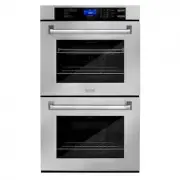 ZLINE Kitchen and Bath AWD-30
User Manual
ZLINE Kitchen and Bath AWD-30
User Manual
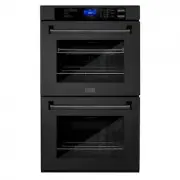 ZLINE Kitchen and Bath AWD-30-BS
User Manual
ZLINE Kitchen and Bath AWD-30-BS
User Manual
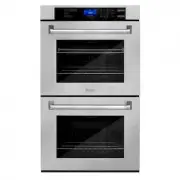 ZLINE Kitchen and Bath AWDS-30
User Manual
ZLINE Kitchen and Bath AWDS-30
User Manual
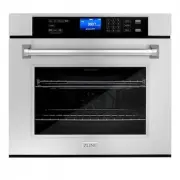 ZLINE Kitchen and Bath AWS-30
User Manual
ZLINE Kitchen and Bath AWS-30
User Manual
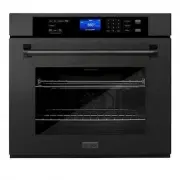 ZLINE Kitchen and Bath AWS-30-BS
User Manual
ZLINE Kitchen and Bath AWS-30-BS
User Manual
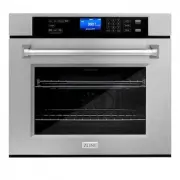 ZLINE Kitchen and Bath AWSS-30
User Manual
ZLINE Kitchen and Bath AWSS-30
User Manual
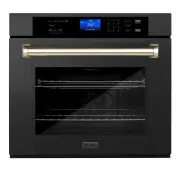 ZLINE Kitchen and Bath AWSZ-30-BS-G
User Manual
ZLINE Kitchen and Bath AWSZ-30-BS-G
User Manual
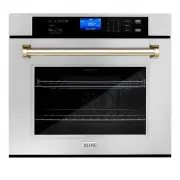 ZLINE Kitchen and Bath AWSZ-30-G
User Manual
ZLINE Kitchen and Bath AWSZ-30-G
User Manual