Whirlpool W10200357C - Manuals
Whirlpool W10200357C – Manual in PDF format online.
Manuals:
Manual Whirlpool W10200357C


Summary
2 RANGE SAFETY The Anti-Tip Bracket The range will not tip during normal use. However, the range can tip if you apply too much force or weight to the open door without the anti-tip bracket fastened down properly. You can be killed or seriously injured if you don't immediately You can be killed or se...
4 FEATURE GUIDE This manual covers several models. Your model may have some or all of the items listed. Refer to this manual or the Frequently Asked Questions (FAQs) section of our website at www.whirlpool.com for more detailed instructions. WARNING Food Poisoning Hazard Do not let food sit in oven ...
5 COOKTOP USE The control knobs can be set to anywhere between HI and LO. Push in and turn to setting. Ceramic Glass The surface cooking area will glow red when an element is on. It may cycle on and off to maintain the selected heat level.Use cookware about the same size as the surface cooking area....
Whirlpool Manuals
-
 Whirlpool WHNP141HAW
User Manual
Whirlpool WHNP141HAW
User Manual
-
 Whirlpool WHNP141AW
User Manual
Whirlpool WHNP141AW
User Manual
-
 Whirlpool WSIS5030RZ
User Manual
Whirlpool WSIS5030RZ
User Manual
-
Whirlpool WSIS5030RZ
Installation Manual
-
Whirlpool WSIS5030RZ
Manual
-
 Whirlpool WRFC2036RB
Manual
Whirlpool WRFC2036RB
Manual
-
Whirlpool WRFC2036RW
Manual
-
 Whirlpool WRFF3036RZ
User Manual
Whirlpool WRFF3036RZ
User Manual
-
Whirlpool WRFF3036RZ
Manual
-
Whirlpool WRFF3036RZ
Troubleshooting Guide
-
Whirlpool WRFF3236RB
Manual
-
Whirlpool WRFF3236RV
Manual
-
Whirlpool WRFF3236RW
Manual
-
Whirlpool WRFF3436RB
Manual
-
Whirlpool WRFF3436RV
Manual
-
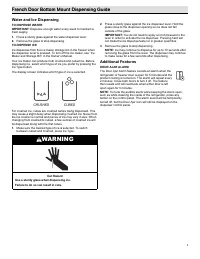 Whirlpool WRFF3436RW
Manual
Whirlpool WRFF3436RW
Manual
-
Whirlpool WRMF3636RB
Manual
-
Whirlpool WRMF3636RV
Manual
-
Whirlpool WRMF3636RV
User Manual