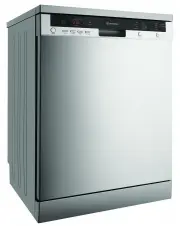
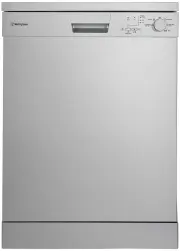
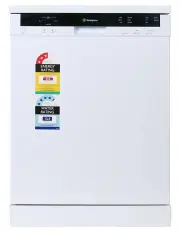
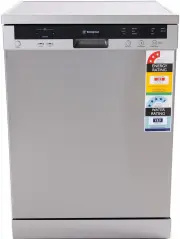
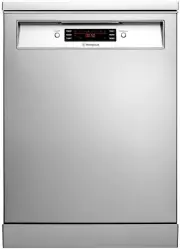
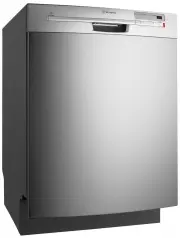
Page 2 - iNfoRMATioN oN diSpoSAL foR USERS; coNdiTioNS of USE; ENVIRONMENTAL TIPS; iMpoRTANT –cHEcK foR ANy dAMAgE oR MARKS; coNTENTS
2 Important safety instructions 3 Recycling 3 Safety information 3 Recommendations 4 Items not suitable for dishwashing 4 Technical specifications 5 Conformity with the standards and Test data 5 Description of your appliance 6 Quick Start Guide 8Installing the machine 9 Positioning the machine 9 Wat...
Page 3 - iMpoRTANT SAfETy iNSTRUcTioNS; REcycLiNg; WARNING
3 iMpoRTANT SAfETy iNSTRUcTioNS SAFETY These warnings have been provided in the interest of safety. You MUST read them carefully before installing or using the appliance. The symbols you will see in this booklet have these meanings: WARNING WARNING This symbol indicates information concerning your p...
Page 4 - SAfETy iNfoRMATioN ANd REcoMMENdATioNS; foR yoUR cHiLdREN’S SAfETy
4 SAFETY SAfETy iNfoRMATioN ANd REcoMMENdATioNS foR yoUR cHiLdREN’S SAfETy • After removing the machine’s packaging, make sure that the packaging material is out of reach of children. • Do not allow children to play with or start the machine. • Keep your children away from detergents and rinse aids....
Page 5 - dEScRipTioN of yoUR AppLiANcE
5 DESCRIPTIoN 13 dEScRipTioN of yoUR AppLiANcE TEcHNicAL SpEcificATioNS Capacity ..........................................15 place settings Height .........................................................845 mm Height (without worktop) ................................ 815 mm Width ....................
Page 6 - pRogRAM SELEcToR BUTToN; Note: If you have used an extra option on the last
6 1 2 3 4 5 6 7 8 1. poWER BUTToN When pressed on, the machine is energised and the power light illuminates. 2. opTioN BUTToN RiNSE+ / dRy+ You can add extra rinsing or drying functions into the selected program by using this button. Once you select extra rinsing function, the light for extra rinsin...
Page 7 - button again, and check that the indicator lamp on the; pRogRESS iNdicAToR LigHTS
7 DESCRIPTIoN button again, and check that the indicator lamp on the button goes off. 10. pRogRESS iNdicAToR LigHTS Program status can be monitored via the progress indicator lights on control panel: • Wash • Rinse • Dry • End 11. TiME iNdicAToR diSpLAy Time Indicator displays the program times and ...
Page 8 - QUicK START gUidE; SWiTcHiNg oN THE MAcHiNE; You can follow the program flow using the program
8 QUICKSTART QUicK START gUidE SWiTcHiNg oN THE MAcHiNE pRogRAM foLLoW-Up cHANgiNg A pRogRAM cANcELLiNg A pRogRAM You can follow the program flow using the program follow-up lamps located on the control panel. If you would like to change programs while a washing program is continuing. If you want to...
Page 9 - iNSTALLiNg THE MAcHiNE; poSiTioNiNg THE MAcHiNE; Note: Aquastop inlet hose has; WATER dRAiN HoSE
9 INSTALLATIoN iNSTALLiNg THE MAcHiNE poSiTioNiNg THE MAcHiNE When considering the location for the dishwasher, ensure that there is adequate space to enable loading and unloading of the dishes. • Do not put your machine in any location where the ambient temperature can fall below 5°C. • Before posi...
Page 10 - ELEcTRicAL coNNEcTioN
10 INSTALLATIoN iNSTALLiNg THE MAcHiNE WARNING WARNING ELEcTRicAL coNNEcTioN The earthed plug of your machine should be connected to an earthed outlet supplied by suitable voltage and current. If there is no earthing installation, have a competent electrician carry out an earthing installation. In c...
Page 11 - Adjust the machine feet according to the slope of
11 iNSTALLiNg THE MAcHiNE 3. Adjust the machine feet according to the slope of the floor. 4. Fit your machine by pushing it undercounter without letting the hoses get crushed or bent. WARNING WARNING After removal of worktop, ensure the opening for the dishwasher is according to the following dimens...
Page 12 - pREpARiNg THE MAcHiNE foR USE; pRioR To USiNg THE MAcHiNE foR THE fiRST TiME; DETERGENT
12 PREPARATIoN pREpARiNg THE MAcHiNE foR USE pRioR To USiNg THE MAcHiNE foR THE fiRST TiME • Check whether the electricity and water supply specifications match the values indicated by the installation instructions for the machine. • Remove all packaging materials inside the machine. • Fill the rins...
Page 13 - WHEN yoU STop USiNg coMBiNEd dETERgENTS; Rinse aid is used to improve the drying of the wash load; TIPS AND INFoRMATIoN
13 PREPARATIoN pREpARiNg THE MAcHiNE foR USE WHEN yoU STop USiNg coMBiNEd dETERgENTS • Fill the rinse aid compartments. • Select a suitable rinse aid setting. fiLLiNg WiTH RiNSE Aid ANd MAKiNg THE SETTiNg Rinse aid is used to improve the drying of the wash load and reduce the deposit of cloudy drops...
Page 14 - LoAdiNg yoUR diSHWASHER; Top BASKET cUp RAcK
14 LoADING LoADING 1 2 LoAdiNg yoUR diSHWASHER Correctly loaded dishes will result in the best energy consumption, washing and drying performance. There are two separate baskets for you to load your dishes into your machine. You can load into the lower basket round and deep items as pots with long h...
Page 15 - UppER cUTLERy BASKET
15 UppER cUTLERy BASKET The upper cutlery basket is designed for you to place forks, spoons and knives, long dippers and small items. Because it can easily be taken out of the machine, it allows your dishes to be taken out of the machine along with the basket after washing. The upper cutlery basket ...
Page 16 - LoWER BASKET foLdiNg RAcKS; ALTERNATE cUTLERy BASKET
16 LoADING LoWER BASKET foLdiNg RAcKS Folding racks consisting of four parts that are located on the lower basket of your machine are designed in order to let you place big items easier such as pots, pans, etc. If required, each part can be folded separately, or all of them can be folded and larger ...
Page 17 - Examples of incorrect loading; Top Basket
17 TIPS & INFORMATION TIPS AND INFoRMATIoN Examples of incorrect loading LoAdiNg yoUR diSHWASHER Top Basket ALTERNATivE BASKET LoAdS Lower Basket LoADING * Illustration only
Page 18 - iNfoRMATioN foR TEST LABoRAToRiES; For all the necessary information for performance testing,; AS/NzS STANdARd LoAdiNg ANd TEST dATA
18 iNfoRMATioN foR TEST LABoRAToRiES For all the necessary information for performance testing, send an email to [email protected] In your mail please provide the model number and PNC number (9 digits) that is on the rating plate on the appliance door. AS/NzS STANdARd LoAdiNg ANd TEST dATA LoADING
Page 19 - pRogRAM dEScRipTioNS; pRogRAM iTEMS
19 pRogRAM dEScRipTioNS pRogRAM iTEMS ** Only powder detergent should be used in cycle of prewash program. WARNING WARNING Short programs do not include a drying step. The values declared above are the values obtained under laboratory conditions according to relevant standards. These values can chan...
Page 20 - SWiTcHiNg oN THE MAcHiNE ANd SELEcTiNg A pRogRAM; cHANgiNg A pRogRAM; If you would like to change programs while a
20 SWiTcHiNg oN THE MAcHiNE ANd SELEcTiNg A pRogRAM Start the program by pressing the START/PAUSE key cHANgiNg A pRogRAM If you would like to change programs while a washing program is continuing. SWiTcHiNg oN THE MAcHiNE pRogRAM foLLoW-Up You can follow the program flow using the program follow-up ...
Page 21 - cHANgiNg A pRogRAM WiTH RESETTiNg; If you would like to cancel a program while a washing; SWiTcHiNg THE MAcHiNE off; Note: If the machine door is opened during washing or
21 Hold START/PAUSE button pressed for approx. 3 sec. until END light blinks cHANgiNg A pRogRAM WiTH RESETTiNg If you would like to cancel a program while a washing program is resumed. 1 2 After END light starts blinking, the water inside is discharged for approx. 30 sec. Once END light comes on, it...
Page 22 - MAiNTENANcE ANd cLEANiNg; cLEANiNg THE SEALS iN THE MAcHiNE dooR
22 MAiNTENANcE ANd cLEANiNg Cleaning the machine in regular intervals prolongs the machine’s service life. Oil and lime may accumulate in the machine’s washing section. In case of such accumulation: Fill the detergent compartment with detergent without loading any dishes into the machine, select a p...
Page 23 - SpRAy ARMS
23 MAiNTENANcE ANd cLEANiNg SpRAy ARMS Check whether or not the holes for the upper and lower spray arms are clogged. If there is any clogging, remove the spray arms and clean them under water. You can remove the lower spray arm by pulling it upwards, while the upper spray arm nut can be removed by ...
Page 24 - fAiLURE codES ANd WHAT To do iN cASE of fAiLURE; ERRoR codE
24 FAILURE CoDES FAILURE CoDES fAiLURE codES ANd WHAT To do iN cASE of fAiLURE pRAcTicAL ANd USEfUL iNfoRMATioN 1 Whenever you will not be operating your machine: • Unplug the machine and then turn the water off. • Leave the door slightly ajar in order to prevent the formation of unpleasant odours. ...
Page 25 - TRoUBLESHooTiNg; pRoBLEM
25 INFoRMATIoN TRoUBLESHooTING TRoUBLESHooTiNg call an authorised service centre if the problem still persists after the controls or in case of any malfunction not described above. pRoBLEM SoLUTioN If one of program monitor lights is on and start/pause light is flashing • Your machine’s door is open...
Page 27 - Warranty
27 WARRANTY This document sets out the terms and conditions of the product warranties for Electrolux Appliances. It is an important document. Please keep it with your proof of purchase documents in a safe place for future reference should you require service for your Appliance. 1. In this warranty: ...