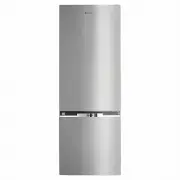
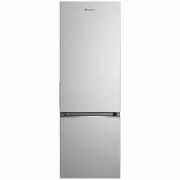
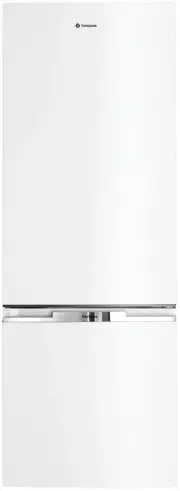
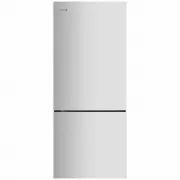
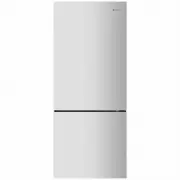
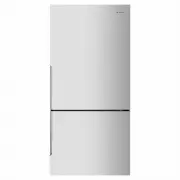
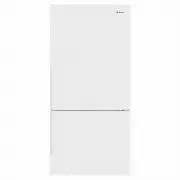
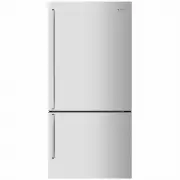
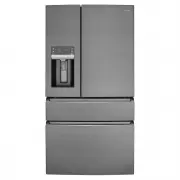
Page 2 - environmental tip; Warning; Congratulations; warning; Warning: Risk of fire / flammable materials; RoHS; Contents; Noises; Conditions of use; This appliance is designed and intended to be used in
2 Contents Congratulations and thank you for choosing our refrigerator. We are sure you will fi nd your new refrigerator a pleasure to use. Before you use the refrigerator, we recommend that you read through the entire user manual, which provides the description of the refrigerator and its functions...
Page 3 - Important safety instructions
Please read the user manual carefully and store in a handy place for later reference. The symbols you will see in this booklet have these meanings: warning This symbol indicates information concerning your personal safety caution This symbol indicates information on how to avoid damaging the applian...
Page 4 - Installing your refrigerator; caution; Clearance around your refrigerator; Installing your new refrigerator
Installing your refrigerator The appliance should arrive with the stability foot wound fully up so it will not interfere with the operation of the rollers (see diagram in Step 3 below). caution The rollers are designed for forward or backward movement only. They are not castors. Moving the refrigera...
Page 5 - Refrigerator operation; Refrigerator Operation
Refrigerator operation 5 5. If the refrigerator rocks from one corner to the opposite rear corner, this means that the fl oor is uneven;you will need to put some packing under one of therear rollers. You could use thin pieces of solid material,such as thin board, vinyl fl oor tiles or laminate. Plac...
Page 6 - Refrigerator Light; Ice Twist Serve
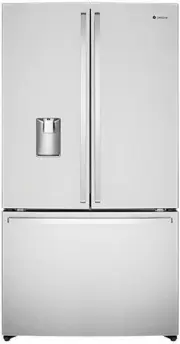
Refrigerator Light fridge Ice Twist Serve ( WSE6630SA, WSE6630WA )
Page 7 - Using the control panel; MODE; second display will change to last setting.; Quick
Using the control panel 7 Function setting of the LED display Note: the display will turn off after 20 seconds of inactivity, while the display will wake up if the button is touched again. Using the control panel Feature Selection - each press of the “ MODE ” button will cycle through the operating ...
Page 9 - Holiday Mode - the refrigerator will run at; Quick Chill
Using the control panel 9 Function setting of the LED display Note: the display will turn off after 20 seconds of inactivity, while the display will wake up if the button is touched again. Using the control panel Feature Selection - each press of the “MODE” button will cycle through the operating mo...
Page 10 - Features of your refrigerator; Door storage bins; Instructions for child lock lever; Press the child's lock lever with your thumb as the direction as; Instructions for water tank assembly; LED lighting
Crisper Bin You can use the crisper bin to store vegetables, fruit or smallgoods. To remove, pull it forward then up and out. Glass Shelves When removing the glass shelf, please press the movable pin under the shelf with both hands and push inward at the same time. Then the glass shelf will be remov...
Page 11 - Turning off the refrigerator; Cleaning your refrigerator/energy consumption; Doors and exterior; Interior
Cleaning your refrigerator Energy consumption The following guide will help you reduce the running cost of your new refrigerator. This will save you money and help conserve our valuable energy resources. 1. Do not block air vents. Doing so may cause therefrigerator to run longer and use more energy....
Page 12 - BRRR; OK; Appliance noise; NOISES
NOISES BRRR ! HISSS! CLICK! BLUBB! CRACK! SSSRR R! OK CLICK! CLICK! SSSRRR! SSSRRR! BRRR! BRRR! HISSS! HISSS! BLUBB! BLUBB! CRACK! C RACK! Appliance noise Your new refrigerator may make sounds that your old one didn’t make. Because the sounds are new to you, you might be concerned about them. Most o...
Page 13 - Food storage guide; IMPORTANT
Food storage guide 13 Food storage guide Category Product Refrigerator Freezer Storage tips Meat Sausages and mince 1-2 Days 2-3 Months Keep cold meat at the back of the refrigerator where it is coldest. Plastic can cause meat to sweat if stored in refrigerator for more than a day. Roast can take up...
Page 14 - Troubleshooting
14 Troubleshooting Troubleshooting If you think something may be wrong with your refrigerator, you can carry out some easy checks before calling for service. You may locate the problem, sparing yourself from inconvenience and saving time and money. Problem Solution When your appliance is not operati...
Page 15 - Warranty; Important Notice; AUSTRALIA; NEW ZEALAND
This document sets out the terms and conditions of the product warranties for Westinghouse Appliances. It is an important document. Please keep it with your proof of purchase documents in a safe place for future reference should there be a manufacturing defect in your Appliance. This warranty is in ...
Page 16 - Westinghouse; our customer care team or visit our website; email
Westinghouse .com/shop For more information on all Westinghouse appliances, or for dimension and installation information, call into your retailer, phone or email our customer care team or visit our website : AUSTRALLA phone : 1300 363 640 fax : 1800 350 067 email : [email protected] web : westingho...