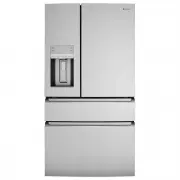
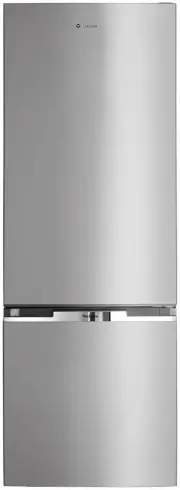
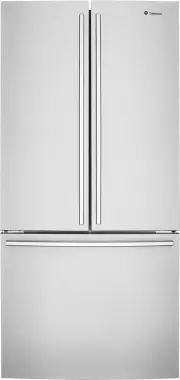
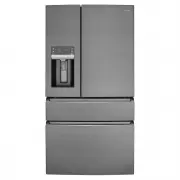
Page 2 - WE’RE THINKING OF YOU; Visit our website to:; Register your product for better service:; westinghouse; CUSTOMER CARE AND SERVICE; Always use original spare parts.; Contents
2 www.westinghouse.com WE’RE THINKING OF YOU Thank you for choosing Westinghouse. We have designed this product to make your life simpler and deliver impeccable performance for many years. Please spend a few minutes reading this document to get the best from your new Electrolux appliance. Visit our ...
Page 3 - . SAFETY INFORMATION; WARNING
3 EN 1 . SAFETY INFORMATION Note: You must read these warnings carefully before installing or using the refrigerator. If you need assistance, contact your customer care centre. The manufacturer will not accept liability, should these instructions or any other safety instructions incorporated in this...
Page 4 - GENERAL WARNINGS; Environmental information.
4 www.westinghouse.com GENERAL WARNINGS Read the following carefully to avoid damage or injury. It is important to use your refrigerator safely. Check these safety points before using your refrigerator. • The appliance must be plugged into its own dedicated electrical outlet. • The plug must be acce...
Page 5 - . DESCRIPTION OF THE APPLIANCE; The details of the refrigerator feature:; dairy bin
5 EN 2 . DESCRIPTION OF THE APPLIANCE The details of the refrigerator feature: 1 2 3 4 5 6 7 8 9 10 11 12 13 20 15 16 16 17 1914 21 22 23 24 25 26 27 28 29 30 30 31 32 33 18 1 23 4 5 6 7 89 10 11 1213 14 15 16 17 Ice MakerAir distributor - MultiflowAir filterWater filterFlip up glass shelfSlide/fold...
Page 6 - . ABOUT THE USER INTERFACE; ICON; External user interface
6 www.westinghouse.com 3 . ABOUT THE USER INTERFACE 13 14 15 1 2 3 4 12 11 10 8 7 5 9 6 5 BUTTON/ ICON DESCRIPTION PRIMARY FUNCTION 1 Quick Freeze (on/off) Activates a faster rate for freezing food in the freezer. Deactivates after 12 hours. 2 Drinks Chill Quickly chills a drink inside the freezer c...
Page 7 - Internal user interface
7 EN 3.2 Internal user interface BUTTON/ ICON DESCRIPTION PRIMARY FUNCTION 1 Unlock The interface will automatically lock after 3 seconds without any interaction. Press and hold 3 seconds to unlock the interface. A tone will sound to confirm your choice. 2 Freezer Choosing Freezer will set drawer te...
Page 8 - Alerts and Alarms
8 www.westinghouse.com Note: The recommended settings for a product installed in a kitchen is 3˚C for the fresh food compartment and -17˚C for the freezer. IMPORTANT If your product has food freezing in the fresh food compartment, increase the temperature setting 1 or 2 degrees Celsius. If you place...
Page 9 - . INSTALLING YOUR NEW APPLIANCE
9 EN 4 . INSTALLING YOUR NEW APPLIANCE Unpacking ENVIRONMENT Most of the packing materials are recyclable. Please dispose of those materials through your local recycling depot or by placing them in appropriate collection containers. Important – check for any damages or marks. If you find the refrige...
Page 12 - Figure 1
12 www.westinghouse.com primed. See “Priming the water supply system “in the “AUTOMATIC ICE & WATER DISPENSER” section. IMPORTANT Your refrigerator’s water supply system includes several tubing lines, a water filter, and a water valve. To ensure that your water dispenser works properly, this sys...
Page 13 - . USING YOUR REFRIGERATOR
13 EN AUTOMATIC ICE & WATER DISPENSER Using the ice maker after installation Before making ice for the first time, be sure to prime the water supply system. Air in new plumbing lines can result in two or three empty ice maker cycles. Furthermore, if the system is not flushed, the first ice cubes...
Page 15 - Auger
15 EN Adjusting the Ice Bin Auger STORAGE FEATURES CAUTION To avoid personal injury or property damage, handle tempered glass shelves carefully. Shelves may break suddenly if nicked, scratched, or exposed to sudden temperature change. Allow the glass shelves to stabilize to room temperature before c...
Page 18 - . CLEANING YOUR REFRIGERATOR
18 www.westinghouse.com 6 . CLEANING YOUR REFRIGERATOR WARNING BEFORE CLEANING: Turn the refrigerator off at the power point and unplug the cord to prevent any chance of electrocuting yourself. Doors and exterior (white and silver): You should only clean the doors with lukewarm soapy water and a sof...
Page 20 - FOOD STORAGE GUIDE; IMPROTANT
20 www.westinghouse.com 7. FOOD STORAGE GUIDE CATEGORY PRODUCT RECOMMENDED STORAGE TIMES FOR FRESH FOODS * STORAGE TIPS REFRIGERATOR ULTRA CHILL FREEZER MEAT Sausages and Mince 1-2 Days 3-5 Days 2-3 Months Keep cold meat at the back of the refrigerator where it is coldest. Plastic can cause meat to ...
Page 21 - TROUBLESHOOTING
21 EN 8. TROUBLESHOOTING Concern Potential Cause Common Solution Automatic Ice Maker Ice maker is not making any ice. • Ice maker is turned off. • Refrigerator is not connected to water line or water valve is not open. • The water supply line is kinked. • The water filter is not seated properly. • T...
Page 24 - Warranty
24 www.westinghouse.com This document sets out the terms and conditions of the product warranties for Westinghouse Appliances. It is an important document. Please keep it with your proof of purchase documents in a safe place for future reference should there be a manufacturing defect in your Applian...
Page 25 - Notes