Page 2 - CONTENTS; WELCOME 3; To purchase replacement parts or accessories for your tool, visit
2 CONTENTS WELCOME 3 Introduction ..................................................................................................... 3Specifications ................................................................................................... 3 SAFETY 4 General Safety Rules ...................
Page 3 - safety for both yourself and others.; INCLUDED ACCESSORIES; Description
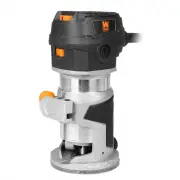
3 SPECIFICATIONS Model Number RT1460 Motor 120V, 60 Hz, 6A Variable Speed 12000 - 30000 RPM Collet Size 1/4 Inch Product Weight 3.75 Pounds Product Dimensions 4.5 in. x 3 in. x 7-5/8 in. INTRODUCTION Thanks for purchasing the WEN Trim Router. We know you are excited to put your tool to work, but fir...
Page 4 - GENERAL SAFETY RULES; WORK AREA SAFETY
4 GENERAL SAFETY RULES WORK AREA SAFETY 1. Keep work area clean and well lit. Cluttered or dark areas invite accidents. 2. Do not operate power tools in explosive atmo- spheres, such as in the presence of flammable liquids, gases or dust. Power tools create sparks which may ig- nite the dust or fume...
Page 5 - POWER TOOL USE AND CARE
5 GENERAL SAFETY RULES 7. If devices are provided for the connection of dust extraction and collection facilities, ensure these are connected and properly used. Use of dust collection can reduce dust-related hazards. POWER TOOL USE AND CARE 1. Do not force the power tool. Use the correct power tool ...
Page 6 - ELECTRICAL INFORMATION; AMPERAGE; GUIDELINES AND RECOMMENDATIONS FOR EXTENSION CORDS; Use a separate electrical circuit for your tool.
6 ELECTRICAL INFORMATION AMPERAGE REQUIRED GAUGE FOR EXTENSION CORDS 25 ft. 50 ft. 100 ft. 150 ft. 6A 18 gauge 16 gauge 14 gauge 12 gauge IMPORTANT: Servicing a double-insulated product requires extreme care and knowledge of the system, and should be done only by qualified service personnel using id...
Page 7 - ELECTRIC ROUTER SAFETY; TRIM ROUTER SAFETY WARNINGS
7 ELECTRIC ROUTER SAFETY 1. The speed range of the router is 12,000 - 30,000 RPM. Make sure that the router bit you wish to use is suitable for your router. Check the router bit’s maximum speed rating specified by the manufacturer. It must be capable of operating at the maximum rotation speed of 30,...
Page 8 - KNOW YOUR TRIM ROUTER; TOOL PURPOSE
8 KNOW YOUR TRIM ROUTER TOOL PURPOSE Make intricate patterns in both the exterior and interior of your workpieces using your WEN Trim Router. Refer to the following diagrams to become familiarized with all the parts and controls of your tool. The components will be referred to later in the manual fo...
Page 10 - ASSEMBLY & ADJUSTMENTS; INSTALLING & REMOVING ROUTER BITS
5. Re-install the straight guide base (Fig. 2 - 1) on the router. Adjust the height of the straight guide base so that the router bit does not protrude from the bottom of the base. (Some bits may be too long to be fully-enclosed in the straight guide base, which is okay). 6. Plug in and turn on the ...
Page 11 - SETTING THE CUTTING DEPTH
11 ASSEMBLY & ADJUSTMENTS SETTING THE CUTTING DEPTH The cutting depth is indicated by markings etched into shaft of the router body (Fig. 3 - 1).1. Install the desired router bit as described in section “Installing & Removing Router Bits“ on page 10.2. Insert the router into the straight bas...
Page 12 - FEED RATE; Fig. 5 - Router Speed and Feed Rate Settings Chart
FEED RATE The rate at which the router is moved through the material also has a significant effect on the quality of the cut and the lifetime of your router and bits. Moving the router through the cut too fast or overloading the tool will cause the bit to take larger pieces of material with each rot...
Page 13 - DIRECTION OF FEED; Bit; ROUTING; OPERATION
13 ASSEMBLY & ADJUSTMENTS DIRECTION OF FEED If you are looking down from the top of the router, the bit will re- volve in a clockwise direction. This gives the router a tendency to twist counterclockwise in your hands, particularly when starting the tool. For maximum safety and control, feed the...
Page 14 - CUTTING ALONG A STRAIGHT EDGE
14 ASSEMBLY & ADJUSTMENTS CUTTING ALONG A STRAIGHT EDGE What you’ll need: • Straight Fence Guide • Workpiece with a Straight Edge The straight guide fence is used to create straight cuts along a workpiece with a straight edge that can be followed. To attach the straight cut fence: 1. Attach the ...
Page 15 - CUTTING WITH A TEMPLATE
15 ASSEMBLY & ADJUSTMENTS CUTTING WITH A TEMPLATE The plastic base cover of the straight base is designed to fit standard 1-3/16” template guides. Template guides can be used to accurately duplicate curves and other shapes. 1. Remove the straight base from the trim router. 2. Select a template g...
Page 16 - MAINTENANCE; CLEANING
16 MAINTENANCE WARNING! To avoid accidents, always disconnect the tool from the power supply before cleaning or performing any maintenance. CLEANING 1. Regularly clean the router with a soft cloth or compressed air. Remember to wear safety goggles when cleaning tools with compressed air. 2. Regularl...
Page 17 - ROUTER BITS
17 ROUTER BITS WEN offers a line of high quality router bits available for purchase directly from our website. Simply go to wenproducts.com and search the model number for the router bit that matches your needs.
Page 18 - TROUBLESHOOTING GUIDE; Problem
18 TROUBLESHOOTING GUIDE Problem Possible Cause Solution Motor does not start 1. The power cord is damaged or not properly plugged in. 1. Check the power cord, power plug and the power outlet. Do not use the machine if the power cord is damaged. 2. The motor carbon brushes are worn. 2. Inspect the c...
Page 19 - EXPLODED VIEW & PARTS LIST
Page 21 - WARRANTY STATEMENT; LIMITED WARRANTY OF WEN PRODUCTS FOR HOME USE
21 WARRANTY STATEMENT WEN Products is committed to building tools that are dependable for years. Our warranties are consistent with this commitment and our dedication to quality. LIMITED WARRANTY OF WEN PRODUCTS FOR HOME USE GREAT LAKES TECHNOLOGIES, LLC (“Seller”) warrants to the original purchaser...
Page 22 - NOTES