Page 4 - Contents; IMPORTANT INSTRUCTIONS
4 English Contents Español p. 20 Français p. 36 Important Instructions ............................................................. 4 The Vornado Difference ........................................................... 6 Product Information ...............................................................
Page 6 - Filter All The Air; The Vornado Difference
6 English Trust. It is said that trust isn’t given, but earned. For decades Vornado has been earning the trust of our customers by offering them only the best. Vornado provides the highest level of performance, coupled with the highest level of support available. Complete satisfaction with no except...
Page 7 - Product Information
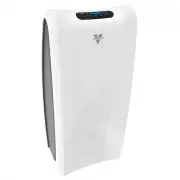
English 7 Product Information Front Panel 2 Plastic Support Filter Frames The frame secures both carbon and HEPA filters in place. 2 Carbon Filters Captures larger initial particles and odors passing through the unit. 2 HEPA Filters Captures 99.97% of particles 0.3 microns or larger passing through ...
Page 8 - True HEPA Filtration
8 English True HEPA Filtration Vornado Whole Room Air Purifiers Feature Precision True HEPA Calibration Without properly calibrated airflow, products with a True HEPA Filter will not achieve their full filtration potential. Gaps, poorly sealed filter housings, and excessive air velocity all reduce t...
Page 9 - Understanding CADR; CADR; smoke
English 9 Understanding CADR What is CADR? CADR stands for "Clean Air Delivery Rate," which indicates the volume of filtered air delivered by an air purifier. CADR ratings show the effectiveness of the air purifer is at capturing fine particles. Higher CADR rates indicate improved performanc...
Page 10 - Control Panel
Page 11 - How To Use
English 11 How To Use Power , Function ON and OFF by pressing the Power button. Fan Speed , 4 fan speed settings. Adjust between Low, Medium, High and Quick Clean. Automatic Dust Sensing Mode , Advanced technology that reads the amount of particles in the air and adjusts the fan speed accordingly. R...
Page 13 - User Tips
English 13 User Tips 1. Keep retail carton to store unit when not in use. 2. Use the hand holds on either side of the unit for easy carrying. 3. For best results, position the front of the unit (side with logo) towards the center of the room, leaving at least a 6 inch dis-tance away from walls or fu...
Page 14 - Filter Replacement
14 English Filter Replacement How To Replace Your Filters1. Unplug unit. 2. Remove Front Panel by lifting up and away from unit. Genuine Vornado Filters Are Recommended Peak performance is only realized when genuine Vornado Carbon and HEPA filters are used. Others may claim to be compatible with Vor...
Page 16 - Storage
16 English Filter Replacement 7. To reset the Replace Filter notification - press and hold the REPLACE CARBON or REPLACE HEPA button, depending on which Filter was replaced, for at least 3 seconds. The light will turn off confirming the indicator is reset. Note: Do not operate the Air Purifier witho...
Page 17 - Cleaning and Maintenance
English 17 Cleaning and Maintenance How to Clean Because large volumes of air pass through your Vornado Air Purifier each day, it will need regular cleaning. 1 . Unplug the unit before cleaning. Note: Do not use gasoline, thinners, solvents or other chemi- cals for cleaning. 2. Wipe down with a soft...
Page 18 - Troubleshooting; Problem
18 English Troubleshooting Unit is not plugged in. Plug power cord into electrical outlet. Front Panel may not be properly installed. Remove and reinstall the Front Panel to assure proper placement. Refer to FILTER REPLACEMENT on page 16. Household circuit breaker / ground fault interrupter has trip...
Page 19 - Whole Room Air Purifier • 5 Year Limited Warranty
English 19 Vornado Air LLC (“Vornado”) warrants to the original consumer or purchaser this Vornado® Air Purifier (“Product”) is free from defects in material or workmanship for a pe-riod of five (5) years from the date of purchase, depending on model. If any such defect is discovered within the warr...