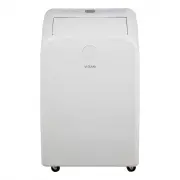
Page 2 - STORAGE AND DISPOSING OF THE UNIT
2 Table of Contents Safety Information . . . . . . . . . . . . . . . . . . . . . . . . . . . . . . . . . . 2 Storage and Disposing of the Unit . . . . . . . . . . . . . . . . . . . . . 2Planning Installation . . . . . . . . . . . . . . . . . . . . . . . . . . . . . . . 3Tools Required . . . . . . . ...
Page 4 - PACKAGE CONTENTS; Part
4 Pre-Installation (continued) NOTE: □ Mercury free super heavy duty R03 UM-4 size AAA 1.5V. □ Best used before date code (month-year) on the bottom. □ Caution for ingestion: the battery may cause suffocation if swallowed by children. □ Do not mix old and new batteries. Do not mix alkaline, standard...
Page 6 - ELECTRICAL REQUIREMENTS; Recommended Grounding Method; Wiring Requirement
6 Pre-Installation (continued) ELECTRICAL REQUIREMENTS WARNING: □ Plug into a grounded 3-prong outlet. □ Do not remove ground prong. □ Do not use an adapter. □ Do not use an extension cord. □ Failure to follow these instructions can result in death, fire, or electrical shock. Recommended Grounding M...
Page 7 - LOCATION REQUIREMENTS; Area to be cooled
7 HOMEDEPOT.COM Please contact 1-877-527-0313 for further assistance. Pre-Installation (continued) NOTE: □ The RESET button must be pushed in for proper operation. □ The power supply cord must be replaced if it fails to trip when the test button is pressed or fails to reset. □ Do not use the power s...
Page 8 - UNPACK THE AIR CONDITIONER; Remove Packaging Materials
8 Pre-Installation (continued) NOTE: For best performance, allow at least 20 in. of air space on all sides of the unit for good air circulation. □ Do not block the air outlet. □ Provide easy access to the grounded 3-prong outlet. □ To ensure proper function, DO NOT overextend or bend the hose. Make ...
Page 9 - WINDOW VENT PANEL AND EXTENSIONS; Panel HH
9 HOMEDEPOT.COM Please contact 1-877-527-0313 for further assistance. Pre-Installation (continued) WINDOW VENT PANEL AND EXTENSIONS The window installation kit allows you to install the air conditioner in most vertical-sliding windows 18 in. to 50 in. wide, or horizontal sliding windows from 18 in. ...
Page 10 - Installation; Attaching Exhaust Hose and Adapter to Air Conditioner
10 Installation 1 Attaching Exhaust Hose and Adapter to Air Conditioner □ Roll the air conditioner to selected location. See “Location Requirements” on page 7. □ Press the flexible exhaust hose (CC) into the coupling (BB) and the window exhaust adapter (DD). Both the coupling and window exhaust adap...
Page 11 - Installing in Vertical Sliding Window
11 HOMEDEPOT.COM Please contact 1-877-527-0313 for further assistance. Installation (continued) 2a Installing in Vertical Sliding Window NOTE: The window installation kit can be used with vertical sliding windows between 18 in. and 50 in. wide. □ Cut the foam seal (LL) (adhesive type-long) and foam ...
Page 13 - Installing in Horizontal Sliding Window (continued)
13 HOMEDEPOT.COM Please contact 1-877-527-0313 for further assistance. Installation (continued) 2b Installing in Horizontal Sliding Window (continued) □ Cut the foam seal (AA) (non-adhesive type) to the window width. □ Stuff the foam seal (AA) between the glass and the window to prevent air and fore...
Page 14 - Operation; Using the Control Panel; POWER ON OR OFF; Cool; Heat
14 Operation Operating your portable air conditioner properly helps you to obtain the best possible results. This section explains proper air conditioner operation. □ Do not stay in direct airflow from the air conditioner for extended periods of time. □ Never use in tightly enclosed spaces. Always e...
Page 15 - CHANGE DISPLAY BETWEEN °F AND °C
15 HOMEDEPOT.COM Please contact 1-877-527-0313 for further assistance. Operation (continued) □ Fan Only mode. Press FAN to select High or Low. □ WIFI control is available for connected models with this logo on control panel. COOL/FRAIS DRY/SEC FAN/VENT. TIMER /MINUT. SLEEP /VEILLE FAN /VENT. HIGH /É...
Page 16 - Using the Remote Control; INSERT THE BATTERIES; STORAGE
16 Operation (continued) 2 Using the Remote Control INSERT THE BATTERIES □ Remove the battery cover along the arrowed direction. □ Insert new batteries making sure that the (+) and (-) of battery are matched correctly. □ Reattach the cover by sliding it back into position. NOTE: □ Use 2 standard AAA...
Page 18 - DIMMER; SLEEP MODE
18 Operation (continued) 2 Using the Remote Control (continued) DIMMER □ Press the DIMMER button to turn off the control panel display. NOTE: When in DIMMER mode, new control inputs will return display to normal. SLEEP MODE □ Sleep mode can only be set in Cooling, Heating or Drying modes. When in sl...
Page 19 - TIMER; Setting the Air Conditioner to Turn On:; Setting the Air Conditioner to Turn Off:; SWING; Normal Sounds
19 HOMEDEPOT.COM Please contact 1-877-527-0313 for further assistance. Operation (continued) 2 Using the Remote Control (continued) TIMER □ Use the TIMER function to turn the air conditioner ON/OFF automatically. Setting the Air Conditioner to Turn On: □ Plug in the air conditioner and use the remot...
Page 20 - Care and Cleaning; Draining the Air Conditioner (non; Draining the Air Conditioner
20 Care and Cleaning 1a Draining the Air Conditioner (non heating models WARNING: Excessive Weight Hazard Use two or more people to move and install the air conditioner. Failure to do so can result in back or other injury. □ Unplug the air conditioner or disconnect power. □ Move the air conditioner ...
Page 22 - Storing After Use
22 Care and Cleaning (continued) 4 Storing After Use If the air conditioner will not be used for an extended period of time: □ Drain the water completely. See “Draining the Air Conditioner”. □ Run the air conditioner set to Fan Only for approximately 12 hours to dry the air conditioner. □ Unplug the...
Page 23 - Troubleshooting; Problem
23 HOMEDEPOT.COM Please contact 1-877-527-0313 for further assistance. Troubleshooting Before calling for service, please try the suggestion below. Problem Solution Air conditioner will not operate DANGER: ELECTRICAL SHOCK HAZARD □ Plug into a grounded 3-prong outlet. □ Do not remove ground prong. □...