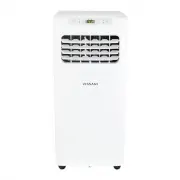
Page 2 - STORAGE AND DISPOSING OF THE UNIT
2 Table of Contents Safety Information . . . . . . . . . . . . . . . . . . . . . . . . . . . . . . . . . . 2 Storage and Disposing of the Unit . . . . . . . . . . . . . . . . . . . . . 2 Pre-Installation . . . . . . . . . . . . . . . . . . . . . . . . . . . . . . . . . . . . . 3 Planning Installatio...
Page 4 - PACKAGE CONTENTS; Part
4 Pre-Installation (continued) NOTE: □ Mercury free super heavy duty R03 UM-4 size AAA 1.5V. □ Best used before date code (month-year) on the bottom. □ Caution for ingestion: the battery may cause suffocation if swallowed by children. □ Do not mix old and new batteries. Do not mix alkaline, standard...
Page 5 - ELECTRICAL REQUIREMENTS; Recommended Grounding Method; Wiring Requirement
5 HOMEDEPOT.COM Please contact 1-877-527-0313 for further assistance. Pre-Installation (continued) ELECTRICAL REQUIREMENTS WARNING: □ Plug into a grounded 3-prong outlet. □ Do not remove ground prong. □ Do not use an adapter. □ Do not use an extension cord. □ Failure to follow these instructions can...
Page 6 - LOCATION REQUIREMENTS; Area to be cooled
6 Pre-Installation (continued) LOCATION REQUIREMENTS The flexible exhaust hose allows placement of the air conditioner at least 20 in. from window or door.Confirm you are using the correct size air conditioner for the space to be cooled, per sizing recommendations, below: Area to be cooled DOE capac...
Page 7 - UNPACK THE AIR CONDITIONER; Remove Packaging Materials; WINDOW VENT PANEL AND EXTENSIONS; Panel HH
7 HOMEDEPOT.COM Please contact 1-877-527-0313 for further assistance. Pre-Installation (continued) UNPACK THE AIR CONDITIONER WARNING: Use two or more people to move and install air conditioner. Failure to do so can result in back or other injury. Remove Packaging Materials □ Remove and recycle pack...
Page 8 - Installation; Attaching Exhaust Hose and Adapter to Air Conditioner
8 Installation 1 Attaching Exhaust Hose and Adapter to Air Conditioner □ Roll the air conditioner to selected location. See “Location Requirements” on page 6. □ Press the flexible exhaust hose (CC) into the coupling (BB) and the window exhaust adapter (DD). Both the coupling and window exhaust adapt...
Page 9 - Installing in Vertical Sliding Window
9 HOMEDEPOT.COM Please contact 1-877-527-0313 for further assistance. Installation (continued) 2a Installing in Vertical Sliding Window NOTE: The window installation kit can be used with vertical sliding windows between 18 in. and 50 in. wide. □ Cut the foam seal (LL) (adhesive type-long) and foam s...
Page 11 - Installing in Horizontal Sliding Window (continued)
11 HOMEDEPOT.COM Please contact 1-877-527-0313 for further assistance. Installation (continued) 2b Installing in Horizontal Sliding Window (continued) □ Cut the foam seal (AA) (non-adhesive type) to the window width. □ Stuff the foam seal (AA) between the glass and the window to prevent air and fore...
Page 12 - Operation; Using the Control Panel; POWER ON OR OFF; Cool; Fan Only
12 Operation Operating your portable air conditioner properly helps you to obtain the best possible results. This section explains proper air conditioner operation. □ Do not stay in direct airflow from the air conditioner for extended periods of time. □ Never use in tightly enclosed spaces. Always e...
Page 13 - CHANGE DISPLAY BETWEEN °F AND °C; Using the Remote Control; INSERT THE BATTERIES
13 HOMEDEPOT.COM Please contact 1-877-527-0313 for further assistance. Operation (continued) COOL/FRAIS DRY/SEC FAN/VENT. TIMER /MINUT. SLEEP /VEILLE FAN /VENT. HIGH /ÉL E V É LOW /FAIBLE POWER/MARCHE MODE FAN SPEED □ Press and release FAN to choose the desired fan speed. □ High - for maximum fan sp...
Page 15 - DIMMER; SLEEP MODE
15 HOMEDEPOT.COM Please contact 1-877-527-0313 for further assistance. Operation (continued) 2 Using the Remote Control (continued) DIMMER □ Press the DIMMER button to turn off the control panel display. NOTE: When in DIMMER mode, new control inputs will return display to normal. SLEEP MODE □ Sleep ...
Page 16 - TIMER; Setting the Air Conditioner to Turn On:; Setting the Air Conditioner to Turn Off:; SWING; Normal Sounds
16 Operation (continued) 2 Using the Remote Control (continued) TIMER □ Use the TIMER function to turn the air conditioner ON/OFF automatically. Setting the Air Conditioner to Turn On: □ Plug in the air conditioner and use the remote to power it ON. □ Use the remote to set the desired mode, temperat...
Page 17 - Care and Cleaning; Draining the Air Conditioner; Cleaning the Outside
17 HOMEDEPOT.COM Please contact 1-877-527-0313 for further assistance. Care and Cleaning 1 Draining the Air Conditioner WARNING: Excessive Weight Hazard Use two or more people to move and install the air conditioner. Failure to do so can result in back or other injury. □ Unplug the air conditioner o...
Page 18 - Cleaning the Air Filter; Storing After Use
18 Care and Cleaning (continued) 3 Cleaning the Air Filter □ Press ON/OFF to turn off the air conditioner. □ Open the filter panel door (1) on the back of the air conditioner and remove. □ Use a vacuum cleaner to clean the filter. If the filter is very dirty, wash the filter in warm water with a mil...
Page 19 - Troubleshooting; Problem
19 HOMEDEPOT.COM Please contact 1-877-527-0313 for further assistance. Troubleshooting Before calling for service, please try the suggestions below. Problem Solution Air conditioner will not operate DANGER: ELECTRICAL SHOCK HAZARD □ Plug into a grounded 3-prong outlet. □ Do not remove ground prong. ...