Page 2 - Table of Contents; POWER AND CORD; Safety Information; GENERAL SAFETY
2 Table of Contents Table of Contents ......................................................... Safety Information ........................................................ Warranty ........................................................................ Pre-Operation ...................................
Page 3 - Warranty; WHAT IS COVERED
3 Warranty All air freight and transportation costs are not covered by the warranty and must be borne by the customer. In any case, the company or its authorized distributors will not grant any guarantee on time if it is beyond the control, or any special or indirect damage occurs, the company or it...
Page 4 - Specifications; PACKAGE CONTENTS
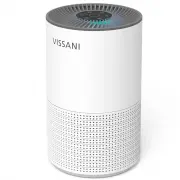
4 Specifications Power SupplyRated PowerOperating Conditions Temperature:14°F–104°F / Humidity: < 85% RH AC 120,60Hz32W A B CD E F G PACKAGE CONTENTS Touch-Control Panel 1111111 Air OutletNight LightBodyAir InletTrue HEPA 3-Stage FilterBase Cover Part Description ABCDEFG Quantity Pre-Operation
Page 5 - Removing The Base Cover
5 HOMEDEPOT.COM Please contact 1-855-847-7264 for further assistance. Pre-Operation (continued) Remove the base cover (G). 1 3 4 2 Flip the air purifier over. Twist the base cover (G) counterclockwise. Place the unwrapped filter (F) correctly back into the air purifier. Close the base cover (G) and ...
Page 6 - Operation; Fan Speed Adjustment
6 You can set a timer for 2, 4, 8 hours.Press repeatedly to select a time. The timer will start automatically.Once the timer has finished, the air purifier will power off.To cancel a timer, press until all timer indicators are off. Filt e r Re se t Time r O n / O f f S p e e d S le e p Mo d e Night ...
Page 7 - Care and Cleaning; FILTER REPLACEMENT
7 HOMEDEPOT.COM Please contact 1-855-847-7264 for further assistance. Increased operating noise.Decreased airflow.Clogged filter.Increased presence of odors. Operation (continued) When the reset filter light is on, it means that you should check the filter to see if it needs to be cleaned or replace...
Page 8 - Turning off The Air Purifier
8 Care and Cleaning (continued) ( ) Remove the base cover (G). 2 Flip the air purifier over.Twist the base cover (G) counterclockwise. 1 Sw i tc h off the appl i anc e and unpl ug i t. 3 Take out the old filter (F). 4 Remove the packaging from the new filter. G F Turning off The Air Purifier Removin...
Page 11 - Troubleshooting
11 HOMEDEPOT.COM Please contact 1-855-847-7264 for further assistance. This chapter summarizes the most common problems you could encounter with the appliance. If you are unable to solve the problem with the information below, contact the Customer Service Team at 1-855-847-7264. Troubleshooting Air ...