Page 2 - MULTIMETER
1 PM8225C Have product questions? Need technical support? Please feel free tocontact us: [email protected] NEED HELP? CONTACT US! This is the original instruction, please read all manual instructions carefully before operating. VEVOR reserves a clear interpretation of our user manual. The appearance...
Page 4 - Statement; Caution; Summary
3 Statement According to the Universal Copyright Convention, without permission and writtenconsent, no content of this manual may be reproduced in any form (includingstorage and retrieval or translation into the languages of other countries orregions). This manual is subject to change in future vers...
Page 5 - Safety symbol; Safe operation specifications
4 Safety symbol Please refer to the instructions for important safety information AC high voltage danger Non-recyclable The fuse must be replaced according to the designated specification inthe manual. Safe operation specifications Warning To avoid possible electric shock or physical injury, please ...
Page 7 - Instrument instructions
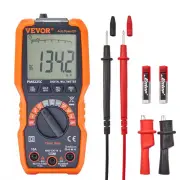
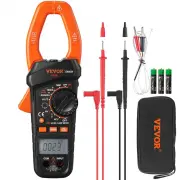
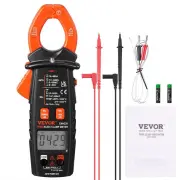
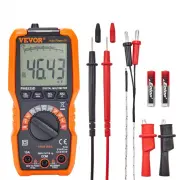
6 Instrument instructions ① .LCD display : It is with 4 digit 7-segment nixie tube display, 6000 counts, and analog barindication function. ② . Key area : Function selection key : Briefly press the key to switch gear function, and long press the key for about 2seconds to turn on or turn off VFD low-...
Page 9 - LCD symbol instructions
8 LCD symbol instructions Automatic shutdown indicator Capacitance unit Diode measurement indicator Current unit Connectivity measurementindicator Voltage unit AC indicator Data display area Data minus indicator Display retention key DC indicator Analog bar indication VFD low pass filter indicator B...
Page 10 - Measurement instructions; Precautions before operation:; AC voltage measurement
9 Measurement instructions Precautions before operation: 1. Turn on the power and check whether the battery is under voltage. If " " is displayed on the screen, you need to replace the battery before operation. If not,please follow the steps below. 2. The " " warning symbol next to t...
Page 11 - DC voltage measurement; Attention; mV gear voltage measurement
10 3. Press " " key to switch frequency and duty ratio, and long press it to turn on or turn off VFD function. Attention : 1. Before turning the function rotary switch, leave the measurement probefrom the circuit under measurement.2. When the screen only displays "OL", it means that ...
Page 14 - Frequency / Duty ratio
13 NCV Live Warning : 1. Measurement range: about 36V~600V, 50Hz or 60Hz.2. When using, even if there is no sound or display prompt, the wire to bemeasured may still have voltage. The instrument may be affected by otherfactors (such as shielded wires and cables, thickness of insulation layer,distanc...
Page 15 - uA current; mA current
14 Warning : 1. Before turning the function rotary switch, leave the measurement probefrom the circuit under measurement.2. Do not input a voltage with an effective value higher than 0V, otherwisethere is a risk of damaging the instrument. uA current 1. Insert the red probe into the " " jack...
Page 16 - A current; General technical index
15 3. Connect the measurement probe in series to the load, and the polarity of the redprobe connection will be displayed when the current value is displayed. Warning : 1. Before turning the function rotary switch, leave the measurement probefrom the circuit under measurement.2. When the screen only ...
Page 17 - Accuracy index; AC voltage
16 · Service environmental conditions: IEC/EN 61010-1 600V CAT Ⅲ, Pollution level 2 。 Altitude < 2000m 。 Temperature and humidity of working environment:0~40 ℃ (<80% RH, <10 ℃ is not considered). Temperature and humidity of storage environment:-10~60 ℃ (<70% RH, remove the battery). · Te...
Page 18 - DC voltage; Resistance; Diode and connectivity
17 Maximum allowable measurement voltage: 600V (RMS)Frequency range: 40Hz~1000Hz DC voltage Range Resolution Accuracy 60mV 10uV ± (0.5% reading +3 digits) 600mV 100uV 6V 1mV 60V 10mV 600V 100mV 600V Maximum allowable measurement voltage: 600V Resistance Range Resolution Accuracy 600Ω 0.1Ω ±(1.2% rea...
Page 19 - Capacitance; Frequency
18 Capacitance Range Resolution Accuracy 10nF 0.01nF ±(3.0% reading +5 digits) 100nF 0.1nF 1uF 0.001uF 10uF 0.01uF 100uF 0.1uF 1mF 0.001mF ±(4.0% reading +5 digits) 10mF 0.01mF 100mF 0.1mF ±(5.0% reading +5 digits) Over voltage protection: 600V DC or AC RMS Frequency Range Resolution Accuracy 10Hz 0...
Page 20 - AC current; DC current; Instrument maintenance; technician
19 AC current Range Resolution Accuracy 600uA 0.1uA ±(1.0% reading +5 digits) 6mA 1uA ±(1.0% reading +3digits) 60mA 10uA 600mA 100uA ±(1.2% reading +3 digits) 6A 1mA ±(1.5% reading +3 digits) 10A 10mA Maximum input current of mA jack: 600mA ( RMS ) Maximum input current of 10A jack : 10A ( RMS ) Fre...
Page 22 - Please replace the battery as the following steps:
21 1. Turn off the power supply of the instrument.2. Disconnect the probe from the measured circuit.3. Loosen the screws, fix the battery cover with a screwdriver, and remove thebattery cover.4. Remove the battery and replace it with a new one. Pay attention to the positiveand negative polarity of t...