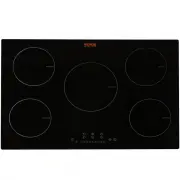
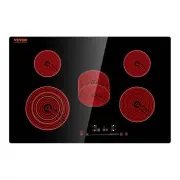
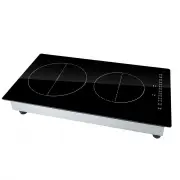
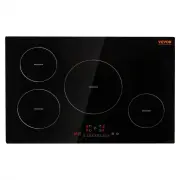
Page 2 - Induction Hob
2 MODEL: LI5-01 Have product questions? Need technical support? Please feel free tocontact us: [email protected] NEED HELP? CONTACT US! This is the original instruction, please read all manual instructions carefully before operating. VEVOR reserves a clear interpretation of our user manual. The appe...
Page 4 - CONTENTS
4 CONTENTS BEFORE USE ....................................................................................................... 5 SAFETY INSTRUCTIONS .................................................................................. 6 INSTALLATION .........................................................
Page 5 - BEFORE USE; EXISTING POTS AND PANS
5 BEFORE USE IMPORTANT: The cooking zones will not switch on if pots are not the right size. Only use pots bearing the symbol “INDUCTION SYSTEM” (Figure below) or enameled pots. Place the pot on the required cooking zonebefore switching the hob on . EXISTING POTS AND PANS Use a magnet to check if th...
Page 6 - SAFETY INSTRUCTIONS; YOUR SAFETY AND THAT OF OTHERS ARE VERY
6 SAFETY INSTRUCTIONS YOUR SAFETY AND THAT OF OTHERS ARE VERY IMPORTANT T his manual and the appliance itself provide important safety messages, to be read and always observed. This is the warning / caution-safety symbol, regarding safety, warning of potential risks to users and other All messages r...
Page 8 - INSTALLATION; minimum required; ELECTRICAL CONNECTION
8 INSTALLATION After unpacking the product, check for any damage during transport. In case of problems, contact the dealer or the After-Sales Service. For built-in dimensions and installation instruction, see in below figures The distance between the underside of the appliance and the separator pa...
Page 9 - gh to remove the hob from the; INSTRUCTION FOR USE; CONTROL PANEL LAYOUT
9 Installation must be carried out by qualified personnel who know the current safety and installation regulations. The manufacturer declines all liability for injury to persons or animals and for damage to property resulting from failure to observe the regulations provided in this chapter. The ...
Page 11 - Timer; Booster; Auto switch off
11 Timer The timer can be used to set cooking time for a maximum of 99 minutes (1 hour and 39 minutes) for all cooking zones.Select the cooking zone to be used with the timer, press the button with theclock symbolthen set the desired cooking time using the buttons of the timer function (see figure)....
Page 12 - Incorrect or missing pot indicator – Error code “E0”; TEMPERATURE LEVEL TABLE
12 CONTROL PANEL WARNINGS Residual heat indicator The hob is fitted with a residual heat indicator for each cookingzone. These indicators alert the user when cooking zones are stillhot. If the display shows , the cooking zone is still hot. If the residual heat indicator of a given cooking zone is li...
Page 15 - NOISES MADE BY THE HOB
15 display, consult the following table for instructions. If the hob cannot be switched off after using it, disconnect it from the power supply. Error code Possible Cause Remedy E0 No Pan or did not detect the pan Put on the pan E2 NTC short or open Contact the after-sales service and specify the ...