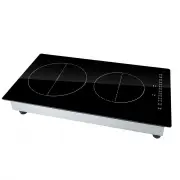
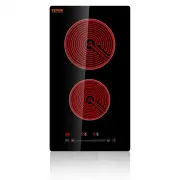
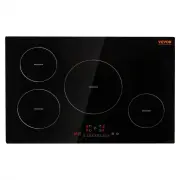
Page 2 - Induction Hob
2 MODEL: I2V-04 Have product questions? Need technical support? Please feel free tocontact us: [email protected] NEED HELP? CONTACT US! This is the original instruction, please read all manual instructions carefully before operating. VEVOR reserves a clear interpretation of our user manual. The appe...
Page 5 - EXISTING POTS AND PANS; SAFETY INSTRUCTIONS; YOUR SAFETY AND THAT OF OTHERS ARE VERY
5 EXISTING POTS AND PANS Use a magnet to check if the pot is suitable for the induction hob: pots and pans are unsuitable if not magnetically detectable. Make sure pots have a smooth bottom, otherwise they could scratch the hob. Check dishes. Never place hot pots or pans on the surface of the ho...
Page 7 - INSTALLATION
7 WARNING: Unattended cooking on a hob with fat or oil can be dangerous and may result in fire. NEVER try to extinguish a fire with water, but switch off the appliance and then cover flame e.g. with a lid or a fire blanket. WARNING: Danger of fire: do not store items on the cooking surfaces. D...
Page 9 - minimum required; ELECTRICAL CONNECTION
9 The distance between the underside of the appliance and the separator panel must respect the dimensions given in the figure (mini. 50mm). In order to ensure the correct operation of the product, do not obstructthe minimum required clearance (min. 20 mm) on the worktop for air flow out. If an...
Page 10 - INSTRUCTION FOR USE; GENERAL OVERVIEW
10 INSTRUCTION FOR USE GENERAL OVERVIEW To avoid permanently damaging the glass-ceramic top, do not use: Pots with bottoms that are not perfectly flat. Metal pots with an enameled bottom.
Page 12 - clock symbol; Auto switch off
12 Deactivation of cooking zones Select the cooking zone you wish to switch off. Press the corresponding button.Press the key “ ” to set the level to “0”. The cooking zone switches off and the residual heat indicator “H” lights up. Child lock This function locks the controls to prevent accidental sw...
Page 13 - TEMPERATURE LEVEL TABLE
13 CONTROL PANEL WARNINGS Residual heat indicator The hob is fitted with a residual heat indicator for each cooking zone. These indicators alert the user when cooking zones are still hot. If the display shows , the cooking zone is still hot. If the residual heat indicator of a given cooking zone is ...
Page 14 - TECHNICAL INFORMATION
14 Medium level 3-4 Cooking – simmering – thickening - creaming Ideal for long-cooking recipes (rice, sauces, roasts, fish) with liquids (e.g. water, wines, broth, milk), creaming pasta 2-3 Ideal for long-cooking recipes (less than a liter in volume: rice, sauces, roasts, fish) with liquids (e.g. wa...
Page 15 - Read and follow the instructions given in the section
15 CLEANING Do not use steam cleaners. Before cleaning, make sure the cooking zones are switched off and that the residual heat indicator (“H”) is not displayed. IMPORTANT: Do not use abrasive sponges or scouring pads. Their use could eventually ruin the glass. After each use, clean the hob (w...
Page 16 - NOISES MADE BY THE HOB; Before contacting the After-sales Service:
16 E4 Low voltage Contact the after-sales service and specify the error code E5-E8 A lot of possibilities, the cooktop must be sent in for repair Contact the after-sales service and specify the error code E7 Hob too hot because of bad airflow or the fan is broken Contact the after-sales service and ...
Page 17 - Energy saving
17 a brief description of the fault the product type and exact model your full address your telephone number If any repairs are required, contact an authorized After-Sales Service Centre (to ensure the use of original spare parts and correct repairs). Spare parts are available. Energy saving...