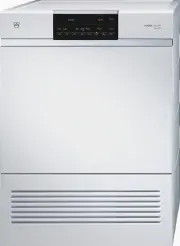
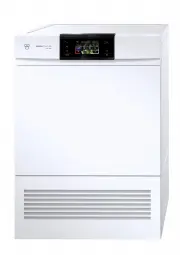
Page 2 - Model; Adora TSL WP
Thank you for choosing to buy one of our products. Your appliance is made tohigh standards and is easy to use. Nevertheless, please take the time to readthese operating instructions in order to familiarize yourself with the applianceand get the best use out of it. Please follow the safety precaution...
Page 3 - Contents
Contents 1 Safety precautions 5 1.1 Symbols used.............................................................................................. 5 1.2 General safety precautions ....................................................................... 6 1.3 Appliance-specific safety precautions ..........
Page 5 - Safety precautions; Symbols used; Information and precautions that should be observed.
1 Safety precautions 1.1 Symbols used Caution, risk of fire! Denotes important safety precautions.Failure to observe said precautions can result in injury or in damageto the appliance or fittings! Information and precautions that should be observed. Information on disposal Information about the oper...
Page 6 - Safety precautions; General safety precautions
1 Safety precautions 1.2 General safety precautions • Read the operating instructions before using the appliance forthe first time! • This appliance can be used by children aged 8 and aboveand by persons with reduced physical, sensory or mental cap-abilities, or lack of experience and/or knowledge, ...
Page 7 - Appliance-specific safety precautions; The appliance has a maximum dry load capacity of 7 kg.
1 Safety precautions 1.3 Appliance-specific safety precautions • Children under 3 years of age must be kept away from theappliance unless they are constantly supervised. • The appliance has a maximum dry load capacity of 7 kg. • This appliance is only suitable for drying textiles which havebeen wash...
Page 8 - Remove objects such as lighters and matches and the like.
1 Safety precautions • Remove objects such as lighters and matches and the like. • Never stop a tumble dryer before the end of the drying cycleunless all items are quickly removed and spread out so thatthe heat is dissipated. • If the appliance is installed on a carpeted floor ensure thatany ventila...
Page 9 - Instructions for use; Before using for the first time; Use original spare parts only.; Note on use
1 Safety precautions 1.4 Instructions for use Before using for the first time • The appliance must be installed and connected to the electricity supply inaccordance with the separate installation instructions. Have a qualified fitter/electrician carry out the necessary work. • Ensure access to the p...
Page 11 - How to avoid damaging the appliance; Close the appliance door carefully.
1 Safety precautions How to avoid damaging the appliance • Transport the appliance in an upright position only! Transporting it in anyother position will result in damage to the appliance! When carried carefullywithout being shaken, the appliance may be tilted a maximum of 90° to theleft (viewed fro...
Page 12 - Packaging; Remove or disable the lock on the appliance door.; Disposal; The; Note on heat pump
2 Disposal Packaging • All packaging materials (cardboard, plastic film (PE) and polystyrene (EPS))are marked and should, if possible, be collected for recycling and disposedof in an environmentally friendly way. Disconnection • Disconnect the appliance from the mains. With a fixed appliance, this i...
Page 13 - Using for the first time; Note; The appliance can only be operated; after standing in the normal op-; Function description
3 Using for the first time 3.1 Note The appliance can only be operated after standing in the normal op- erating position for about 2 hours . The appliance must be installed and connected to the electricity supply in ac-cordance with the separate installation instructions. Have a qualified fitter/ele...
Page 14 - Selecting language for the function test; Starting the function test
3 Using for the first time 3.3 Selecting language for the function test ► Connect the appliance to the mains andwait for the following to appear in the dis-play: German fr/it/rm/... OK Press «OK» to confirm language selection: ► Press the button. Changing the language: ► Press the button repeatedly ...
Page 15 - Aborting the function test «abort»:; End of function test:
3 Using for the first time ► Press the button. – The remaining duration of the func-tion test appears in the display, e.g.: Function test 0h01 Aborting the function test «abort»: ► Press the button. – The function test is aborted and inthe display appears: • The display goes out automatically after1...
Page 16 - Selecting language for the display; Where is the identification plate?
3 Using for the first time 3.5 Selecting language for the display On initial use, the language must be selected once. It can be changed at anytime under 'User settings'. ► Press the button repeatedly until the desired language appears in the display,e.g.: English fr/it/rm/... OK ► Press the button t...
Page 17 - Appliance description; Appliance overview
4 Appliance description 4.1 Appliance overview The appliance operates with a closed air circuit. Moisture is extracted from theair with the help of a heat pump and then the air is reheated. Recovering heatin this way sharply reduces energy consumption.Thanks to the heat pump, the appliance dries at ...
Page 18 - Appliance construction
4 Appliance description • Additional functions: – Eco – Ultra care – SilentPlus – Sprint – ReversePlus – Delayed start – Easy care • Crease guard at end of pro-gramme • Childproof lock • Plain text display • Electric door opener • Language selection • Automatic energy-saving stand-by 4.2 Appliance c...
Page 19 - Operating and display elements; Automatic programmes
4 Appliance description 4.3 Operating and display elements + * * * Depending on the serial number (FN) Display (plain text display) Various information appears in the display during the programme selectionand the programme sequence: • Programme name with duration • Moisture level with duration remai...
Page 20 - Indicator light flashes
4 Appliance description Additional functions or* Eco / standard pro-gramme* Ultra care Delayed start Eco* + ReversePlus End of pro-gramme Sprint SilentPlus Door opener Easy care * Depending on the serial number (FN) Indicator lights The buttons for the automatic programmes, the additional programme ...
Page 21 - Programme overview; Programme sequence for the automatic programmes; The drying programme has 3 phases:; Drying
5 Programme overview 5.1 Programme sequence for the automatic programmes The drying programme has 3 phases: Drying The washing is tumble dried until it reaches the set level of dryness. The dry-ing programme is monitored by a moisture sensor. As soon as the requiredlevel of dryness is reached, the «...
Page 22 - Programme overview; Extra dry; For items that are to be ironed.; Damp
5 Programme overview 5.2 Automatic programmes To select the right programme, follow the fabric care symbols on the labels of the wash items, e.g. . Extra dry 1–7 kg For thick, multi-layered fabrics and mixed loads. Not suitable for knitted or woven articles such as T-shirts and under-wear as they co...
Page 23 - Standard programme; WetClean finish
5 Programme overview Woollens 1 kg For woollen fabrics labelled as washable. Gentle drying through agentle drum action and a low temperature (approx. 45° C). Favourites 3 programmes that can be freely put together and saved ( ). 5.3 Standard programme + Normal dry Eco 1–7 kg The standard cotton prog...
Page 26 - Additional functions; Most energy-efficient drying for all textiles.; Sprint; Quickest drying for less delicate fabrics.; Easy care
5 Programme overview 5.5 Additional functions or* Eco* Most energy-efficient drying for all textiles. Energy saving: up to 13 % * Depending on the serial number (FN) Sprint Quickest drying for less delicate fabrics. Time saving: up to 25 minutes Easy care Gentle drying for mixed fabrics (e.g. shirts...
Page 27 - Favourites; Defining your favourites
5 Programme overview + ReversePlus By additionally reversing the direction of spin of the drum against themain direction, the washing dries more evenly and is less likely to gettangled. SilentPlus Particularly quiet programme. Delayed start Take advantage of cheap-rate electricity (setting range of ...
Page 28 - Starting your favourite; Changing your favourite
5 Programme overview Save favourite: «YES»: ► Press the button. – The changes are saved. 1 Normal dry 1h55 «NO»: ► Press the button. – The changes are notsaved. Starting your favourite ► Close the appliance door. ► Press the button repeatedly until the desired favourite appears in the display,e.g.: ...
Page 29 - Deleting a favourite
5 Programme overview «NO»: ► Press the button. – The changes are notsaved. 1 Normal dry 1h55 Deleting a favourite ► Open the appliance door. ► Press the button repeatedly until the favourite to be deleted appears in the dis-play, e.g.: 1 Normal dry 1h55 ► Hold the button depressed for about 3 second...
Page 30 - User settings; Adjusting user settings; Changing user settings; Exiting user settings
6 User settings 6.1 Adjusting user settings Providing no programme is running and no error message is displayed, theuser settings can be changed with the appliance door open or closed. Theprocedure is generally the same for all settings. Changing user settings ► Hold the button depressed for 5 secon...
Page 31 - User settings; Possible user settings
6 User settings Possible user settings The following diagram gives an overview of the possible user settings. Hold the button depressed for 5 seconds Text in DeutschTexte en françaisTesto in italianoText in English… 1 very low drying2 low drying3 normal drying *4 strong drying5 sery strong drying OF...
Page 32 - Language; Changing the language
6 User settings 6.2 Language On initial use, the language in the display is selected under «Selecting lan-guage for the display». It can be changed at any time, as described in thissection. Changing the language ► Hold the button depressed for 5 seconds. User settingsFN XXXXX XXXXXX ► Press the butt...
Page 33 - Switching the childproof lock on/off
6 User settings 6.3 Childproof lock The childproof lock is to prevent children accidentally starting or stopping aprogramme. When the childproof lock is on, a programme can only be startedby pressing two buttons simultaneously. Switching the childproof lock on/off ► Hold the button depressed for 5 s...
Page 34 - Changing the level of dryness; Levels of dryness
6 User settings 6.4 Level of dryness The appliance is designed to provide the most energy-efficient drying. Themoisture sensor continually monitors the level of dryness of the washing. If thewashing is not being dried sufficiently – or being overdried – the level of dry-ness can be reset. Changing t...
Page 35 - Changing the brightness of the display; Levels of brightness
6 User settings 6.5 Brightness This function can be used to change the contrast between the text and thebackground of the display. Changing the brightness of the display ► Hold the button depressed for 5 seconds. User settingsFN XXXXX XXXXXX ► Press the button repeatedly until the current brightness...
Page 36 - Switching ReversePlus on/off
6 User settings 6.6 ReversePlus By additionally reversing the direction of spin of the drum against the main dir-ection, the washing dries more evenly and is less likely to get tangled.Particularly suitable for drying larger items, e.g. bedding. Switching ReversePlus on/off ► Hold the button pressed...
Page 37 - Setting the standard mode
6 User settings 6.7 Standard mode Any of the additional functions – SilentPlus, Sprint and Eco – can be selectedas the default via the user settings for any of the automatic programmes. Setting the standard mode ► Hold the button depressed for 5 seconds. User settingsFN XXXXX XXXXXX ► Press the butt...
Page 38 - Switching the button tone on/off
6 User settings 6.8 Button tone The button tone can be switched on/off. Switching the button tone on/off ► Hold the button depressed for 5 seconds. User settingsFN XXXXX XXXXXX ► Press the button repeatedly until the current setting appears in the display, e.g.: Button tone ON ► Press the button. – ...
Page 39 - Restoring factory settings
6 User settings 6.9 Restoring factory settings The factory settings can be restored. ► Hold the button pressed for 5 seconds. User settingsFN XXXXX XXXXXX ► Press the button repeatedly until in the display appears: Factory settingrestore? ► Press the button. Factory settings YES: NO: Restoring facto...
Page 40 - Preparing the appliance; In the display appears:
7 Drying 7.1 Preparing the appliance After the appliance is transported or re-sited, it must be left tostand in the normal operating position for around 2 hours. Failureto do this can result in damage to the appliance. ► Plug the appliance in at the mains or turn the wall switchon. 1 0 1 0 7.2 Loadi...
Page 41 - Selecting a programme; «Press and go»; This alternates with the level of dryness achieved.
7 Drying The indicator lights for the programme buttons flash. If no programme selection is made within 20 seconds, all the displays go out.However, it is still possible to make a programme selection. 7.3 Selecting a programme «Press and go» An automatic programme can be selected with the press of a...
Page 42 - Drying; Selecting an automatic programme; Close the appliance door.
7 Drying Selecting an automatic programme ► Close the appliance door. – The indicator lights for the programme buttons and the additional pro-gramme flash. * * + * Depending on the serial number (FN) ► Press desired programme button. – The indicator light for the programme selected illuminates. – Th...
Page 44 - Selecting a delayed start; Changing selection; During programme selection
7 Drying Selecting a delayed start * * + * Depending on the serial number (FN) ► Immediately after programme selection, hold the button depressed or press repeatedly until the required delayed start duration (max. 24 hours) appears in the display. – The display goes dark. – When the set duration is ...
Page 46 - Programme selection with childproof lock activated; Interrupting a programme through opening the appliance door
7 Drying 7.7 Programme selection with childproof lock activated How to switch the childproof lock on/off is described in 'User settings'. ► Close the appliance door. – In the display appears: – The indicator lights for the pro-gramme buttons flash. Childproof lock * * + * Depending on the serial num...
Page 48 - End of programme; Unloading the washing
7 Drying 7.8 End of programme – In the display appears: End of programmeClean door filter – The indicator light for the programme that has finished illuminates andthe button flashes. «Crease guard» starts if the appliance is not unloaded straightaway. When ithas finished, all displays go out. Unload...
Page 49 - Care and maintenance; To minimize the risk of fire hazard regularly clean the filters!; Cleaning intervals; Cleaning interval Clean
8 Care and maintenance To minimize the risk of fire hazard regularly clean the filters! 8.1 Cleaning intervals 1 2 3 Pos. Appliancepart Cleaning interval Clean 1 Door filter Each time afterthe drying pro-gramme Remove any fluff. Whenever thereis a heavierbuild-up of de-posits Using an abrasive liqui...
Page 50 - Care and maintenance; Error message A9, Clean filter and mats; Check and, if necessary, clean the following parts in the appliance:
8 Care and maintenance 8.2 Error message A9, Clean filter and mats A9 Clean filter and mats A thick coating of fluff results in a reduced process air flow, which canimpair the drying process and trigger the «A9 Clean filter and mats»error message. Check and, if necessary, clean the following parts i...
Page 51 - Cleaning the door filter; Each time after tumble drying; Basic cleaning of the door filter including mat; Do not clean the door mat 4 with a vacuum cleaner.
8 Care and maintenance 8.4 Cleaning the door filter Each time after tumble drying ► Open the appliance door 1. ► Open the cover for door filter 2. ► Remove any fluff. ► Close the cover for door filter 2 again. 1 2 The appliance will not start without the door filter in place. 8.5 Basic cleaning of t...
Page 53 - Cleaning the front mat; Clean the front mat if necessary
8 Care and maintenance 8.6 Cleaning the front mat If the «A9 Clean filter and mats» error message still appears after thefilter and the mats have been cleaned, clean the front filter mat in frontof the heat pump very carefully using a vacuum cleaner. Clean the front mat if necessary ► Open the appli...
Page 54 - Moisture sensor
8 Care and maintenance 8.7 Moisture sensor The moisture sensor 1 detects the level of moisture remaining in the washing. If the moisture sensor is dirty, it may produce false readings. The moisture sensor 1 must be cleaned if the following appears in the display: A3 Clean moisture sensor ► Open the ...
Page 55 - Possible cause; Cancel the error message by pressing the
9 Trouble-shooting This section lists faults that can be solved simply by following the instructionsgiven. If another fault is displayed or the fault cannot be remedied, please callCustomer Services. Before calling Customer Services, please note down the error mes-sage in full. FXX / EXX See instruc...
Page 61 - Drying tips; Fabric care symbols
10 Drying tips 10.1 Fabric care symbols To select the right drying programme, follow the fabric care symbols on gar-ment labels. Tumble dry, medium heat Tumble dry, low heat Do not tumble dry 10.2 General tips • For the wash you are recommended not to use fabric conditioners or otherfabric care solu...
Page 63 - Spare parts; mesh door filter
11 Spare parts Please give model number and exact description when ordering parts. mesh door filter Door mat Front grille Front mat 63
Page 64 - Technical data; Dimensions; Pumping height of pump:; Ambient conditions; See identification plate
12 Technical data Dimensions Height: 85 cm Width: 59.5 cm Depth: 61 cm Weight: 65 kg Pumping height of pump: 1.2 m Dry load capacity: 7 kg Ambient conditions Permissible room temperature when appliance is in operation: 5 °C to 35 °C Electrical connection ► See identification plate 1 1 64
Page 65 - Consumption values
12 Technical data 12.1 Consumption values The stated values for the programme duration and energy apply for the max-imum stated capacity with a wash spun at around 1200 rpm (corresponds toa residual moisture of around 60%). A higher spinning speed or a smaller loadreduce them by around 20–30 %. Auto...
Page 66 - Fabric types
12 Technical data Fabric types Programme Load capacity kg Residual moisture % Programme duration hrs./mins. Energy kWh WetClean finish 1 – 0h06 0.03 Airing 1–1.5 – 0h10 0.02 Silks 1–1.5 0 to 2 0h50 0.45 Fluffing 1 – 0h06 0.03 Crease guard 1 – 0h20 0.09 Shirts 1–7 items 0 to 2 0h40 0.25 Outdoor gar-m...
Page 67 - 2 Technical data; Note for testing institutes; Cotton laundry, normal dry and Eco, 7 kg load capacity
12 Technical data 12.2 Note for testing institutes ► The declaration data can be determined correctly only after a run-in phaseof 5 complete drying programmes with washing (automatic programme:normal dry / ). ► Wash the door filter each time after completing a drying programme. ► The moisture sensor...
Page 68 - Index
13 Index A Additional functions .......................... 20, 43Additional programme Timed drying ....................................... 19 Airing ........................................................... 21Ambient conditions .................................. 64Appliance Preparing ................
Page 71 - Appliance; Requesting repairs
14 Service & Support The «Troubleshooting» chapter provides valuable information for dealing with minor operating faults. This saves you the time, effort and potential cost of having to call out a service technician. Information on the V-ZUG warranty can be found at www.vzug.com →Service →Warran...
Page 72 - Quick instructions
Quick instructions Please first read the safety precautions in the operating instructions! ► Open the appliance door ► Check the filter in the door ► Load the appliance ► Close the appliance door ► Select programme ► Select any additional function, if required ► The appliance starts automatically af...