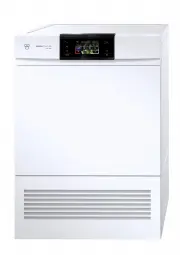
Page 2 - Safety precautions; General safety precautions
2 Safety precautions Read the operating instructions be-fore using the appliance for the firsttime. General safety precautions ▪ This appliance can be usedby children aged 8 andabove and by persons withreduced physical, sensoryor mental capabilities, orlack of experience and/orknowledge, provided th...
Page 3 - als were used for cleaning.
Safety precautions 3 als were used for cleaning. ▪ Clean the fluff filters regu-larly. ▪ Do not allow fluff to build uparound the tumble dryer. ▪ Do not dry unwashed itemsin the tumble dryer. ▪ Textiles that have beencleaned, treated or soakedwith flammable chemicals,detergents or solvents (suchas w...
Page 4 - Instructions for use; Correct use
Safety precautions 4 have been contaminated byhair care products beplaced in a tumble dryerthey should first be washedin hot water with extra deter-gent – this will reduce, butnot eliminate, the hazard. Instructions for use ▪ Ensure access to the place of discon-nection (e.g. socket outlet, wall swi...
Page 5 - Using for the first time; Serial number; Symbols used; Type; Modifications
Safety precautions 5 Using for the first time The appliance must be installed andconnected to the electricity supply bya qualified fitter/electrician in accord-ance with the separate installation in-structions. Serial number The serial number (FN) is located on theidentification plate: ▸ Note down t...
Page 6 - Contents
Contents 1 Appliance description 7 1.1 Appliance construction .................................. 7 1.2 Indicator lights and button state .................. 7 1.3 Operating and display elements .................. 8 2 Programme overview 9 2.1 Automatic programmes ................................. 9 ...
Page 7 - Appliance description; Appliance construction; Indicator lights
1 Appliance description 1.1 Appliance construction 1 2 3 4 67 8 5 1 Door filter with door filter mat 5 Front grille 2 Pivoting operating panel 6 Identification plate / serial number (FN) 3 Cover for door filter 7 Ventilation grille 4 Front filter mat 8 Appliance door 1.2 Indicator lights and button ...
Page 8 - Operating and display elements; Automatic programmes
1 Appliance description 1.3 Operating and display elements Bunt wäsch e Temp eratur wählen 1 4 5 6 8 9 10 11 2 7 C olour e ds S ele c t programme 3 1 Door opener 8 Additional programme 2 h 10 Normal dr y 12 2 TouchDisplay 9 Standard and 3 Fabric types extra programmes 4 Start/Pause 10 Eco (see 5 End...
Page 9 - Programme overview; Drying; Standard and extra programmes
2 Programme overview 2 Programme overview To avoid damaging the laundry, follow the fabric care symbols on garment labels: Tumble dry, medium heat Tumble dry, low heat Do not tumble dry 2.1 Automatic programmes Automatic drying programmes have 3 phases: Drying The laundry is dried according to the s...
Page 10 - Fabric types
2 Programme overview 2.4 Fabric types + Coloureds: Automatic programmes suitable for most tex- tiles. 1–7 kg Shirts: Fabrics are gently dried to «cupboard dry». max. 7 items Towelling: For drying thick towels and terry towelling. 1–3 kg Denim: Denim fabrics are dried to «cupboard dry». Fol- low the ...
Page 12 - Operating the appliance; Preparations; Selecting programme
3 Operating the appliance 3 Operating the appliance 3.1 Preparations ▸ Connect the mains plug into a suitable mains socket. ▸ Press the markings at the edge of door (5 dots) andopen the appliance door. ▸ Loosely load wet laundry items one by one into the appliance. ▸ Close the appliance door. En- su...
Page 13 - Duration remaining indicator; Selecting additional functions
3 Operating the appliance Duration remaining indicator When the programme starts, the programmeduration at maximum load is displayed. The let-ter «h» flashes for about 1 minute. During thistime, the actual load is being determined andthe expected duration remaining is being calcu-lated. The expected...
Page 14 - Timed drying; Changing selection
3 Operating the appliance 3.4 Delayed start ▸ Touch the button. 1 0 4 3 Delayed start h min The adjacent TouchDisplay ap-pears. 8 1 ▸ Enter the desired time delay before the programme starts. ▸ Touch the button. The delay before the pro-gramme starts is saved. ▸ Touch the button. The delayed start t...
Page 15 - Interrupting a programme; Through opening the appliance door; Through pressing the pause button; With childproof lock activated
3 Operating the appliance 3.8 Interrupting a programme Through opening the appliance door ▸ Open the appliance door. Pause Continue with button Extra dry The programme is interrupted.Laundry can be added. ▸ Close the appliance door. The adjacent TouchDisplay ap-pears. ▸ Touch the button. The program...
Page 16 - End of programme; Display; With «EcoManagement»; Without «EcoManagement»; Unloading the washing
3 Operating the appliance 3.10 End of programme Display Depending on whether «EcoManagement» has been activated, information on the energyconsumption is displayed when a programme ends. With «EcoManagement» The indicator light for the button flashes. End of programme - Clean door filter Extra dry 0 ...
Page 17 - Each time after use; EcoManagement statistics; Displaying the last programme; Display total and average consumption
3 Operating the appliance Each time after use ▸ Clean door filter (see page 23). ▸ Close appliance door. 3.11 EcoManagement statistics Energy consumption can be displayed before a programme starts or after a programmeends. Displaying the last programme ▸ Touch the button. Last programme Consumption ...
Page 18 - Favourites; Defining favourites; empty; Changing favourites; extra dry; Yes
4 Favourites 4 Favourites Simple start to frequently used programmes. 4.1 Defining favourites Note: The appliance door has to be open to define a favourite. ▸ Touch the button. empty ▸ Touch one of the favourite buttons. ▸ Select programme and ad- ditional functions. ▸ Touch the button. ▸ Touch one ...
Page 19 - Deleting favourites; Starting favourites
4 Favourites 4.3 Deleting favourites ▸ Touch the button. extra dry ▸ Select the favourite programme to be deleted. Clear ▸ Touch the button. The favourite programme is deleted. 4.4 Starting favourites ▸ Close the appliance door. ▸ Touch the button. extra dry ▸ Select the desired favourite programme....
Page 20 - User settings; Language
5 User settings 5 User settings Providing no programme is running and no error message is displayed, the user settingscan be changed with the appliance door open or closed. 5.1 Preparations ▸ Touch the button. Extra Standard Crease guard Airing Basket The adjacent TouchDisplay ap-pears. ▸ Touch the ...
Page 21 - Off; On; Off; On; Off; Standard mode; SilentPlus; Brightness; Medium bright
5 User settings 5.4 EcoManagement On Off 1 Statistics Info When this function is activated, expectedconsumption values appear at the startof the programme and actual consump-tion values appear at the end of the pro-gramme. The stored consumption valuescan be deleted as well. 5.5 ReversePlus On Off 1...
Page 22 - Background image; Button tone; Factory settings; Restore
5 User settings 5.9 Background image On Off Background image 1 The background image of the TouchDis-play can be turned off. In this case, thebackground appears black. 5.10 Button tone On Off 1 The button tone can be turned on and off. The button tone for the and buttons cannot be turned off. 5.11 Vi...
Page 23 - Care and maintenance; To minimize the risk of fire hazard regularly clean the filters!; Cleaning the door filter and door filter mat; Cleaning the door filter (each time after tumble drying); Caution! Never clean the door filter mat with a vacuum cleaner!
6 Care and maintenance 6 Care and maintenance To minimize the risk of fire hazard regularly clean the filters! A thick coating of fluff can trigger the «A9 Clean filter and mats» (see page 25) error mes-sage. 6.1 Cleaning the door filter and door filter mat Cleaning the door filter (each time after ...
Page 24 - Cleaning the moisture sensor
6 Care and maintenance 6.2 Cleaning the front filter mat (annually) If the «A9 Clean filter and mats» error message still appears after the door filter and the doorfilter mat have been cleaned, the front filter mat must also be carefully cleaned. 1 ▸ Open the appliance door and remove the front gril...
Page 27 - Other possible problems; Problem
7 Trouble-shooting 7.2 Other possible problems Problem Possible cause Solution The programmetakes signific-antly longer thanindicated. ▪ Door filter and/or doorfilter mat are blocked. ▸ Clean (see page 23) door filter and/or door filter mat. ▪ Very wet washing. ▸ Spin washing at higher speed. ▪ The ...
Page 29 - Note for testing institutes; Data for the standard programme; Consumption values
9 Technical data 9.1 Note for testing institutes ▸ The appliance must be connected to the electricity supply for at least 5 minutes before taking measurements. ▸ The declaration data can be determined correctly only after a run-in phase of 5 complete drying programmes with washing (automatic program...
Page 30 - Drying tips; Saving energy
10 Drying tips Fabric types Programme Load capacity kg Residual moisture % Programme duration hrs./mins. Energy kWh WetClean finish 1 – 0h06 0.04 Airing 1–1.5 – 0h10 0.03 Silks 1–1.5 0 to 2 0h40 0.30 Fluffing 1 – 0h06 0.04 Crease guard 1 – 0h20 0.10 Shirts 1–7 items 0 to 2 0h33 0.27 Outdoor garments...
Page 31 - Packaging; Disposal; Note on heat pump
11 Disposal 11 Disposal 11.1 Packaging Never allow children to play with packaging material due to the danger of injury orsuffocation. Store the packaging material in a safe location or dispose of it in anenvironmentally-friendly way. 11.2 Safety Render the appliance unusable to prevent accidents ca...
Page 32 - Quick instructions; When programme has finished:
12 Quick instructions Please first read the safety precautions in the operating instructions! To start programme: ▸ Open appliance door. ▸ Check door filter. ▸ Load laundry. ▸ Close the appliance door. ▸ Select programme and any additional functions. ▸ Touch the button. Programme starts. When progra...