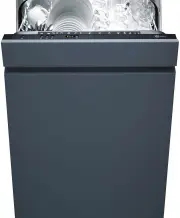
Page 2 - Model
Thank you for choosing to buy one of our products. Your appliance is made tohigh standards and is easy to use. Nevertheless, please take the time to readthese operating instructions in order to familiarise yourself with the applianceand get the best use out of it. Please follow the safety precaution...
Page 3 - Contents
Contents 1 Safety precautions 5 1.1 Symbols used ........................................................................................................ 5 1.2 General safety precautions ................................................................................. 6 1.4 Instructions for use ....
Page 5 - Safety precautions; Symbols used; Information and precautions that should be observed.
1 Safety precautions 1.1 Symbols used Denotes important safety precautions.Failure to observe said precautions can result in injury or in damageto the appliance or fittings! Information and precautions that should be observed. Information on disposal Information about the operating instructions ▸ In...
Page 6 - Safety precautions; General safety precautions
1 Safety precautions 1.2 General safety precautions ▪ Read the operating instructions before using the appliance forthe first time! ▪ This appliance can be used by persons (including children)with reduced physical, sensory or mental capabilities, or lackof experience and/or knowledge, provided they ...
Page 7 - Appliance-specific safety precautions
1 Safety precautions 1.3 Appliance-specific safety precautions ▪ The appliance is only suitable for washing household dishesand cutlery with water and standard dishwasher detergent.The appliance is for use in the home and for the intended pur-pose only. No liability is assumed for any damage caused ...
Page 8 - Instructions for use; Before using for the first time; Use original spare parts only.; Children in the home; Use the childproof locking facility.
1 Safety precautions 1.4 Instructions for use Before using for the first time ▪ The appliance must be installed and connected to the electricity supply inaccordance with the separate installation instructions. Have a qualified fitter/electrician carry out the necessary work. The appliance was tested...
Page 10 - How to avoid damaging the appliance; Turn off the water tap during longer absences.; appears in the display, otherwise the; ator illuminates, even if using; ron
1 Safety precautions How to avoid damaging the appliance ▪ Turn off the water tap during longer absences. ▪ Please note: The appliance must be connected to the mains supply to en-sure appliance protection (overflow protection, among other things). The door must not be closed when Automatic door open...
Page 11 - Packaging; ▸ Remove or disable the lock on the appliance door.; Disposal; Please contact your local authorities for more information.; Note on heat pump; Heat pump
2 Disposal 2.1 Packaging Never allow children to play with packaging material due to the dangerof injury or suffocation. Store the packaging material in a safe locationor dispose of it in an environmentally-friendly way. 2.2 Safety Render the appliance unusable to prevent accidents caused by imprope...
Page 12 - Your appliance; Appliance description
3 Your appliance 3.1 Appliance description ▪ Load capacity – 12 or 13 international place settings (SMS 55, cutlery drawer) * – 13 or 14 international place settings (EURO 60, cutlery drawer) * ▪ 10 programmes – «Automatic» – «Fondue/Raclette» – «Daily quick» – «Hygiene» – «Sprint» – «Pre-rinsing» –...
Page 13 - Appliance construction
3 Your appliance 3.2 Appliance construction 2 4 3 5 9 8 7 10 1 6 1 Vario cutlery basket insert * 13 11 12 * Depending on model 2 Spray arm 3 Basket 4 Cutlery basket * 5 Rinse agent reservoir 6 Operating and display elements 7 Quick operating instructions 8 Detergent dispenser 9 Salt reservoir 10 Fil...
Page 14 - Operating and display elements; Programme buttons
3 Your appliance 3.3 Operating and display elements Programme buttons Programme selection Economy programme End of programme Additional functions (buttons) Energy saving Partial load SteamFinish Delayed start Programme symbols Automatic Intensive Daily quick Fondue/Raclette Sprint Hygiene Glass Pre-...
Page 15 - Acoustic signal
3 Your appliance Display (plain text display) Various information appears in the display during the programme selectionand the programme sequence: ▪ Programme name with duration/temperature ▪ Programme progress and time remaining ▪ Additional functions ▪ Delayed start ▪ Childproof lock ▪ Hints and t...
Page 16 - Programme overview; Programmes; Automatic
4 Programme overview 4.1 Programmes Automatic Optimum cleaning results with minimal water and energy consump-tion. For normal soiling. Not suitable for burned-on or heavily dried-onsoiling. Daily quick Quick programme for normal soiling. Cleans with higher spray pres-sure. Sprint Quick programme for...
Page 18 - Programme overview; Additional functions; Energy saving
4 Programme overview 4.2 Additional functions Energy saving Reduces the wash temperature during cleaning by 5 °C, providingenergy savings of about 10% and gentle washing for glassware. For appliances with a heat pump, up to a certain wash temperatureonly the heat pump is used for heating, reducing e...
Page 19 - Changing user settings; ▸ To change, press the
5 User settings 5.1 Changing user settings User settings can only be changed when no programme is running. The pro-cedure is generally the same for all settings. Changing user settings ▸ Hold the button depressed (for about 5 seconds) until in the display appears: User settings ▸ Press the button re...
Page 21 - Resetting the language; Contrast
5 User settings 5.2 Language The language in the display can be changed. Language ENGLISH Changing the language (see page 19) Resetting the language ▸ With the hob switched off, hold the and buttons depressed for 10seconds. – User settings are started and thelanguage setting appears in the dis-play ...
Page 22 - User settings; «All in 1» detergent; If the or; products can only be used up to a certain water hardness.; Setting for «All in 1» detergent (see page 19); Setting the childproof lock (see page 19)
5 User settings 5.4 Acoustic signal An acoustic signal is emitted at the end of aprogramme and if the appliance malfunctions. Acoustic signal LOW It can be set at one of three levels («Off», «Low», «High»). In the event of a malfunction, an acoustic signal is emitted even if it isset to off. If a de...
Page 23 - Rinse agent dosage; If the dishes are streaky, set the dosage to level 3.; Setting the rinse agent dosage (see page 19); water hardness and; Setting the water hardness unit (see page 19); The water softener is deactivated at level 0‐5 °fH or 0‐3 °dH.
5 User settings 5.7 Rinse agent dosage The rinse agent dosage is automatically adjus-ted to the load level and the water hardness. Rinse agent AUTOMATIC If the drying result is unsatisfactory, then the dosage can be switched offmanually («Off» setting) or set to one of 12 levels. ▪ If the dishes are...
Page 24 - Hot water connection; Setting the hot water connection (see page 19); «NO HEATING» setting; Changing the unit of temperature (see page 19)
5 User settings Levels of water hardness Possible settings in °fH (French degree of water hardness) Automatic 0–5 6– 10 11 – 15 16 – 20 21 – 25 26 – 30 31 – 35 36 – 40 41 – 50 51 – 60 61 – 70 71 – 80 81 – 120 Possible settings in °dH (German degree of water hardness) Automatic 0–3 4–6 7–9 10 – 12 13...
Page 25 - Storage duration of tank; In the display appears:; appears briefly during pro-; Changing the storage duration of the tank (see page 19); Setting the automatic door opening (see page 19); The interior illumination can be switched off.; Changing the interior illumination (see page 19)
5 User settings 5.11 Storage duration of tank If the quality of the last rinse water allows, it isstored in a tank and used for the next pro-gramme. Storage duration of the tank 36h After the duration set, the water is drained and pumped off. This procedure iscarried out when the appliance is powere...
Page 27 - Operation; Preparing the appliance; Opening the appliance door; ▸ Pull the door handle forwards.; with low water hardness and
6 Operation 6.1 Preparing the appliance An appliance with a heat pump can only be operated after standing inthe normal operating position for around 2 hours. Opening the appliance door ▸ Pull the door handle forwards. – Any programme that is running will be automatic-ally interrupted. Before using f...
Page 28 - Operation; Dishwashing tips; Tableware; Not all table- and kitchenware are dishwasher safe.; General note; Do not overload the baskets.
6 Operation 6.2 Dishwashing tips Tableware Not all table- and kitchenware are dishwasher safe. ▪ Handcrafted objects and wooden or plastic parts that are sensitive to heator detergent suds should be cleaned by hand. ▪ The printing on glass and porcelain is hard-wearing only to a point andeventually ...
Page 29 - Loading the baskets; filter system to become clogged up.; Loading tips for the cutlery drawer *; placed between the tines.
6 Operation 6.3 Loading the baskets Not all table- and kitchenware are dishwasher safe. Follow the tipsand advice in the 'Dishwashing tips' section. ▸ Remove any coarse or hard pieces of food or foreign objects left on the dishes. ▸ Make sure no toothpicks get into the appliance. Toothpicks can caus...
Page 31 - Loading tips for the upper basket; Glass holder
6 Operation 6.5 Loading tips for the upper basket ▸ Pull the upper basket out as far as it will go and load. Arrange smaller items such as saucers, glasses, cups and dishes. ▸ If using the fold-down racks 1 , stagger the items so that the water can reach the dirty surfaces better. ▸ Load salad serve...
Page 33 - Vario cutlery basket insert *
6 Operation Vario cutlery basket insert * ▸ Place ladles 1 , knives (points) 2 and frying spatulas 3 in the compartments, pointing to the back. Stand wooden spoons 4 on their side. 1 4 3 2 ▸ Place the vario cutlery basket insert on the sliding guide at the back andthe basket grip. Avoid placing any ...
Page 34 - Adjustable upper basket; Raising the upper basket
6 Operation Adjustable upper basket The height of the upper basket can be adjusted to 2 or 3 levels by a total ofapproximately 2-4 cm.* It can be inclined in various ways. * Depending on model Raising the upper basket ▸ Hold the upper basket at the sides by the grips 1 and raise it into the position...
Page 35 - Loading tips for the lower basket
6 Operation 6.6 Loading tips for the lower basket ▸ Pull the lower basket out as far as it will go and load.▸ Load larger items such as plates, bowls, platters, pots and pans.▸ Load wide dishes (soup plates, lids, etc.) at the back on the right. Put plastic bowls in the upper basket. If loaded into ...
Page 36 - Easy prongs; Cleaning baking trays
6 Operation Fold-down tines The tines 1 can be folded down to create a larger area for loading e.g. large plates, pans, dishes ora number of cups and glasses. Cooking trays can be placed between the prongs.Easy prongs give optimal stability. 1 In order to fold the tines down, the locking grip 2 at t...
Page 39 - Adding the detergent; Ensure no cleaning agent gets into the door lock opening.; Powder
6 Operation 6.7 Adding the detergent Ensure no cleaning agent gets into the door lock opening. This can cause the door lock to malfunction. Powder ▸ Open the detergent dispenser by pushing the re- lease catch in the direction of the arrow. ▸ Add the detergent to the detergent compart- ment. ▪ For do...
Page 43 - Delayed start; Setting; Clearing
6 Operation 6.12 Delayed start The delayed start allows you to wash during off-peak hours (e.g. at off-peakelectricity rates). A delayed start of between 30 minutes and 24 hours can beset. The delayed start duration last entered is shown as a suggestion. Setting ▸ Select a programme and the addition...
Page 44 - Interrupting a programme; Aborting a programme; The dishes and water may be hot – scalding hazard!; End of programme; The door must not be closed when
6 Operation 6.13 Interrupting a programme The dishes and water may be hot – scalding hazard! ▸ Open the appliance door carefully. – The programme is interrupted. – The programme symbol flashes. – Display (alternates), e.g.: Close appliance door Cleaning 1h05 6.14 Aborting a programme The dishes and ...
Page 45 - Unloading; Operation with childproof lock activated; Accessing programme selection
6 Operation The appliance door opens automatically during the drying or final dry-ing phases. For optimal drying results, the tableware should not be un-loaded until the displays go out. After the final drying phase, the appli-ance enters the energy-saving stand-by mode. * Depending on model Unloadi...
Page 46 - Care and maintenance; Cleaning the interior; the direction of the polish lines. Wipe dry with a soft cloth.
7 Care and maintenance 7.1 Cleaning the interior Using the correct dosage of detergent will automatically clean the interior ofthe appliance. We recommend cleaning the appliance twice a year with dish-washer cleaner. Follow the directions for use for dishwasher cleaner carefully. Mostdishwasher clea...
Page 47 - Upper spray arm
7 Care and maintenance 7.3 Cleaning the filter system Only use soft materials for cleaning beneath the filter system. Neveruse metal objects for cleaning.If inserted incorrectly, the filter system can cause the appliance tomalfunction. A dirty filter system can cause unsatisfactory cleaning results ...
Page 48 - Lower spray arm; Filling with regeneration salt; Never fill the salt reservoir with detergent!; Run the
7 Care and maintenance Lower spray arm ▸ Hold the spray arm 3 in the middle and pull hard upwards. ▸ Rinse the spray arm well under running water.▸ Check the nozzles. 3 Clean the filter system and the coarse filter at the same time. See'Cleaning the filter system'. 7.5 Filling with regeneration salt...
Page 49 - Filling with rinse agent; Never fill the rinse agent reservoir with detergent.
7 Care and maintenance Approximate consumption of regeneration saltA = Hardness of the water supply B = Number of wash cycles per kg of salt A °fH 0–5 6– 10 11 – 15 16 – 20 21 – 25 26 – 30 31 – 35 36 – 40 41 – 50 51 – 60 61 – 70 71 – 80 81 – 120 °dH 0–3 4–6 7–9 10 – 12 13 – 14 15 – 16 17 – 19 20 – 2...
Page 50 - Water inlet filter, cleaning; Emptying the storage tank
7 Care and maintenance 7.7 Water inlet filter, cleaning Have the water inlet filter cleaned by experts only. If carried out incor-rectly, there is a risk of flooding! The built-in water inlet filter can become blocked by limescale deposits, rust orforeign objects. This can lead to a A9 Check water i...
Page 51 - What to do if ...; Malfunction warning indicated by acoustic signal; Possible cause
8 Trouble-shooting 8.1 What to do if … This section lists faults that can be solved simply by following the instructionsgiven. If another fault is displayed or the fault cannot be remedied, please callCustomer Services. Please note down the error message and the serial number (FN) be-fore calling Cu...
Page 53 - appears
8 Trouble-shooting … F.. / E.. see instructions / FN XXXXX XXXXXX appears Possible cause Solution ▪ Various situations canlead to a «F...» message. ▸ Cancel the error message by pressing the button. If the error message persists: ▸ Switch the power supply off for about 1 minute. ▸ Switch the power ...
Page 54 - Demo mode; ... the dishes are not clean
8 Trouble-shooting ... the appliance does not start ▸ Close the appliance door.▸ Insert the plug into the mains socket.▸ Check the fuse or circuit breaker.▸ See the 'Operation with childproof lock activated' section. Possible cause Solution ▪ «Demo mode» isswitched on. ▸ Open the appliance door. ▸ H...
Page 56 - ... an unpleasant smell tends to come from the appliance; Power failure; A power failure causes:
8 Trouble-shooting … an unpleasant smell tends to come from the appliance ▸ Clean the filter system.▸ Add detergent and run the «Appliance hygiene» programme.▸ Select a more powerful programme.▸ Add enough regeneration salt. 8.2 Power failure A power failure causes: ▪ the programme that is currently...
Page 57 - Accessories and spare parts; Accessories; «Small» cutlery basket
9 Accessories and spare parts Please give product family of the appliance and exact description of the ac-cessory or spare part when ordering parts. Accessories «Small» cutlery basket «Large» cutlery basket Vario cutlery basket insert Lower basket for glasses 57
Page 58 - Spare parts
9 Accessories and spare parts Cup support Racks Set of 4 easy prongs Spare parts Seal / water inlet filter for Aquastop Filter system 58
Page 59 - Technical data; Overview
10 Technical data 10.1 Overview External dimensions SMS 55 SMS 55 Ex- tra height EURO 60 EURO 60 Extra height EURO 60 HP Height (with slideplate, if relevant)[cm]: 75.9 82.4 75.9 82.4 86.4 Height (with ad-justable plinth)[cm]: – 84.5–89.0 78.0–89.8 84.5–96.3 87.0–91.5 Width [cm]: 54.6 54.6 59.6 59.6...
Page 60 - Consumption data; Appliance without a heat pump
10 Technical data The electronic control unit monitors the water level in the appliance. In theevent of a malfunction, the drain pump turns on, stopping the supply of waterto the appliance. 10.2 Consumption data The consumption data refer to a one-phase connection 220–240 V 2 N.The consumption value...
Page 61 - Appliance with a heat pump
10 Technical data Program-me V [° C] R [° C] Z G [° C] T D * W [l] E [kWh] Pre-rins-ing Yes No No No No 0h16 1–3 0.05 Appliancehygiene No 70 Yes 70 Yes 1h43 15 1.60 Economyprogram-me Yes 50 No 40 Yes 2h15 – 2h30 9.3 0.52 * Duration without final drying time. The duration of the programme dependson t...
Page 63 - Index
11 Index A Accessories ................................................... 57Acoustic signal ....................................... 15, 22 Additional function Delayed start ...................................... 43Saving .................................................. 42Selecting ................
Page 65 - Notes
Page 67 - Appliance; Your repair order
13 Service & Support The «Troubleshooting» chapter provides valuable information for dealing with minor operating faults. This saves you the time, effort and potential cost of having to call out a service technician. Information on the V-ZUG warranty can be found at www.vzug.com →Service →Warran...
Page 68 - Quick instructions
Quick instructions Please first read the safety precautions in the operating instructions! ▸ Open the appliance door.▸ Load the dishes.▸ Add the detergent.▸ Select a programme.▸ Select any additional function(s), if required.▸ Close the appliance door.▸ The programme starts immediately.▸ When a long...