Page 2 - Type
Thank you for choosing to buy one of our products. Your appliance is made tohigh standards and is easy to use. Nevertheless, please take the time to readthese operating instructions in order to familiarise yourself with the applianceand get the best use out of it. Please follow the safety precaution...
Page 3 - Contents
Contents 1 Safety precautions 5 1.1 Symbols used ........................................................................................................ 5 1.2 General safety precautions ................................................................................. 6 1.3 Appliance-specific saf...
Page 5 - Safety precautions; Symbols used; Information and precautions that should be observed.
1 Safety precautions 1.1 Symbols used Caution, risk of fire! Denotes important safety precautions.Failure to observe said precautions can result in injury or in damageto the appliance or fittings! Information and precautions that should be observed. Information on disposal Information about the oper...
Page 6 - Safety precautions; General safety precautions
1 Safety precautions 1.2 General safety precautions ▪ Read the operating instructions before using the appliance forthe first time. ▪ This appliance can be used by children aged 14 and aboveand by persons with reduced physical, sensory or mental cap-abilities, or lack of experience and/or knowledge,...
Page 7 - Appliance-specific safety precautions
1 Safety precautions 1.3 Appliance-specific safety precautions ▪ WARNING: In the event the hob glass breaks, immediatelyswitch off all the burners and disconnect the appliance fromthe electricity supply, do not touch the surface of the appli-ance or use the appliance. ▪ WARNING: If the surface is cr...
Page 8 - Instructions for use; Before using for the first time; Use original spare parts only.
1 Safety precautions 1.4 Instructions for use Operate the appliance competently and follow the advice given in the «Appliance description» (see page 13) section. Before using for the first time ▪ The appliance must be installed and connected to the gas and electricitysupply in accordance with the se...
Page 10 - How to avoid damaging the appliance; Under no circumstances place hot pots or pans on the display!; Warnings; Please observe the notes on use in the
1 Safety precautions How to avoid damaging the appliance ▪ Under no circumstances place hot pots or pans on the display! ▪ In case of overheating, switch the hob off and allow it to cool down com-pletely. Do not put any dishes on it. Under no circumstances use cold waterto cool it down quickly. ▪ Do...
Page 11 - Disposal; Packaging; The
2 Disposal Packaging ▪ All packaging materials (cardboard, plastic film (PE) and polystyrene (EPS))are marked and should, if possible, be collected for recycling and disposedof in an environmentally friendly way. Disconnection ▪ Disconnect the appliance from the electricity and gas supply. With a fi...
Page 12 - Using for the first time; Where is the identification plate?; Identification plate with serial number (FN)
3 Using for the first time The appliance must be installed and connected to the electricity andgas supply in accordance with the separate installation instructions.Have a certified installer carry out the necessary work. During the first few hours of use, a cooking zone can give off an un-pleasant s...
Page 13 - Appliance description; Appliance overview; wok burner
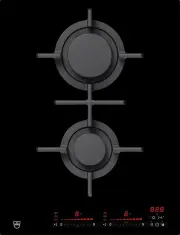
4 Appliance description 4.1 Appliance overview GAS951GSAZ ▪ 1 wok burner (left) ▪ 1 rapid burner (top right) ▪ 2 standard burners (centre) ▪ 1 economy burner (bottom right) GAS641GSAZ ▪ 1 rapid burner (top right) ▪ 2 standard burners (left) ▪ 1 economy burner (bottom right) GAS421GSAZ ▪ 1 rapid burn...
Page 14 - Appliance description; Operating and display elements; Control buttons; Timer – Function as minus button in operating time / timer mode
4 Appliance description 4.2 Operating and display elements Control buttons 1 3 2 5 7 4 6 1 Timer – Function as minus button in operating time / timer mode 2 Operating time – Function as plus button in operating time / timer mode 3 Multi-function button – duty-cycle function selection 4 Slider (for s...
Page 15 - Displays
4 Appliance description Displays 3 4 6 7 8 10 9 12 13 11 5 2 1 1 Bridging function activated 2 Melting function activated 3 Keep warm function activated 4 Simmer function activated 5 Duty-cycle function activated 6 Power level of the cooking zone 7 Operating time activated 8 Cooking zone indicator l...
Page 16 - Gas burners; Standard burner; Automatic re-ignition; Risk of deflagration: Ventilate the room well!
4 Appliance description 4.3 Gas burners The pan supports and all the parts of the burners must be positioned correctlyin order that the appliance can be operated correctly. Do not swap the burnercaps around. Standard burner 1 2 6 3 5 4 1 Burner cap 2 Pan support 3 Flame spreader 4 Standard/Rapid bur...
Page 17 - Safety system; Wok burner; Cookware; Suitable cookware; Rapid burner
4 Appliance description 4.5 Safety system The appliance has a safety system which continuously monitors the flame ofeach burner. It prevents the flow of gas if a burner accidentally goes out. If the flame does not touch the thermocouple, the appliance automatically at-tempts to ignite a flame again....
Page 18 - Wok extension ring
4 Appliance description Wok extension ring ▪ The wok extension ring is only suitable foruse with round bottom cookware with adiameter of over 26 cm. Mocha support The mocha support is included in the scope of delivery with certain appli-ances. It is also available as an accessory. ▪ The mocha suppor...
Page 20 - Operating the appliance; Switching the appliance on and off
5 Operating the appliance 5.1 Switching the appliance on and off All the appliances are operated in the same way. ▸ To switch the appliance on: Depress the button for 1 second. – flashes in all the power level displays. – If no other entry is made, the appliance switches off again after about10 seco...
Page 21 - Overview of power levels; Power level; Bridging function; Switching the bridging function on
5 Operating the appliance 5.5 Overview of power levels Power level Cooking method Use Melting Butter, chocolate, gelatine, sauces, approx. 40–60 °C Keeping warm Keeps food warm, approx. 50–65 °C Simmering Water temperature stays below boiling point, approx. 70–94 °C 1 Melting, gentle warming Butter,...
Page 22 - Switching the bridging function off; Melting function; Switching the melting function on; Keep warm function; Switching the keep warm function on; Simmer function
5 Operating the appliance If, when the bridging function is switched on, a cooking zone isalready running, the power level and operating time of this cookingzone will be taken over for both zones. If both cooking zones arealready running, the power levels and operating times are cleared and flashes ...
Page 23 - Automatic boost; Burner
5 Operating the appliance Switching the simmer function on ▸ Touch the button 3×. – The symbol illuminates. Switching the simmer function off ▸ Use the slider to set any power level or switch off via «0». 5.10 Automatic boost Do not leave the hob unattended when using the automatic boost.Risk of boi...
Page 24 - Operating time; Setting the operating time
5 Operating the appliance 5.11 Operating time Do not leave the hob unattended during use. Risk of boiling over,burning on and igniting! With the operating time function, a Cooking zone switches off automaticallyafter a set time 1 min.–1 hr. 59 mins.. Setting the operating time ▸ Select the required ...
Page 26 - Timer; Setting the timer
5 Operating the appliance 5.12 Timer The timer functions like an egg timer (1 min.–9 hrs. 59 mins.). It can be used at any time and independently of all other functions. Setting the timer ▸ Switch the appliance on. ▸ Touch the button. – The symbol illuminates. – flashes in the display. ▸ Use the but...
Page 27 - Childproof lock; Switching the childproof lock on
5 Operating the appliance 5.13 Childproof lock The childproof lock is to prevent the appliance from being accidentallyswitched on. Switching the childproof lock on ▸ Switch the appliance on. Ensure all cooking zones are switched off. ▸ Touch the and buttons at the same time. – An acoustic signal is ...
Page 29 - User settings; User setting
6 User settings The following user settings can be set and stored individually: User setting Default value Factory setting P0 Acoustic signal volume 0 Low 2 1 Medium 2 High P1 Acoustic signal at end of operating time / timer 0 No acoustic signal 2 1 Automatically off after 10 secs. 2 Automatically o...
Page 30 - Changing user settings; Saving entry
6 User settings 6.1 Changing user settings ▸ With the appliance switched off, simultaneously hold the and but- tons depressed for 3 seconds. – An acoustic signal is emitted. ▸ Touch both sliders left of display 3 . For appliances with only one slider, simply touch the available slider. – An acoustic...
Page 31 - Care and cleaning; Care
7 Care and cleaning Do not use any flammable, abrasive, chlorine- or bleach-containingcleaning agents to clean the appliance. Only use standard food-gradecleaning agents.Under no circumstances use metal or steel brushes, copper cloths orproducts that contain sand or that scratch for cleaning.Do not ...
Page 32 - What to do if ...
8 Trouble-shooting What to do if … … the ignition is not working? Possible cause Solution ▪ Food or cleaning productresidue stuck between theignition sparkers and theburners. ▸ Clean the area between the ignition sparker and the burner. ▪ The burners are wet. ▸ Dry the burner caps carefully. ▪ The b...
Page 33 - Ventilate the room well!; ▸ For operating the appliance with the
8 Trouble-shooting ... the kitchen smells of gas? Possible cause Solution ▪ Incorrect coupling of thegas cylinder. ▸ Check that the coupling of the gas cylinder is sound. ▪ Possible gas leak. ▸ Turn off the gas tap, ventilate the room and immediately notify Customer Services. Donot use the appliance...
Page 35 - Accessories and spare parts; Accessories; Mocha support; Spare parts; Pan support
9 Accessories and spare parts Please give product family of the appliance and exact designation of the ac-cessory or spare part when ordering parts. Accessories Mocha support Spare parts Pan support Wok pan support Wok extension ring Wok burner in black or made from brass Standard burner in black or...
Page 36 - Technical data; Product fiche
10 Technical data 10.1 Product fiche Model number 31063 Type designation GAS411GSAZ Type of burner Wok Nominal heat input (MJ/h)Natural gas, 1.0 kPa 24 Nominal heat input (MJ/h)Natural gas, 2.75 kPa 20 Model number 31064 Type designation GAS421GSAZ Type of burner Rapid Standard Total Nominal heat in...
Page 37 - Index
11 Index A Appliance Switching on and off ......................... 20 Appliance overview ...................................... 13Appliance-specific safety precautions ........ 7Automatic boost ............................................ 23 Switching off before time ................. 23Switching...
Page 39 - Your repair order
12 Service & Support The «Troubleshooting» chapter provides valuable information for dealing with minor operating faults. This saves you the time, effort and potential cost of having to call out a service technician. Information on the V-ZUG warranty can be found at www.vzug.com →Service →Warran...
Page 40 - Quick instructions; To switch appliance on; ▸ Depress the button for 1 second.; To select cooking zone; ▸ Touch power level 0 on the slider.; To switch appliance off; ▸ Touch the button.
Quick instructions Please first read the safety precautions in the operating instructions! To switch appliance on ▸ Depress the button for 1 second. To select cooking zone ▸ Touch the slider for the required cooking zone or swipe it to set the power level. To switch cooking zone off ▸ Touch power le...