Page 2 - Type
Thank you for choosing to buy one of our products. Your appliance is made tohigh standards and is easy to use. Nevertheless, please take the time to readthese operating instructions in order to familiarise yourself with the applianceand get the best use out of it. Please follow the safety precaution...
Page 3 - Table of contents
Table of contents 1 Safety precautions 6 1.1 Symbols used ........................................................................................................ 6 1.2 General safety precautions ................................................................................. 7 1.3 Appliance-spe...
Page 6 - Safety precautions; Symbols used; Information and precautions that should be observed.
1 Safety precautions 1.1 Symbols used Denotes important safety precautions.Failure to observe said precautions can result in injury or in damageto the appliance or fittings! Information and precautions that should be observed. Information on disposal Information about the operating instructions ▸ In...
Page 7 - Safety precautions; General safety precautions
1 Safety precautions 1.2 General safety precautions ▪ Read the operating instructions before using the appliance forthe first time! ▪ This appliance can be used by children aged 8 and aboveand by persons with reduced physical, sensory or mental cap-abilities, or lack of experience and/or knowledge, ...
Page 8 - A heatable appliance drawer and its contents get hot.
1 Safety precautions ▪ WARNING: Accessible parts can get hot during use. Keepyoung children away from the appliance. ▪ This appliance is intended for use in the home and similar set-tings such as: in staff kitchens in shops, offices and othercommercial establishments; in agricultural establishments;...
Page 9 - Instructions for use; Before using for the first time; Correct use
1 Safety precautions 1.4 Instructions for use Before using for the first time ▪ The appliance must be installed and connected to the electricity supply inaccordance with the separate installation instructions. Have a qualified fitter/electrician carry out the necessary work. Correct use ▪ The applia...
Page 12 - Disposal; Packaging; The
2 Disposal Packaging ▪ All packaging materials (cardboard, plastic film (PE) and polystyrene (EPS))are marked and should be collected for recycling and disposed of in an en-vironmentally friendly way. Disconnection ▪ Disconnect the appliance from the mains. With a fixed appliance, this is tobe carri...
Page 13 - Using for the first time; Completing the initial set-up
3 Using for the first time Before operating the newly installed appliance for the first time, the followingsteps should be taken:▸ Remove packaging and transport materials as well as any protective blue film from out of the cooking space. ▸ Clean the cooking space and the accessories.▸ Press the pow...
Page 14 - Appliance description; Construction
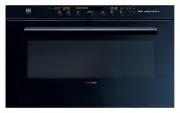
4 Appliance description 4.1 Construction 1 3 4 2 1 Operating and display elements 2 Ventilation opening 3 Door handle 4 Appliance door 4.2 Operating and display elements 곋2SHUDWLQJPRGHV 6WHDP 12:00 2 3 4 1 5 1 Display 4 Action buttons 2 Digital display (duration/timer/time) 5 Adjusting knob / switch...
Page 15 - Overview of touch buttons; Cooking space
4 Appliance description Overview of touch buttons Operating modes GourmetGuide EasyCook User settings Favourites Water tank TimerCooking space illumination Switch off 4.3 Cooking space Using protective inserts or aluminium foil can damage the appliance. Do not place any protective insert or aluminiu...
Page 16 - Accessories; TopClean baking tray
4 Appliance description 4.4 Accessories Incorrect handling can cause damage!Do not use knives or cutting wheels on the accessories. TopClean baking tray ▪ Baking tin for flans and biscuits ▪ Use together with the wire shelf as a drip tray ▪ If not fully covered, its shape can become distortedduring ...
Page 18 - Operating modes; Overview of operating modes; Uses; Hot air
5 Operating modes 5.1 Overview of operating modes All the operating modes are described below. Follow the advice given in «Tips and tricks» (see page 52) and in«EasyCook». 5.2 Steam Temperature range 30–100 °C Recommended value 100 °C Level 1 to 4 The cooking space is heated simultaneously by steam ...
Page 19 - Hot air with steaming
5 Operating modes Uses ▪ For cakes, savouries, biscuits, bread and roasts on 1 or 2 levels 5.4 Hot air with steaming Temperature range 80–230 °C Recommended value 180 °C Level 2 or 1 + 3 A heating element behind the back wall of the cooking space heats up the airinside the cooking space, which is ci...
Page 20 - Regeneration; Hot air humid
5 Operating modes 5.5 Regeneration Temperature range 80–200 °C Recommended value 120 °C Level 1 to 4 The cooking space is heated by steam and hot air. The food is reheatedgently without drying it out. Uses ▪ Reheating precooked foods and convenience foods Possible to regenerate on several levels sim...
Page 21 - Using the appliance; Adjusting knob functions; Filling the water tank
6 Using the appliance The different main menus and functions are selected by pressing the corres-ponding touch button. Selected touch buttons and functions are illuminated inwhite; other selectable functions are illuminated in orange.Settings and functions that cannot be selected or changed are grey...
Page 22 - Refill water; Selecting and starting the operating mode; Press and go
6 Using the appliance Refill water The contents of the water tank normally suffice for one cooking session.If, however, the water tank needs to be refilled:▸ Fill the water tank with a maximum of 0.5 l of water as otherwise water could spill over at the end of operation. 6.2 Selecting and starting t...
Page 23 - Display overview; Checking and changing the settings
6 Using the appliance Display overview 곍+RWDLU 6HWWHPSHUDWXUH 굴 굵 굶 굸 K 4 6 5 3 2 1 1 Operating mode settings 2 Current position of the adjustingknob / selected setting 3 Press and go 4 Operating mode with symbol 5 Set values / recommended values 6 Symbols for settings 6.3 Checking and changing the ...
Page 24 - Setting a delayed start / end time; Before setting the delayed start
6 Using the appliance 6.5 Setting a delayed start / end time The delayed start is activated when for the operating mode selected both theduration and the end time are set.The appliance switches automatically on and off again at the desired times.If you use the food probe, you will need to estimate a...
Page 25 - Using the appliance; Food probe temperature; food probe temperature; Setting; in the operating mode settings.
6 Using the appliance 6.6 Food probe temperature Only use the supplied food probe.Do not clean the food probe in the dishwasher. Always keep the plugclean. The food probe is used to measure the temperature inside the food (referredto as the food probe temperature ). As soon as the food reaches the t...
Page 26 - Measuring the food probe temperature; Cancelling/ending the operating mode before time
6 Using the appliance Measuring the food probe temperature If you only wish to measure the food probe temperature without operationstopping automatically when the target temperature is reached, proceed as fol-lows:▸ Select the desired operating mode and set the temperature and, if you wish, the dura...
Page 27 - Timer; Setting and starting the timer
6 Using the appliance 6.9 Timer The timer functions like an egg timer. It can be used at any time and inde-pendently of all other functions. Setting and starting the timer ▸ Press the touch button. – A suggested value of «10min» appears in the display. ▸ Turn the adjusting knob and set the desired d...
Page 28 - Switching the timer off before time; End of operation
6 Using the appliance Switching the timer off before time ▸ Press the touch button. – The countdown to the time remaining appears in the display. ▸ Set the timer to 0 by turning the adjusting knob and confirm. Or, if the timer is the only active function: ▸ Press the touch button. Or, to switch off ...
Page 29 - Removing food from cooking space; Switching the appliance off
6 Using the appliance For appliances with a retractable handle, the displays and touch but-tons do not go out until the handle can be retracted. « Residual heat» is still displayed, even when it falls below 80 °C. For all operating modes that use steam, steam reduction can take place at theend of th...
Page 30 - Emptying the water tank
6 Using the appliance Or at the end of operation: ▸ Select the option in the display. – An acoustic signal is emitted. – Any running operating mode or application is ended; if switched on,the timer or cooking space illumination will remain active. – The following appears in the display: « Residual h...
Page 31 - GourmetGuide; Recipe book; Unlocking a recipe book
7 GourmetGuide The GourmetGuide encompasses several programmes which make prepar- ing meals as easy as possible for you. The following programmes can becalled up: Recipes Vacuisine * BakeOmatic Wellness * Professional baking Hygiene * Soft roasting Keep warm * RegenerateOmatic * Depending on the sof...
Page 32 - Starting a recipe; In the course of the recipe
7 GourmetGuide Starting a recipe For recipes that do not require preheating, place the food in the coldcooking space. ▸ If the appliance is switched off, first press the adjusting knob.▸ Fill the water tank with fresh, cold drinking water and slot into position in the water tank compartment. ▸ Press...
Page 33 - Cancelling the recipe; Own recipes; Creating your own recipe
7 GourmetGuide Cancelling the recipe ▸ In the recipe settings, select . – The following appears in the display: «Should the current recipe becancelled?» ▸ To abort the recipe, select «Yes». – The recipe is cancelled. 7.2 Own recipes Up to 24 of your own favourite recipes can be created and saved. A ...
Page 34 - Step duration; Cancelling recipe entry/change; Ending a step before time
7 GourmetGuide ▸ Set additional steps in the same way. A recipe can consist of up to 9 steps. ▸ To save the recipe, select . – The overview of the available storage spaces is displayed. ▸ Select the desired (empty) storage space and confirm.▸ Enter the recipe name using the on-screen keypad and conf...
Page 35 - Changing recipes; Changing a step
7 GourmetGuide ▸ Set the displayed value to 0 or reduce it until it is less than the currently measured value. ▸ Press the adjusting knob to confirm. – The step is ended. – If it was the final step, the recipe ends too. – If it was not the final step, the next step starts. Changing recipes Any recip...
Page 36 - Deleting your own recipe; Tips for an optimal result
7 GourmetGuide A storage space that is already being used can be overwritten.Recipes that have been amended from recipe books are not saved inthe recipe book, but under «Own recipes». The original recipe re- mains in the corresponding recipe book. Deleting your own recipe Any recipe in «Own recipes»...
Page 37 - GourmetGuide; Preparing the food; ▸ Attach a sealing pad to the bag; Selecting and starting Vacuisine; ▸ Press the
7 GourmetGuide Preparing the food ▪ Vacuum seal the food. For this, see the tips in the operating instructions forthe vacuum drawer, on the homepage or in the recipe brochure. ▪ To monitor the food probe temperature of the meat with the food probe, thespot where the food probe punctures the vacuum b...
Page 38 - BakeOmatic
7 GourmetGuide With «Vacuisine», the food probe only serves to monitor the foodprobe temperature. It is not possible to set the food probe temperat-ure. If the food probe is plugged in for monitoring, an acoustic signalis emitted when the core temperature of the meat is roughly the sameas the temper...
Page 39 - Preheating; Selecting and starting BakeOmatic
7 GourmetGuide Degree of browning For certain food categories, the degree of browning can be adjusted by select-ing the «lightly browned», «medium browned» or «well browned» setting. When used for frozen products, the approximate duration indicated onthe packaging must be selected instead of the de...
Page 40 - Professional baking; Tips
7 GourmetGuide ▸ To start BakeOmatic, select . – Depending on the application, the cooking space may be preheatedfirst; when the temperature is reached, an acoustic signal is emitted. – The following appears in the display: «Introduce food. Select to con-tinue.». ▸ Put the food at the appropriate le...
Page 41 - Selecting and starting professional baking; Soft roasting; How it functions
7 GourmetGuide ▪ For a nice, crispy crust: the smaller the item to be baked, the higher thetemperature. The optimum temperature for bread buns is generally higherthan for a single loaf of bread. ▪ When using «Plaited bread», we recommend brushing the shaped dough with egg wash. Selecting and startin...
Page 43 - «Soft roasting with steam»
7 GourmetGuide ▸ Put the wire shelf at level 2 and place the dish on it.▸ Insert the food probe plug into the socket. ▸ Start «Soft roasting seared» (see page 44). «Soft roasting with steam» For «Soft roasting with steam», the meat is cooked gently with steam. Since steam transfers energy better, sh...
Page 44 - Selecting and starting soft roasting
7 GourmetGuide Selecting and starting soft roasting The longer the meat is cooked, the more tender and succulent it be-comes. This applies particularly for thicker pieces of meat.The target temperature cannot be changed once soft roasting hasstarted. ▸ If the appliance is switched off, first press t...
Page 45 - RegenerateOmatic
7 GourmetGuide Inadvertently interrupting the programme ▸ If the touch button is pressed, the soft roasting programme is interrupted. – The following appears in the display: «Should be cancelled?» ▸ To continue soft roasting, select «No». – Operation is continued. Cancelling/ending soft roasting bef...
Page 46 - Selecting and starting RegenerateOmatic
7 GourmetGuide Selecting and starting RegenerateOmatic Before starting, the cooking space should have cooled down and bedry in order to determine the optimum duration. The appliance door should not be opened during operation. The filled water tank must be in position in the water tank compart-ment. ...
Page 48 - Feeding bottles
7 GourmetGuide 7.9 Hygiene * * Depending on the software version «Hygiene» can be used for sterilizing containers. The following applications are available: ▪ «Sterilize baby bottles» replaces the need to boil baby bottles in hot water. ▪ «Prepare jam jars» replaces the need to prepare empty jam jar...
Page 49 - EasyCook; Overview of food groups
8 EasyCook EasyCook helps you to prepare any food simply and conveniently. After choosing the food group and food, the appliance suggests the suitable operat-ing modes or GourmetGuide applications, including the settings and accessor-ies. The brochure of the same name, which you received with the op...
Page 50 - Selecting and starting foods
8 EasyCook 8.2 Selecting and starting foods ▸ If the appliance is switched off, first press the adjusting knob. ▸ Press the touch button. – The overview of food groups is displayed. ▸ Select the food group.▸ Select the desired type of food.▸ If necessary, select the shape (whole, in pieces, etc.) of...
Page 51 - Favourites; Creating favourites
9 Favourites Up to 24 operating modes, GourmetGuide and EasyCook applications to-gether with the settings made can be saved as favourites. 9.1 Creating favourites ▸ Select an operating mode, GourmetGuide or EasyCook application.▸ Make the settings. ▸ Press the touch button. – The favourites menu ope...
Page 52 - Tips and tricks; ... when baking and roasting; Result
10 Tips and tricks 10.1 Unsatisfactory cooking result... … when baking and roasting Result Solution ▪ The baking or roast looksgood on the outside but isstill doughy or raw on theinside. ▸ Next time, set a lower temperature and lengthen the operating time. ▪ The cake collapses. ▸ Check that the sett...
Page 53 - General tips
10 Tips and tricks ... for regenerated foods Result Solution ▪ Regenerated food is driedout. ▸ Next time, set a lower temperature and reduce the operating time. ▸ Use «RegenerateOmatic moist». ▪ Too much condensate on oraround the regenerated food. ▸ Next time, set a higher temperature and lengthen ...
Page 54 - User settings; Overview of user settings; 괫8VHUVHWWLQJV
11 User settings 11.1 Overview of user settings Language Assistance functions Display Temperature Date Childproof lock Clock Appliance information Notifications Demo mode Descale appliance Check connection Water hardness Factory settings Loudness 11.2 Adjusting user settings ▸ If the appliance is sw...
Page 55 - Brightness; Date
11 User settings 11.3 Language The language in the display can be changed. Different languages are availablefor selection. 11.4 Display Brightness The brightness of the display can be changed. Background images You can turn the background image display on and off. If background imagesare activated, ...
Page 56 - Clock; Time format; Notifications
11 User settings 11.6 Clock The following time functions are available: ▪ Time ▪ Time format ▪ Time display ▪ Mains synchronization Time format The time can be displayed in the European 24-hour time format or the US12‑hour format (a.m./p.m.). Time display With the «Show time» setting (factory settin...
Page 57 - Water hardness; Loudness; Illumination
11 User settings 11.9 Water hardness The appliance features a system that automatically indicates when it is time todescale. The system can be optimized for households with soft water (alsothrough using a water softening appliance) and medium water hardness bychanging the user settings to the releva...
Page 58 - Temperature; Temperature unit; Childproof lock
11 User settings Automatic door handle function Only relevant to appliances with a retractable handle.When the automatic door handle function is switched on (factory setting), thedoor handle is extended automatically, e.g. when an operating mode is set orcomes to an end. It is then retracted again.W...
Page 60 - Care and maintenance; Risk of burns from hot surfaces!; Cleaning the exterior; Improper use can result in damage to the appliance!
12 Care and maintenance Risk of burns from hot surfaces! You should allow the appliance and the accessories to cool beforecleaning.Do not reach into the water tank compartment if the following appearsin the display: «Please do not remove the water tank». Improper use can result in damage to the appl...
Page 61 - 2 Care and maintenance; Cleaning the appliance door; ▸ Dry with a soft cloth.; Removing the appliance door; ▸ Open the appliance door as far as it will go.
12 Care and maintenance With use, the cooking space will over time turn a golden colour, whichis normal for stainless steel. Neither the cooking and baking proper-ties of the appliance nor its operation is affected. Blue tarnish spots and condensate residue can be removed using amild acidic cleaning...
Page 62 - Reassembling the appliance door; Cleaning the door seal; Incorrect handling can cause damage!
12 Care and maintenance ▸ Close the appliance door as far as its at-rest pos- ition (about 30°). ▸ Lift the appliance door out at an angle. Reassembling the appliance door ▸ From the front, push both hinges 1 into the open- ing 3 . ▸ Open the appliance door as far as it will go and close back the cl...
Page 63 - Descaling
12 Care and maintenance Removing the shelf guides ▸ Unscrew the knurled nuts 1 in the front of the shelf guides in an anti-clockwise direction. ▸ Pull the shelf guides 2 to the side of the screws and remove from thefront. 2 1 Reassembling the shelf guides ▸ Insert the shelf guides into the openings ...
Page 64 - Read remaining operating time; Descaler; durgol swiss steamer; Using a different descaler could cause
12 Care and maintenance Read remaining operating time The remaining steam operating time until the next descaling process can beread in the user settings under «Descaling». Descaler durgol swiss steamer Using the wrong descaler can damage the appliance! Only use «durgol swiss steamer» to descale you...
Page 66 - What to do if ...
13 Trouble-shooting 13.1 What to do if … This section lists faults that can be solved simply by following the instructionsgiven. If another fault is displayed or the fault cannot be remedied, please callCustomer Services. Before calling Customer Services, please note down the error mes-sage in full....
Page 68 - ... the following appears in the display
13 Trouble-shooting … the clock is not running correctly Possible cause Solution ▪ Irregular mains frequency ▸ Switch off the mains synchronization. ▪ Internal pulse generator isimprecise when mains synchronization isswitched off. ▸ Call Customer Services. ... the following appears in the display FX...
Page 70 - Accessories and spare parts; Special accessories
14 Accessories and spare parts The accessories listed below, as well as spare parts, can be ordered in addi-tion to the scope of delivery of the appliance. Ordering is subject to charge,except in the event of warranty claims. Please give the product family of theappliance and exact description of th...
Page 71 - 4 Accessories and spare parts; Spare parts; Knurled nut
14 Accessories and spare parts 14.3 Spare parts Shelf guides left/right Knurled nut Lid for water tank Water tank Sealing pad for Vacuisine with food probe durgol swiss steamerdescaler The descaler is also available from specialist retailers. 71
Page 72 - Technical data; Dimensions; ▸ See installation instructions; Electrical connection; ▸ See identification plate; Note for testing institutes; General note; Maximum load capacity: 3 kg; Temperature measurement
15 Technical data Dimensions ▸ See installation instructions Electrical connection ▸ See identification plate 1 1 15.1 Note for testing institutes The energy efficiency class according to EN 50304/EN 60350 is determinedusing the operating mode. Placing thermocouples between the appliance door and th...
Page 73 - Product fiche; Saving energy while cooking; EcoStandby
15 Technical data 15.3 Product fiche In accordance with EU Regulation No.: 66/2014 Brand – V-ZUG Ltd Type of appliance – Steam cooker Model designation – CSTXSL Mass of appliance kg 36 Number of cavities – 1 Heat source per cavity – Electric Volume per cavity l 51 Energy consumption in conventional ...
Page 74 - 5 Technical data; Reference to «Open Source» licence
15 Technical data 15.5 Reference to «Open Source» licence Your appliance contains Newlib open-source software. This is subject to the li-censing conditions specified in Section 4.1 (4.1.1-4.1.8; 4.1.9; 4.1.10;4.1.14-4.1.16) of the enclosed open-source software licence text document. 74
Page 75 - Index
16 Index A Accessories ............................................ 16, 70 Cleaning .............................................. 62 Acoustic signals ............................................ 56Activating/deactivating steam supply ....... 19 Appliance door Cleaning ................................
Page 78 - Notes
Page 79 - Appliance; Your repair order
18 Service & Support The «Troubleshooting» chapter provides valuable information for dealing with minor operating faults. This saves you the time, effort and potential cost of having to call out a service technician. Information on the V-ZUG warranty can be found at www.vzug.com →Service →Warran...
Page 80 - Quick instructions; Here you will find an overview of key operating information.; Active menu; Menu and action buttons
Quick instructions Here you will find an overview of key operating information. Active menu Press to switch on the appliance or to select/confirm Turn to set the temperature and time or to navigate within the menu Adjusting knob as a central operating element ► ► Action buttons Menu buttons 곋2SHUDWL...