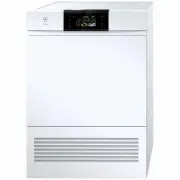
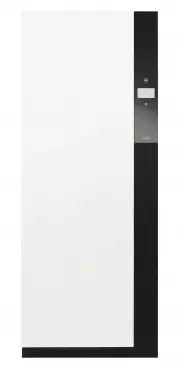
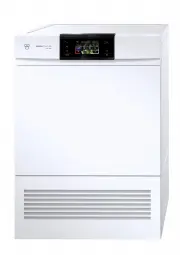
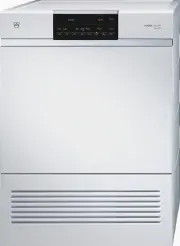
Page 2 - Appliance designation
Thank you for choosing to buy one of our products. Your appliance is made to highstandards and is easy to use. Nevertheless, please take the time to read these operatinginstructions in order to familiarize yourself with the appliance and get the best use out ofit. Please follow the safety precaution...
Page 3 - Contents
3 Contents 1 Safety warnings 5 1.1 Symbols used......................................................... 5 1.2 General safety precautions .................................. 5 1.3 Appliance-specific safety precautions ............... 5 1.4 Instructions for use .......................................
Page 5 - Safety warnings; Symbols used; Information on disposal; General safety precautions
5 1 Safety warnings 1.1 Symbols used Symbol ISO 7010 W021WARNING: Risk of fire / flammablematerials Denotes important safety precau-tions.Failure to observe said precautionscan result in injury or in damage tothe appliance or fittings! Information and precautions thatshould be observed. Information ...
Page 6 - Safety warnings
1 Safety warnings 6 ▪ WARNING: This appliance isonly designed for drying tex-tiles which have been washedin water. ▪ The appliance is only to beused with the recommendedvaporizing medium. The useof other substances may giverise to a toxic or fire risk. ▪ The appliance has hot sur-faces to evaporate ...
Page 7 - Instructions for use; Before using for the first time; Use original spare parts only.; Note on use
1 Safety warnings 7 ▪ Do not install the appliancebehind a door that locks, asliding door or a door with ahinge that lies opposite thehinge of the appliance. ▪ WARNING: The appliancemust not be supplied throughan external switching device,such as a timer, or connectedto a circuit that is regularlysw...
Page 8 - How to avoid damaging the appliance; Close the appliance door carefully.; Transport and installation
1 Safety warnings 8 ▪ To protect your washing, follow the fab-ric care symbols and the hints and ad-vice in the «Programme overview» sec-tion. ▪ Do not operate the appliance without adoor filter or with a damaged door filter.Fluff can destroy the appliance! Caution: Risk of burns! ▪ Do not dry fabri...
Page 9 - Appliance description; Construction
2 Initial set-up The appliance must be installed and connected to the electricity supply in accord-ance with the separate installation instructions. Have a qualified fitter/electriciancarry out the necessary work. If the location of the appliance is changed, because of the heat pump it must standin ...
Page 10 - Operating and display elements; Operating panel; TouchDisplay; Buttons; Indicator lights; Indicator light
3 Appliance description 3.2 Operating and display elements Operating panel 3 1 2 4 4 4 4 Buttons 1 Operating panel Door opener 2 V-ZUG-Home display EcoManagement 3 TouchDisplay Eco 4 Indicator lights Standard and extra programmes Start/Pause/Drum illumination End of programme Favourites TouchDisplay...
Page 11 - Button state; Programme overview; Automatic programmes
4 Programme overview 3.4 Button state Background colour Symbol colour State Blue White Function is active. Black White Function is selectable. Black Black Function is not selectable. 4 Programme overview All the programmes are described below. 4.1 Automatic programmes Programmes Load capacity Extra ...
Page 12 - Standard and extra programmes; Programmes
4 Programme overview Programmes Load capacity Baby garments: Baby garments are gently dried to «Standard dry». The washing is dried hygienically through an extended final dryingphase. 1–5 kg Bed linen: For similar items of washing. Fasten zips and buttons. 1–3 kg Thick down filling: For bulky down t...
Page 13 - Additional functions; EcoManagement; Button
4 Programme overview 4.5 Additional functions Whenever a programme is selected, the selectable additional functions are displayed. Additional functions Load capacity Easy care: Gentle drying for mixed fabrics (e.g. shirts, pullovers and t-shirts). The level of dryness is reduced. To prevent creasing...
Page 14 - Programme overview; Phases; The drying process has 3 phases:; Duration remaining indicator
4 Programme overview 4.7 Phases The drying process has 3 phases: Phases Drying: The laundry is dried as per the settings (programme selec- tion and user settings). Cooling down / Final airing : The laundry is cooled down to a tem- perature at which the risk of creasing is minimized. The duration oft...
Page 15 - Operating the appliance; Preparations
5 Operating the appliance 5 Operating the appliance 5.1 Preparations ▸ Insert the mains plug into a mains socket. ▸ Touch the button. – The appliance door opens. – The drum illuminationswitches on. ▸ Loosely load wet laundry items one by one into the appliance. C olour e ds S ele c t programme ▸ Clo...
Page 16 - Selecting a programme; Timed drying; Textile programmes
5 Operating the appliance 5.2 Selecting a programme To avoid damaging the laundry, follow the fabric care symbols on garment labels: Tumble dry, mediumheat Tumble dry, low heat Do not tumble dry Automatic programmes When a programme is selected, all the necessary settings for it are assigned automat...
Page 17 - Selecting additional functions; Setting a delayed start
5 Operating the appliance Standard and extra programmes ▸ Touch the button. – A selection of standard and extra pro-grammes appears in the TouchDis-play. E x t r a St an dar d Airing Basket Crease guar d ▸ Touch the button for the desired stand- ard or extra programme. – The programme selected and a...
Page 18 - Checking and changing the settings; Adding washing; Interrupting a programme; Ending a programme before time
5 Operating the appliance 5.4 Checking and changing the settings ▸ Touch the button in the «Additional func- tions» view. – The start screen appears. ▸ Select a new programme (see page 16).▸ To make a change once a programme has started, the programme must beended beforetime (see page 18). Ex tra dr...
Page 19 - With childproof lock activated; Drum illumination; Unloading the washing
5 Operating the appliance 5.8 With childproof lock activated How to turn the childproof lock on/off is described in «User settings».When the childproof lock is activated, the appliance can no longer be operated once aprogramme has started or if no button has been touched for over 20 seconds. A codem...
Page 20 - Each time after use; Displaying estimate during programme selection; Displaying last programme; Displaying total and average consumption
5 Operating the appliance ▸ Unload the laundry. Each time after use ▸ Clean the door filter (see page 26). ▸ Close the appliance door. – The drum illumination switches off. 5.11 EcoManagement Only active if «EcoManagement» is turned on in the user settings (see page 24). Displaying estimate during p...
Page 21 - Favourites; Defining favourites; Changing favourites
6 Favourites 6 Favourites Simple start to frequently used programmes. The appliance door has to be open to define, change or delete a favourite. 6.1 Defining favourites ▸ Touch the button. – The appliance door opens. ▸ Touch the button. empty ▸ Touch one of the favourite buttons. ▸ Select programme ...
Page 22 - Deleting favourites; Starting favourites; User settings; Customizing user settings
7 V-ZUG-Home 6.3 Deleting favourites ▸ Touch the button. – The appliance door opens. ▸ Touch the button. extra dry ▸ Touch the favourite programme to be deleted. Clear ▸ Touch the button. – The favourite programme is cleared. 6.4 Starting favourites ▸ Close the appliance door. ▸ Touch the button. ex...
Page 25 - Demo mode; Switching on
9 Demo mode 9 Demo mode In the demo mode, almost all the appliance functions are available but it is not possibleto dry with the appliance. The demo mode can only be switched on or off when the appliance door is open. 9.1 Switching on ▸ Touch the button. – The appliance door opens. ▸ Simultaneously ...
Page 26 - Care and maintenance; To minimize the risk of fire hazard regularly clean the filters!; Cleaning intervals; Appliance part; Cleaning the door filter and door filter mat; Cleaning the door filter
10 Care and maintenance 10 Care and maintenance To minimize the risk of fire hazard regularly clean the filters! A thick coating of fluff can trigger the «A9 Clean filter and mats» (see page 28) errormessage. 10.1 Cleaning intervals Appliance part Cleaning interval Door filter ▪ After each use ▪ Whe...
Page 27 - Vacuum cleaning can cause damage to the appliance!; Cleaning the front filter mat
10 Care and maintenance Vacuum cleaning can cause damage to the appliance! Never clean the door filter mat with a vacuum cleaner! 2 ▸ Put the dry door filter mat 2 back into the door filter 1 . ▸ Put back the dry door filter 1 . Ensure the door filter is positioned correctly. 10.3 Cleaning the front...
Page 28 - Cleaning the temperature sensor; Carefully clean the temperature sensor!; Cleaning the appliance; Display
11 Trouble-shooting 10.5 Cleaning the temperature sensor Carefully clean the temperature sensor! 1 ▸ Open the appliance door and remove the front grille 1 . 2 ▸ Clean the temperature sensor 2 with a damp cloth. ▸ Put back the front grille 1 . 2 10.6 Cleaning the appliance ▸ Wipe the outside of the a...
Page 30 - Other possible problems; Problem
11 Trouble-shooting 11.2 Other possible problems Problem Possible cause Solution The programmetakes signific-antly longerthan indicated. ▪ Door filter and/ordoor filter mat areblocked. ▸ Clean door filter and/or door filter mat (see page 26). ▪ Front filter mat isclogged. ▸ Clean the front filter ma...
Page 33 - Note for testing institutes; Data for the standard programme
13 Technical data 13.1 Note for testing institutes ▸ The appliance must be connected to the electricity supply for at least 5 minutes be- fore taking measurements. ▸ The declaration data can be determined correctly only after a run-in phase of 5 com- plete drying programmes with washing (automatic p...
Page 34 - Drying tips; Saving energy
14 Drying tips Textile programmes The values can vary according to programme, load, additional functions, user settings,initial level of moisture in the laundry and ambient temperature. Programme Load capacity kg Remaining moisture content % Programme duration hrs./mins. Energy kWh Shirts 1–7 items ...
Page 35 - Avoiding damage; Disposal; Packaging
15 Disposal 14.2 Avoiding damage ▪ Follow the fabric care symbols on garment labels. ▪ For drying, it is recommended that tumble dryer sheets or other fabric care solutionsnot be used. ▪ Remove foreign objects and larger parts made of metal or hard plastic (e.g. buckles,stones, detergent dosing aids...
Page 36 - Index
16 Index A Additional functions ......................................... 13 Starting........................................................... 17 Airing Extra programmes ....................................... 12 Appliance disposal .......................................... 35Automatic programme...
Page 39 - Appliance; Identification plate; Your repair order
17 Service & Support 17 Service & Support The «Trouble-shooting» section gives you valuable tips on how to deal with minormalfunctions yourself, saving you the time and trouble of calling out a service tech-nician and any cost that goes along with it. Information on the V-ZUG warranty can be...
Page 40 - Quick instructions; Starting programme
Quick instructions Please first read the safety precautions in the operating instructions! Starting programme When programme has finished ▸ Open the appliance door.▸ Check door filter.▸ Load laundry.▸ Close the appliance door.▸ Select programme and any additional functions (if required). ▸ Press the...