Page 2 - Contents
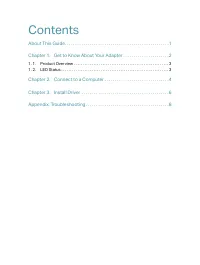
Contents About This Guide. . . . . . . . . . . . . . . . . . . . . . . . . . . . . . . . . . . . . . . . . . . . . . . . . .1 Chapter 1. Get to Know About Your Adapter . . . . . . . . . . . . . . . . . . . . . .2 1. 1. Product Overview . . . . . . . . . . . . . . . . . . . . . . . . . . . . . . . . ...
Page 3 - About This Guide; Conventions; More Info
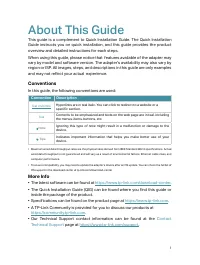
1 About This Guide This guide is a complement to Quick Installation Guide. The Quick Installation Guide instructs you on quick installation, and this guide provides the product overview and detailed instructions for each steps. When using this guide, please notice that features available of the adap...
Page 4 - Chapter; Get to Know About Your
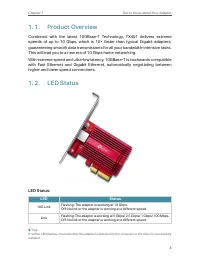
Chapter 1 Get to Know About Your Adapter This chapter introduces what the adapter can do and shows its appearance. This chapter contains the following sections:• Product Overview • LED Status
Page 6 - Connect to a Computer
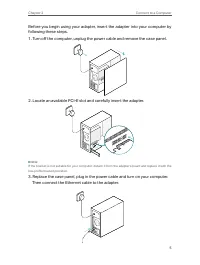
Chapter 2 Connect to a Computer This chapter introduces how to connect the adapter to your computer.
Page 8 - Install Driver
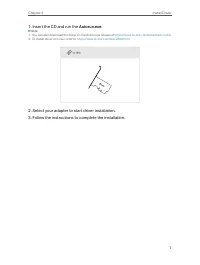
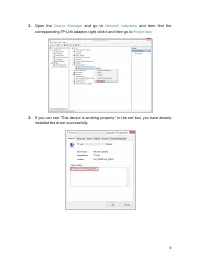
Chapter 3 Install Driver This chapter introduces how to install your adapter’s driver in different Windows systems, including Windows 7/8/8.1/10.
Page 10 - Appendix: Troubleshooting
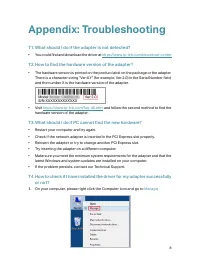
8 Appendix: Troubleshooting T1. What should I do if the adapter is not detected? • You could find and download the driver at https://www.tp-link.com/download-center T2. How to find the hardware version of the adapter? • The hardware version is printed on the product label on the package or the adapt...
Page 12 - FCC compliance information statement
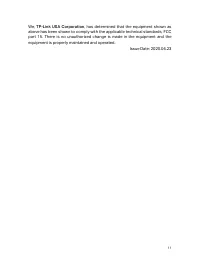
10 FCC compliance information statement Product Name: 10 Gigabit PCIe Network Adapter Model Number: TX401Responsible party: TP-Link USA Corporation, d/b/a TP-Link North America, Inc. Address: 145 South State College Blvd. Suite 400, Brea, CA 92821Website: https://www.tp-link.com/us/Tel: +1 626 333 0...
Page 14 - Industry Canada Statement
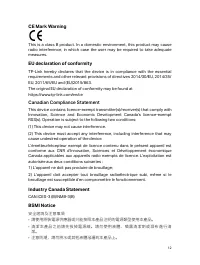
12 CE Mark Warning This is a class B product. In a domestic environment, this product may cause radio interference, in which case the user may be required to take adequate measures. EU declaration of conformity TP-Link hereby declares that the device is in compliance with the essential requirements ...
Page 15 - Safety Information
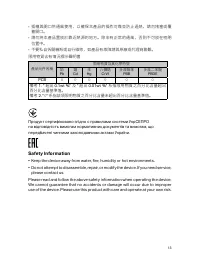
13 • 插槽與開口供通風使用,以確保本產品的操作可靠並防止過熱,請勿堵塞或覆 蓋開口。 • 請勿將本產品置放於靠近熱源的地方。除非有正常的通風,否則不可放在密閉 位置中。 • 不要私自拆開機殼或自行維修,如產品有故障請與原廠或代理商聯繫。限用物質含有情況標示聲明書 產品元件名稱 限用物質及其化學符號 鉛 Pb 鎘 Cd 汞 Hg 六價鉻 CrVI 多溴聯苯 PBB 多溴二苯醚 PBDE PCB ○ ○ ○ ○ ○ ○ 備考 1. " 超出 0.1wt %" 及 " 超出 0.01wt %" 系指限用物質之百分比含量超出 百分比含量基準值。 備考 2. "...
Page 16 - Explanation of the symbols on the product label
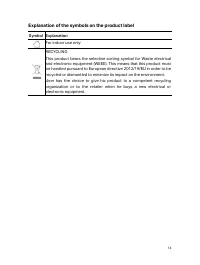
14 Explanation of the symbols on the product label Symbol Explanation For indoor use onlyRECYCLINGThis product bears the selective sorting symbol for Waste electrical and electronic equipment (WEEE). This means that this product must be handled pursuant to European directive 2012/19/EU in order to b...