Page 3 - COPYRIGHT & TRADEMARKS; Specifications are subject to change without notice.; FCC STATEMENT; This device may not cause harmful interference.; CE Mark Warning
I COPYRIGHT & TRADEMARKS Specifications are subject to change without notice. is a registered trademark of TP-LINK TECHNOLOGIES CO., LTD. Other brands and product names are trademarks of their respective holders. No part of the specifications may be reproduced in any form or by any means or used...
Page 4 - Related Document; Chapter 1 Introduction.; Audience
II Related Document Related Document This Installation Guide is also available in PDF on our website. To obtain the latest documentation and product information, please visit the official website:http://www.tp-link.com About this Installation Guide This Installation Guide describes the hardware char...
Page 6 - Gigabit Unmanaged Switch; Introduction; Product Overview; The Gigabit Unmanaged; Features
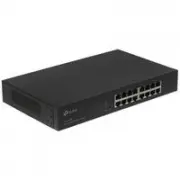
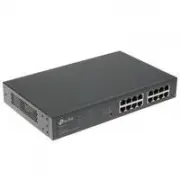
01 Gigabit Unmanaged Switch Introduction Introduction ChaCter C Product Overview C1C The Gigabit Unmanaged Switch provides you with a high-performance, low-cost, easy- to-use, seamless and standard upgrade to boost your old network to 1000Mbps. By increasing the speed of your net work ser ver and ba...
Page 7 - ACCearance; Front Panel; LEDs
02 Gigabit Unmanaged Switch Supports IEEE802.3x flow control for full-duplex mode and backpressure for half- • duplex transfer mode Non-blocking switching architecture that forwards and filters packets at full wire- • speed for maximum throughput Supports MAC address auto-learning and auto-aging • De...
Page 8 - The front panel of TL-SG1024 is shown as the following figure.; The front panel of TL-SG1016 is shown as the following figure.; The front panel of TL-SG1016D is shown as the following figure.
03 Gigabit Unmanaged Switch Introduction 10/100/1000Mbps RJ45 Port Designed to connect to the device with a bandwidth of 10Mbps, 100Mbps or 1000Mbps. Each has a corresponding Link/Act LED. The front panel of TL-SG1024 is shown as the following figure. LEDs 10/100/1000Mbps RJ45 Port Front Panel of TL...
Page 9 - The front panel of TL-SG1008 is shown as the following figure.; The front panel of TL-SG1008PE is shown as the following figure.
04 Gigabit Unmanaged Switch The front panel of TL-SG1008 is shown as the following figure. Power 1 2 3 4 5 6 7 8 1 2 3 4 5 6 7 8 LinkAct 1000Mbps TL-SG1008 8-Port Gigabit Switch LEDs 10/100/1000Mbps RJ45 Port Front Panel of TL-SG1008 Figure 1-6 LEDs LED Status Indication Power On The switch is power...
Page 10 - LEDs and
05 Gigabit Unmanaged Switch Introduction LED Status Indication PoE MAX On (red1 The power of all the connected PoE ports is between 118 W a n d 124W. N o p o w e r m a y b e s u p p l i e d i f additional PDs are connected. Flashing (red1 The power of all the connected PoE ports is >=124W. Off Th...
Page 11 - Rear Panel; The rear panel of TL-SG1048 is shown as the following figure.
06 Gigabit Unmanaged Switch Rear Panel The rear panel of TL-SG1048 is shown as the following figure. Grounding Terminal Power Socket Rear Panel of TL-SG1048 Figure 1-8 The rear panel of TL-SG1024 is shown as the following figure. Power Socket Grounding Terminal Rear Panel of TL-SG1024 Figure 1-F The...
Page 12 - The rear panel of TL-SG1016D is shown as the following figure.; Power Socket; Chapter 3 Lightning Protection; Please use the provided power cord.
07 Gigabit Unmanaged Switch Introduction The rear panel of TL-SG1016D is shown as the following figure. Power Socket Grounding Terminal Rear Panel of TL-SG1016D Figure 1-12 The rear panel of TL-SG1008 is shown as the following figure. Grounding Terminal Power Socket Rear Panel of TL-SG1008 Figure 1-...
Page 13 - Package Contents; Safety Precautions
08 Gigabit Unmanaged Switch Installation ChaCter 1 Package Contents 11C Make sure that the package contains the following items. If any of the listed items is damaged or missing, please contact your distributor. One Power Cord One Switch This Installation Guide Two mounting brackets and the fittings ...
Page 14 - Site Requirements; Clearness; Dust the device regularly, and keep the indoor air clean.; Electromagnetic Interference; transmitting station.
09 Gigabit Unmanaged Switch Installation Site Requirements ■ Temperature/Humidity 40℃ 0℃ Please keep a proper temperature and humidity in the equipment room. Too high/low humidity may lead to bad insulation, electricity leakage, mechanical property changes and corrosions. Too high temperature may ac...
Page 15 - Lightening Protection; C hapte r 3; Installation Site; Installation Tools
10 Gigabit Unmanaged Switch Lightening Protection Extremely high voltage currents can be produced instantly when lightning occurs and the air in the electric discharge path can be instantly heated up to 20,000 ℃ . As this instant current is strong enough to damage electronic devices, more effective ...
Page 16 - Product Installation; Rack Installation
11 Gigabit Unmanaged Switch Installation Product Installation 112 Desktop Installation ■ To install the device on the desktop, please follow the steps: Set the device on a flat surface strong enough to support the entire weight of the 1. device with all fittings. Remove the adhesive backing papers f...
Page 17 - Please set 5~10cm gaps around the device for air circulation.
12 Gigabit Unmanaged Switch Rack Rack Installation Figure 2-3 Caution: Please set 5~10cm gaps around the device for air circulation. ■ Please avoid any heavy thing placed on the device. ■ Please mount devices in sequence from the bottom to top of the rack and ensure a ■ certain clearance between dev...
Page 18 - Lightning Protection; Cabling Reasonably; please use a signal lightning arrester.; Requirements for Cabling Outdoors; Aerial cabling without safeguard is not allowed.
13 Gigabit Unmanaged Switch Lightning Protection Lightning Protection ChaCter 1 Cabling Reasonably 11C In the actual network environment, you may need cable outdoors and indoors, and the requirements for cabling outdoors and indoors are different. A reasonable cabling system can decrease the damage ...
Page 19 - Requirements for Cabling Indoors; devices are in following tables.
14 Gigabit Unmanaged Switch Requirements for Cabling Indoors ■ When cabling indoors, keep a certain distance away from the devices that may cause high-frequenc y inter ferences, such as down-conduc tor cable, powerline, power transformer and electromotor. The main cable should be paved in the metal ...
Page 20 - Connect to Ground
15 Gigabit Unmanaged Switch Lightning Protection Cable Pave Way Min Parallel Length (mm1 2~5kVA powerline Parallel cabling 300 One is in the grounded metal raceway or metal pipe 150 The both are in the grounded metal raceway or metal pipe 80 >5kVA powerline Parallel cabling 600 One is in the grou...
Page 21 - Connecting to the Ground via the Power Supply; EquiCotential Bonding
16 Gigabit Unmanaged Switch Note: The grounding bar and the ground cable are not provided with our product. If needed, please self purchase them. Connecting to the Ground via the Power Supply ■ If the device is installed in the normal environment, the device can be grounded via the PE (Protecting Ea...
Page 22 - at least. The shorter cable the bet ter, and use a; Use Lightning Arrester
17 Gigabit Unmanaged Switch Lightning Protection Grounding Terminal Equipotential Bonding CableGrounding Bar Ground Cable Equipotential Bonding Figure 3-3 When equipotential bonding, please note that the cable should be copper wrapped Kelly with its area being 6mm 2 at least. The shorter cable the b...
Page 23 - Purchase a standard lightning arrester.
18 Gigabit Unmanaged Switch The port rate of the signal lightning arrester should match the rate of the desired ■ port on the device. If it is not matched, this signal lighting arrester will not work. Purchase a standard lightning arrester. Install signal lightning arrester near the protected device...
Page 24 - Connection; Ethernet Port; Verify Installation; the air flow is adequate.; Power On
19 Gigabit Unmanaged Switch Connection Connection ChaCter 2 Ethernet Port 21C Connect a Ethernet port of the switch to the computer by RJ45 cable as the following figure shown. RJ45 Port RJ45 Cable Connecting the RJ45 Port Figure 4-1 Verify Installation 211 After completing the installation, please ...
Page 25 - Initialization; resetting of the system.
20 Gigabit Unmanaged Switch Note: The figure is to illustrate the application and principle. The power plug you get from the package and the socket in your situation will comply with the regulation in your country, so they may differ from the figure above. Initialization 212 For TL-SG1048/TL-SG1024/TL...
Page 26 - ACCendix A Troubleshooting; The Power LED is not lit; Make sure that the power cable is connected properly, and the power; The Link/Act LED is not lit when a device is connected to the; QQQQ; corresConding Cort; Please check as follows:
21 Gigabit Unmanaged Switch Troubleshooting ACCendix A Troubleshooting The Power LED is not lit QQQQ The Power LED should be lit up when the power system works normally. If the Power LED worked abnormally, please check as follows: Make sure that the power cable is connected properly, and the power 1...
Page 27 - ACCendix B SCecifications
22 Gigabit Unmanaged Switch Specifications ACCendix B SCecifications Item Content Standards IEEE802.3, IEEE802.3u, IEEE802.3ab, IEEE802.3x IEEE802.3af (for TL-SG1008PE1, IEEE802.3at (for TL-SG1008PE1 Transmission Medium 10Base-T UTP/STP of Cat. 3 or above(maximum 100m1 For TL-SG1008PE:UTP category 3...
Page 28 - ACCendix C Technical SuCCort
23 Gigabit Unmanaged Switch ACCendix C Technical SuCCort For more troubleshooting help, go to: http://www.tp-link.com/en/support/faq ■ To download the latest Firmware, Driver, Utility and User Guide, go to: ■ http://www.tp-link.com/en/support/download For all other technical support, please contact ...