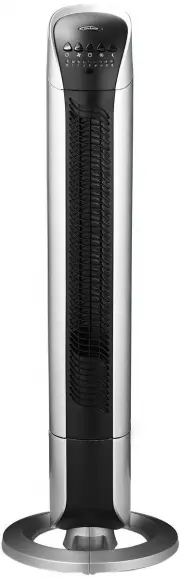
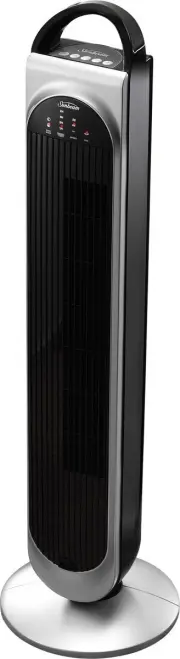
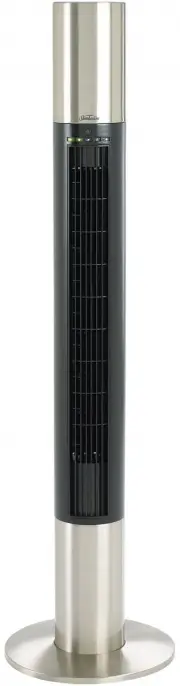
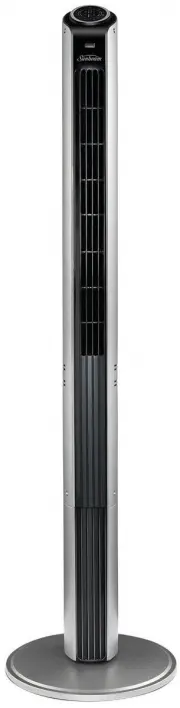
Page 2 - Contents
Contents Sunbeam’s Safety Precautions 1 Safety Precautions For Your Tower Fan 2 Locating Your Tower Fan 3 Features Of Your Sunbeam Tower Fan 4 Using Your Tower Fan 8 Troubleshooting Guide 12 Care and Cleaning 12 Important instructions – retain for future use.
Page 3 - Sunbeam’s Safety Precautions
1 Sunbeam is very safety conscious when designing and manufacturing consumer products, but it is essential that the product user also exercise care when using an electrical appliance. Listed below are important precautions for the safe use of an electrical appliance. • Read carefully and save all th...
Page 5 - Locating Your Tower Fan
3 Locating Your Tower Fan 1. Always locate your fan on a level surface.2. Your tower fan should be located in a dry, cool, well ventilated location. Keep your fan away from heat sources, corrosive gases and avoid direct sunlight. 3. Do not attempt to move your tower fan whilst it is operating. If yo...
Page 8 - Assembling Your Tower Fan
6 Assembling Your Tower Fan Join the two halves of the base together Feed the cord between the two halves of the base.Clip the two halves of the base together, ensuring the cord remains within the channel formed when the two halves come together. 1. 2. Remove the screws from beneath the tower Using ...
Page 9 - Assembling Your Tower Fan continued
7 Assembling Your Tower Fan continued Screw the tower to the base Use the 4 screws you put aside earlier to secure the tower to the base.Clip the power cord into the semi circular slot at the edge of the base. Ensure that the cord fits neatly into the channel.Stand the fan upright. It is now ready f...
Page 10 - Using Your Tower Fan
8 Switching the fan on Place the fan on a flat level surface.Insert the plug into a 230/240V power outlet and turn the power on.Press the power button . Press the fan speed button to select low, medium or high depending on your preference. 1.2. 3.4. Selecting a fan speed setting Your Sunbeam tower f...
Page 11 - Using Your Tower Fan continued
9 Using Your Tower Fan continued Using the auto off timer The auto off timer automatically switches the fan off after a preset number of hours.To activate this feature, simply press the auto off button on the tower or on the remote control unit. Press the auto off button once to switch the fan off a...
Page 14 - Troubleshooting; Care and Cleaning
12 Troubleshooting Problem Possible Cause What To Do Tower fan does not turn on Air cannot enter the fan through the intake grill. Remove any obstructions from around the fan. Fan is not receiving power. Ensure the electrical outlet or circuit breaker is working. Remote control does not work Fan isn...
Page 15 - Year Warranty
Should you experience any difficulties with your product during the warranty period, please contact our customer service line for advice on 1300 881 861 in Australia, or 0800 786 232 in New Zealand. Alternatively, you can send a written claim to Sunbeam to: Australia Units 5 & 6, 13 Lord Street ...
Page 16 - Need help with your appliance?
is a registered trademark. Need help with your appliance? Contact our customer service team or visit our website for information and tips on getting the most from your appliance. In Australia Visit www.sunbeam.com.au Or call 1300 881 861 In New Zealand Visit www.sunbeam.co.nz Or call 0800 786 232 Ma...