Page 2 - TABLE OF CONTENTS
2 TABLE OF CONTENTS Safety Precautions 3-4 Location of Parts 5 Technical Information 5 Installation and Connection 6-8 Location Requirements 6 Dryer Placement 7 Opening the Dryer 7 Leveling the Dryer 7 Attaching the Drain Hose 8 Connecting the Power Supply 8 Proper Usage 9-16 Turning on the Dryer 9 ...
Page 3 - SAFETY PRECAUTIONS
3 SAFETY PRECAUTIONS Your safety and the safety of others is very important. This manual contains imporatant information on the installation, use, and care of your appliance. Read the instructions for use carefully before using the dryer to prevent injury and property damage. Please, do not use the ...
Page 4 - Risk of child entrapment!; – SAVE THESE INSTRUCTIONS –
4 • Do not place items exposed to cooking oils in your dryer. Items contaminated with cooking oils may contribute to a chemical reaction that could cause a load to catch fire. To reduce the risk of fire due to contaminated loads, the final part of a tumble dryer cycle occurs without heat (cool down ...
Page 5 - LOCATION OF PARTS; TECHNICAL INFORMATION
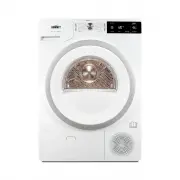
5 LOCATION OF PARTS FRONT BACK 1. Condensate Tank 2. ON/OFF Button 3. Drying Cycle Selector Knob 4. START/PAUSE Button 5. Control Unit 6. Door 7. Net Filter 8. Air Vent 9. Heat Pump Filter 10. Rating Plate 11. Power Cord 12. Condensate Discharge Hose 13. Adjustable Feet TECHNICAL INFORMATION Power S...
Page 6 - INSTALLATION AND CONNECTION; Location Requirements
6 INSTALLATION AND CONNECTION CAUTION : Installation of this dryer should be performed by a qualified installation specialist. 1. Before using your dryer, remove the exterior and interior packaging. 2. Place the dryer on a clean, dry concrete floor strong enough to support the machine. DO NOT place ...
Page 8 - Attaching the Drain Hose; Connecting the Appliance to the Power Supply
8 Attaching the Drain Hose This dryer needs to be connected to a drain to dispel the water collected during the drying cycle. A drain hose is supplied with the appliance, and simply needs to be attached to an outer drain before use. To attach the drain hose: 1. Remove the drain hose from the holder ...
Page 9 - PROPER USAGE; Turning on the Dryer
9 PROPER USAGE NOTE: Before using the dryer, clean the dryer drum using a soft, damp cotton cloth and water. DO NOT use any solvents or cleaning products, which could damage the dryer. Turning on the Dryer Once the dryer is properly placed, cleaned, and ready for use, press the ON/OFF switch (1). Se...
Page 10 - Laundry Warning Labels
10 Drying laundry made of particularly delicate fabrics, which may be deformed during the drying process, is not recommended. The following types of laundry may not be dried in the dryer as this may cause your garments to deform: • Leather garments and other leather products • Garments that are waxe...
Page 11 - Dryer Cycle Table
11 Dryer Cycle Table Program Dryness levels Max. load Program description Cotton Storage (Closet) 17.6 lb (8 kg) Use this program for thicker, non-sensitive cotton laundry. After drying, it will be dry and ready to be stored in a closet. Normal* 17.6 lb (8 kg) Use this program for thicker, non-sensi...
Page 12 - Using a Dryer Basket
12 Bedding 11 lb (5 kg) Use this program for larger items. When the program is complete, they will be thoroughly dry. An adjusted drum rotation prevents the laundry from tangling. Using a Dryer Basket Depending on the model, a dryer basket may be used in the dryer. Laundry may only be dried in the b...
Page 13 - Selecting Extra Functions; Half Load
13 Selecting Extra Functions Many drying cycles feature specific, extra functions, which can be adjusted by pressing the relevant functional buttons before staring the drying cycle. Activate and deactivate any setting by pressing the desired function before pressing the START/PAUSE button (3). • Fun...
Page 14 - Child Lock
14 NOTE: If a power failure occurs during the Start Delay time period, press the START/PAUSE button to resume the countdown. • The symbol will illuminate when the Start Delay setting is selected. Anti-Crease Use the Anti-Crease setting if you do not intend or cannot remove laundry from the dryer imm...
Page 15 - Extra Function Table; End of the Drying Cycle; Open door
15 Extra Function Table Program HALF LOAD EXTRA DRY START DELAY ANTI CREASE TIME (DRYING TIME) Cotton Storage (Closet) • • • • Normal • • • • Iron (Moist for ironing) • • • • Mix (Mixed laundry/Synthetics) Storage (Closet) • • • Iron (Moist for ironing) • • • Wool Sensitive • • • Shirts • • • Sports...
Page 16 - Changing the Drying Program/Functions
16 Full Condensation Tank • When the condensate tank is full, the symbol will illuminate, and the drying cycle will pause. • Empty the condensate tank, and then press the START/PAUSE button to resume the drying cycle from the point at which it was interrupted. Power supply failure After a power supp...
Page 17 - Saving Personal Settings; Low Standby Mode; MAINTENANCE AND CLEANING
17 Saving Personal Settings 1. When the proper drying cycle and additional functions are selected, you may store these setttings by pressing the START/PAUSE button and holding it for five seconds. An indicator light on the START/PAUSE button and an acoustic signal will confirm your selection. 2. SC ...
Page 19 - Cleaning the Heat Exchanger
19 The heat pump filter has to be correctly inserted into its slot, otherwise, the heat exchanger installed inside the dryer may be clogged or damaged. NOTE: Clean the foam filter after every five drying cycles, at least. Cleaning the Heat Exchanger CAUTION: Do not touch the inner metal parts of the...
Page 20 - Emptying the Condensation Tank; Cleaning the Dryer
20 Emptying the Condensation Tank • Empty the condensation tank after every drying cycle. • It is not necessary to empty the condensate tank if the drain hose is connected directly to a drain. NOTE: Never add chemicals or fragrances to the condensation tank. 1. Pull out the condensation tank from th...
Page 21 - TROUBLESHOOTING
21 TROUBLESHOOTING If any irregularities occur during normal operations, turn the dryer off, and wait one minute. Turn the dryer back on, and repeat the drying program. Most errors can be solved by trying the suggestions below: Problem/error Cause What to do? The machine will not start. • The dryer ...
Page 23 - Error Display Meanings; Warning Display Meanings; Sounds
23 Error Display Meanings Errors indicated on the display unit may include the following: Error Display Indication on the display unit and description of error What to do? E0 Control unit failure Call the service center. E1 Temperature sensor failure Call the service center. E2 Communication error C...
Page 24 - CONSUMPTION TABLE
24 CONSUMPTION TABLE The table lists the values for drying time and power consumption for drying of a test batch of laundry with various spinning rpm in the washing machine. SPK A Load Spinning [rpm] Electric energy consumption [kWh] Drying time [min] A++ Program 17.6 lb (8 kg) Cotton Normal Total 1...
Page 26 - NOTES
Page 28 - LIMITED WARRANTY; Summit Appliance
28 LIMITED WARRANTY ONE-YEAR LIMITED WARRANTY Within the 48 contiguous United States, for one year from the date of purchase, when this appliance is operated and maintained according to instructions attached to or furnished with the product, warrantor will pay for factory-specified parts and repair ...