Page 3 - Read all instructions before using unit.
WARNING Failure to install, maintain, and/or operate this ma-chine according to the manufacturer's instructionsmay result in conditions which can produce bodilyinjury and/or property damage. W030 WARNING For your safety and to reduce the risk of fire or anexplosion, do not store or use gasoline or o...
Page 4 - Table of Contents
Table of Contents Safety Information ................................................................................... 5 Explanation of Safety Messages ..................................................................... 5 Important Safety Instructions ...............................................
Page 5 - Explanation of Safety Messages; DANGER; Important Safety Instructions; WARNING
Safety Information Explanation of Safety Messages Precautionary statements (“DANGER,” “WARNING,” and “CAU-TION”), followed by specific instructions, are found in this man-ual and on machine decals. These precautions are intendedfor the personal safety of the operator, user, servicer, andthose mainta...
Page 7 - Before Washing; Loading the Washer
Operation Before Washing Prepare Wash Load Empty Pockets and Cuffs Make sure all pockets are empty and turn them inside out.One bobby pin, metal or plastic toy, nail or sharp object in aload can catch laundry, cause tears and plug the pump. Facialtissue left in a pocket will produce extreme “lint”. ...
Page 8 - Wash Temperature; NOTE: Always follow manufacturer’s care labels.; Wash Temperature Guide; Water; Table 1; Energy
Wash Temperature Hot Hot water is the most effective for cleaning, but it is not recom-mended for all fabric types (read labels). Warm The Warm Wash is useful for providing a thorough cleaning onlight and moderately soiled clothing without damaging fabricor adding to color fading. Warm water also re...
Page 9 - Digital Display; The display also shows diagnostic codes.; Cycles
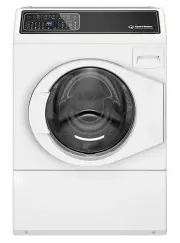
Control Panel FLW2456N_SVG Digital Display The two-digit display is used to show the time remaining in acycle. If the cycle time is over 99 minutes the control will display ei-ther 1H, 2H, etc., and then the additional minutes over one ortwo hours. When the control is powered off, the right-most dec...
Page 10 - Selections; Options
Delicate Wash delicate items usually washed by hand on this cycle. Thecycle includes a wash tumble and two rinses. The final spin ex-tracts moisture at a low spin. Favorite The Favorite cycle keypad allows the user to save different cy-cles, selections and options for later use. Nine favorite cycles...
Page 11 - Status; Wash; To Wash Clothes; Get the clothes ready for washing. Empty pockets and
Soak The Soak option adds a 30 minute soak to the beginning ofthe cycle. During the soak period, the wash basket will rotateevery few minutes to tumble the laundry. Pre-Wash The Pre-Wash option adds a second wash to the selected cy-cle. Second Rinse This Option will provide an additional rinse to th...
Page 12 - er. Press the Power button to turn on the washer.
FLW2308N_svg NOTE: High efficiency (HE) detergents are designedespecially for frontload washers to reduce over-sudsing and maximize cleaning results. Look for theHE logo or “high efficiency” on the detergent’s la-bel. IMPORTANT: If using non-HE detergent, avoid over-sudsing by using only 1/2 of the ...
Page 13 - Out of Balance Load
ric being washed, you may change the cycle selection atany time until the first wash fill is complete. NOTE: The Normal Eco cycle is recommended foreveryday cottons and linens. 7. If desired change the Selections and Options settings.8. Press the Start/Pause button to begin the cycle. The Door Lock ...
Page 14 - Normal Eco
Cycle Operation The cycles of your washer include several different stages. Re-fer to the table below for what can be expected during the cy-cles that you select. The washer operates by gently tumbling the clothing throughthe water. The wash action consists of a period of tumbling inone direction, a...
Page 19 - Common Washer Sounds; Sounds; Accelerating; Using Your Dispenser Drawer; Figure 1; Detergent Compartments
Common Washer Sounds Sounds Cause Accelerating This sound is heard duringthe spin portions of everycycle. Tapping These sharp sounds maycome from metal fasteners,zippers, belt buckles orcoins hitting the wash drumor door glass. Thumping Washer may be out of bal-ance. Washer is designed tobalance the...
Page 21 - Clothing Concerns; Problem
Clothing Care Clothing Concerns To keep clothes looking white or bright, use good washingpractices at all times to prevent a gradual build-up of soil orwater hardness minerals on them. If you notice that your clothes are not as bright as they should be, take correctivemeasures immediately. Problem C...
Page 23 - Figure 2
Maintenance Lubrication All moving parts are sealed in a permanent supply of lubricantor are equipped with oilless bearings. Additional lubricationwill not be necessary. Do not lubricate the door hinge. If the hinge makes noise, re-place the hinge. Cold Weather Care If the unit is delivered on a col...
Page 24 - Cleaning Foreign Object Trap; Figure 4
FLW2296N_SVG 1 1. Shipping Brace Figure 2 FLW2297N_SVG 1 1. Shipping Bolt Assembly Figure 3 Refer to the Installation instructions for proper procedureswhenever the washer is moved. Cleaning Foreign Object Trap The washer’s pump has a trap that may collect foreign objects.The trap may need to be cle...
Page 25 - Preventative Maintenance; Frequency; Table 2
Preventative Maintenance Follow these guidelines to ensure the washer operates proper-ly. Call for service if you observe any of the following: water ofany amount on the floor, an increase in operating noise or wa-ter remaining in the wash basket after a cycle. Frequency Maintenance Proce-dure Month...
Page 26 - Washer Symptom; • Make sure power cord is plugged all the way into the elec-
Troubleshooting Try these troubleshooting tips before making a service call.They may save you time and money. Washer Symptom Possible/Cause Solution Won't Fill • Make sure power cord is plugged all the way into the elec- trical outlet. • Make sure hot and cold water taps are turned on.• Make sure th...
Page 30 - Er; Contact Information
Washer Symptom Possible/Cause Solution Er , SL on digital display • This code will be displayed after a cycle for one minute, or until the Power/Cancel keypad is pressed, and indicatesan oversudsing condition. • Laundry load may be oversudsing. Make sure you are us- ing low sudsing, high efficiency ...