Page 2 - Instructions; Instructions
Instructions 4 1 Instructions 1.1 Introduction Important information for the user: 1.2 This user manual This user manual is an integral part of the appliance and must therefore be kept in its entirety and in an accessible place for the whole working life of the appliance. 1.3 Intended use • Only use...
Page 3 - ITENEN; For this appliance
Instructions 5 ITENEN 1.4 General safety instructions Follow all safety instructions in order to use the appliance safely.• Do not immerse the appliance, power cable or plug in water or any other type of liquid. • Do not use the appliance if the power cable or plug appear to be damaged or if the app...
Page 4 - Manufacturer liability; Old electrical appliances must not be
Instructions 6 1.5 Manufacturer liability The manufacturer declines all liability for damage to persons or property caused by:• The use of the appliance for purposes other than those for which it was designed. • Not having read the user manual.• Tampering with any part of the appliance. • The use of...
Page 5 - Description; Product description; Extra-wide slots with self-centring racks
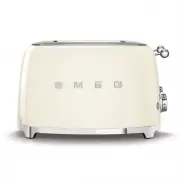
Description 7 ITENEN 2 Description 2.1 Product description Model TSF03 - 4 Slice Toaster 1 Extra-wide slots with self-centring racks 2 Breadlift 3 Double control panel 4 Crumb tray 2 3 4 1
Page 6 - Defrost function button
Description 8 2.2 Control panel The toaster is fitted with two independent control panels. Each control panel controls 2 slots to allow different settings to be used for the available functions. 1. Defrost function button This function is useful when toasting frozen bread. During toasting, the defro...
Page 7 - Use; Electrocution hazard
Use 9 ITENEN 3 Use 3.1 Before first use 1. Remove all stickers and labels and clean the outside of the toaster using a damp cloth. 2. Use the toaster for the first time without slices of bread in it. 3. Turn the two Browning controls to the maximum position and lower the two breadlifts. This will bu...
Page 9 - Cancelling / stopping the toasting cycle
Use 11 ITENEN The heating element now switches on. The bread is centred automatically for even toasting.7. The toasted bread will pop up automatically when it is ready. . 3.3 Special functions Cancelling / stopping the toasting cycle The toasting cycle can be cancelled or stopped at any time by push...
Page 10 - Reheat; Using optional accessories; Sandwich racks; Hot appliance
Use 12 Reheat This function allows you to reheat bread and cold sandwiches or to continue a toasting cycle if the result is not satisfactory. To use the function, simply insert the bread into the slot, select the Reheat function on the browning control knob and push the breadlift downwards until it ...
Page 11 - Tips and suggestions
Use 13 ITENEN How to use: 1. Open the rack with the handles.2. Place the sandwich into the rack. 3. Close the sandwich rack handles together to grip the sandwich. 4. Insert the sandwich rack into the slot and select a browning level. If it has not been browned sufficiently, press the Reheat button t...
Page 12 - Bun warmer; Place the bun warmer on top of the
Use 14 Bun warmer Model TSBW01 suitable for Toaster TSF03 The bun warmer is useful for warming small bread rolls, flat bread or pastries. How to use: 1. Place the bun warmer on top of the toaster, making sure that the wire feet at the ends fit into the slots of the toaster. 2. Place the small bread ...
Page 13 - Cleaning and care; Cleaning the surfaces; Improper use
Cleaning and care 15 ITENEN 4 Cleaning and care 4.1 Instructions 4.2 Cleaning the surfaces To keep the surfaces in good condition they should be cleaned regularly after use. Allow them cool first. 4.3 Ordinary daily cleaning Always use products that do not contain abrasives or chlorine-based acids.P...
Page 14 - Cleaning the crumb trays; Put the crumb tray back in the toaster.; Cleaning the optional sandwich
Cleaning and care 16 4.5 Cleaning the crumb trays The toaster is provided with two crumb trays, one for each pair of slots.To clean the crumb tray, proceed as follows:1. Press the crumb tray in order to release it, then pull it out and empty it. Empty the crumb tray after each use. 2. Put the crumb ...